ToolBox for Minecraft
Launcher (Addon) ToolBox for Minecraft Pocket Edition is an analog of the popular mod for the PC version Minecraft called TooManyItems. The new version is much more functional than the previous one and has many new features.
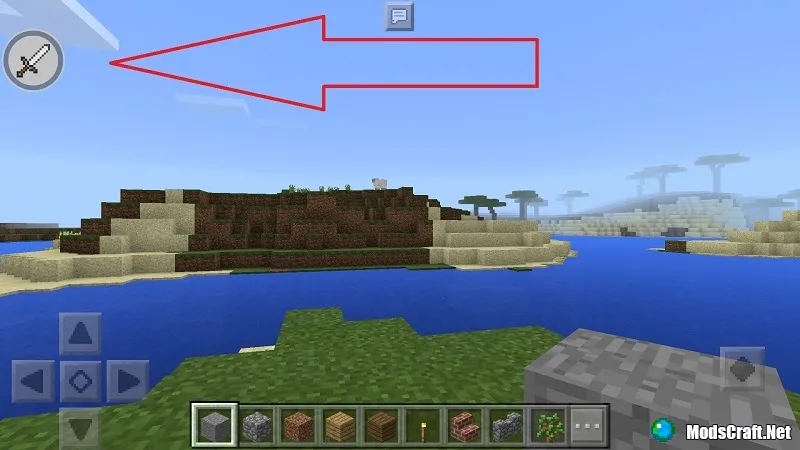
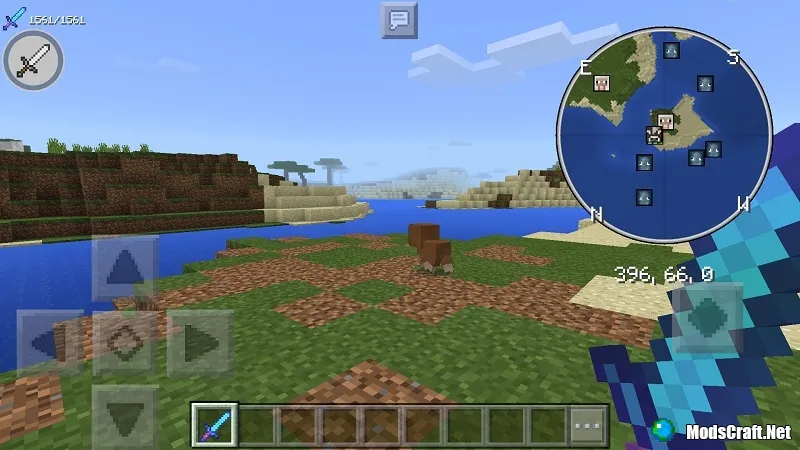
Launcher ToolBox is written in the programming language C++ using the functions of the game itself, and therefore the entire interface is identical to the interface of the game. To go to the main interface of the ToolBox, you need to click on the sword icon.
Toolbox on Minecraft PE has a lot of interesting and useful features that will be useful to you in various situations! In addition, it has support for ModPE mods, which were created for BlockLauncher.
Features:
- Developed in C++
- Ability to search for items by searching
- Enchantment of things
- Getting Effects
- Changing the weather
- Changing the game time
- The ability to spawn mobs
- Fast teleportation between worlds
- Sort things menu as in creative mode
- Quickly add any item to your inventory
How do I add an item to my inventory?
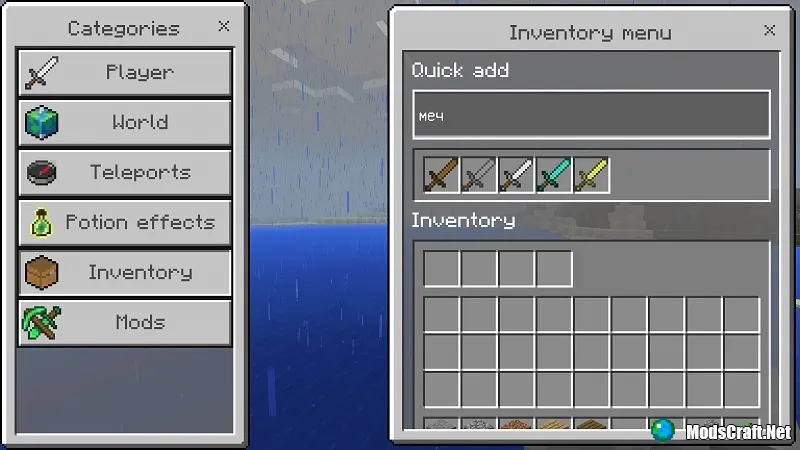
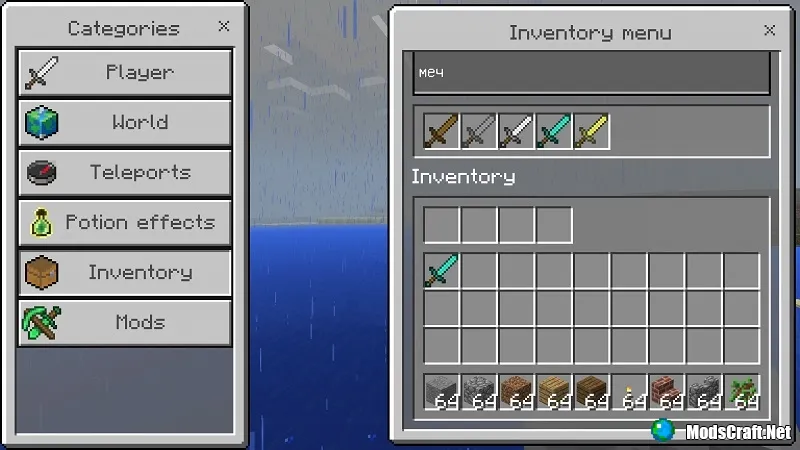
Open the GUI of ToolBox`a and go to the category Inventory (Inventory). Enter the name of the item or block you need in the Find any item field, and then click on its icon to add it to your inventory.

How to enchant an item?
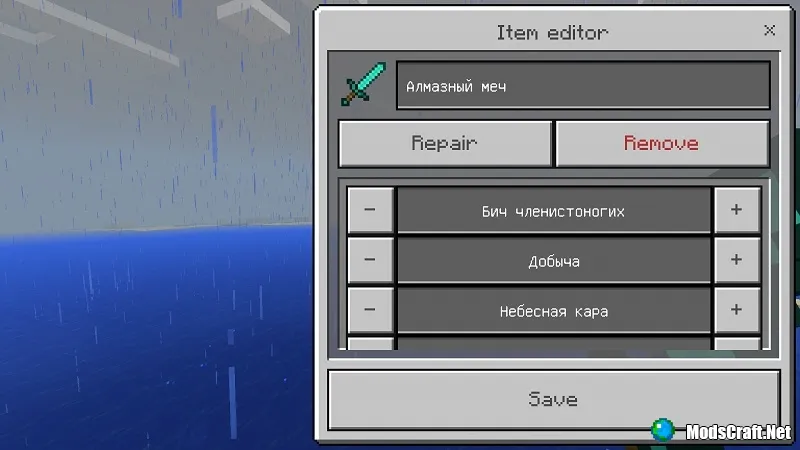
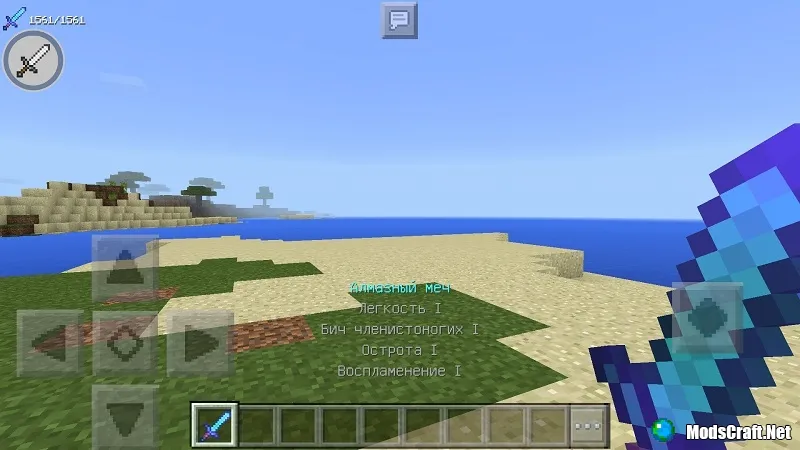
In the Inventory category, find the item you want to enchant. Click on its icon and in the Item editor window select the desired charms that you want to install, and then click Save to save the changes.
How do I enable XRay?
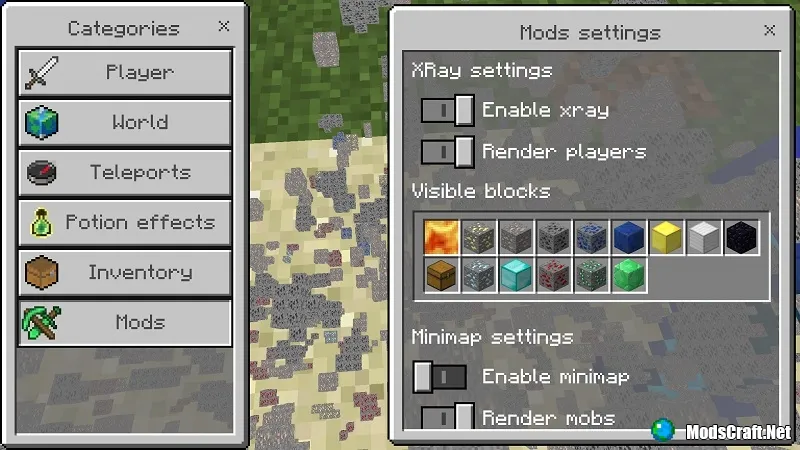
The XRay function allows you to see ores through walls and other blocks in Minecraft PE. To enable/disable this feature, go to the Mods category and toggle the slider Enable xray.
How do I turn on the mini card?
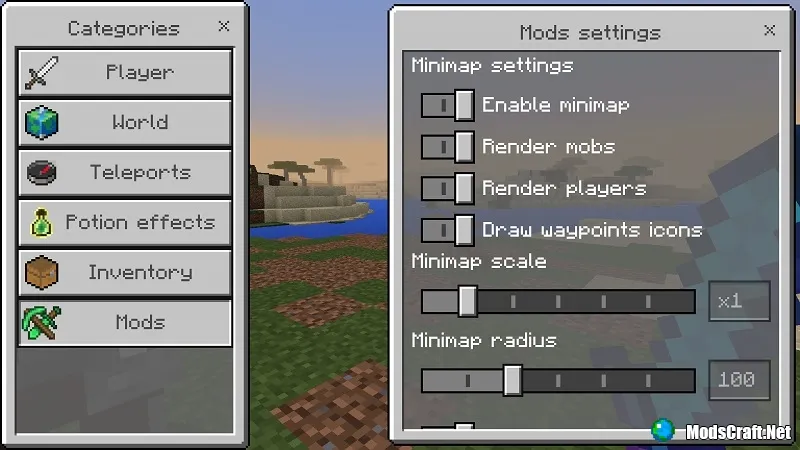
To enable the minimap, you need to go to the same section Mods and in the section Minimap settings, switch the slider Enable minimap. Right there you can enable and disable the display of mobs and players on the minimap, and you can also change the size and radius of the map.
Last update: v5.4.26 (October 10, 2021)
What's new?
- Added support for Minecraft PE 1.17.34.
