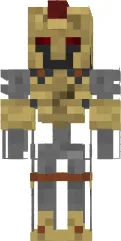
Skin Yellow Golem

The Yellow Golem skin depicts a large stone giant with yellow-orange coloring. The design mimics natural stone texture with cracks and protrusions, giving the character a brutal and reliable look.
An excellent choice for those who love to build and defend their structures. As a golem, you will look like a true guardian ready to repel any attack. Suitable for roleplay servers or mini-games.
You can also find the skin installation guide on our website if you need help.
Download skin Yellow Golem
1 comment
Comments in a new tab