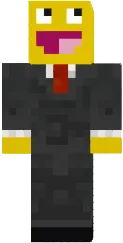
Skin Cat girl 2

Skin Cat girl 2 presents a cute look with cat ears and tail. Bright colors and detail make it appealing to anime and kawaii character fans. The skin suits creative modes and roleplay servers.
The design includes elements that emphasize a playful nature. This skin will surely attract other players' attention and add personality to your character.
You can also find the skin installation guide on our website if you need help.
Download skin Cat girl
There are no comments, be the first!
Leave a comment, share your impression or ask a question.