ModsCraft » Guides » Worlds Missing in Minecraft 1.18.0.21?
Worlds Missing in Minecraft 1.18.0.21?

WhatsApp
Telegram VKontakte Odnoklassniki Pinterest
Worlds Missing in Minecraft 1.18.0.21?

The developers released a new test version of Minecraft 1.18.0.21, but players on Android immediately ran into an issue where all their worlds went missing. In this guide, we've outlined the process to restore your worlds.

This issue arose because the developers updated the location of the world folders.

  • Old path: /games/com.mojang/minecraftWorlds
  • New path: /Android/com.mojang.minecraftpe/files/games/com.mojang/minecraftWorlds

We've outlined two methods to fix this issue.

Method 1

This method is suitable if you don't have a computer or if you want to do everything directly from your mobile device.

On different Android skins, the file manager may vary in appearance, but the functionality is the same.

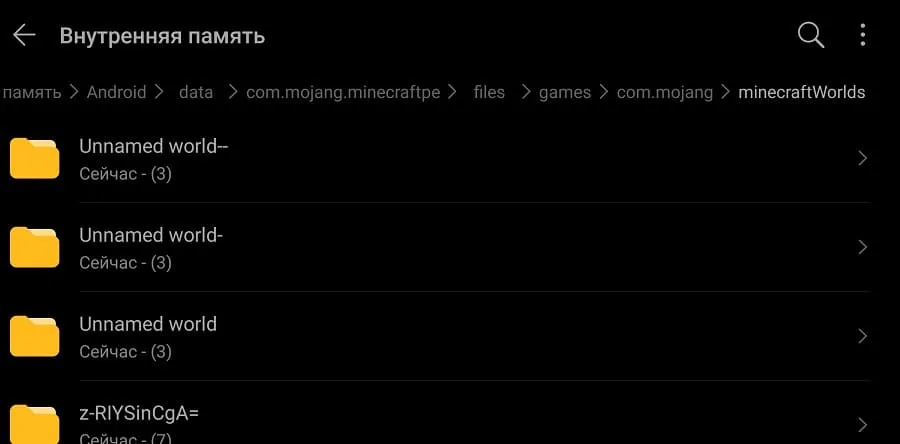
Navigate to the path /games/com.mojang/minecraftWorlds, where all your worlds are stored.

Now select the world folders and choose the move or copy option.
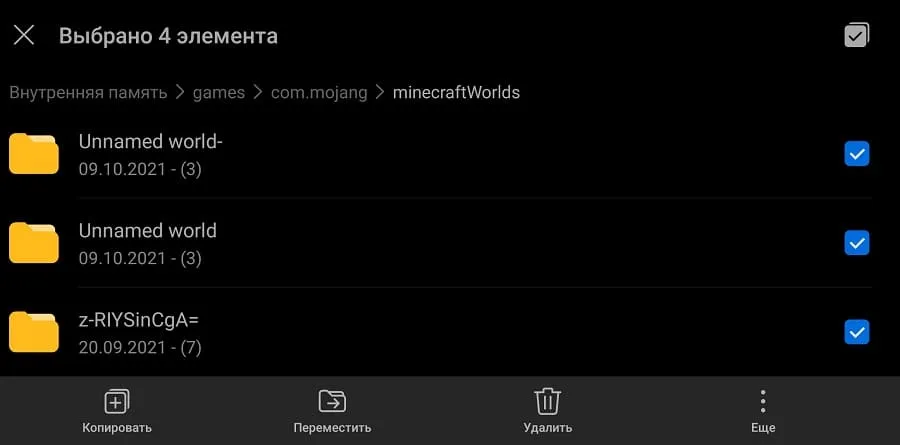
Copying world folders

Navigate to the path /Android/com.mojang.minecraftpe/files/games/com.mojang/minecraftWorlds.
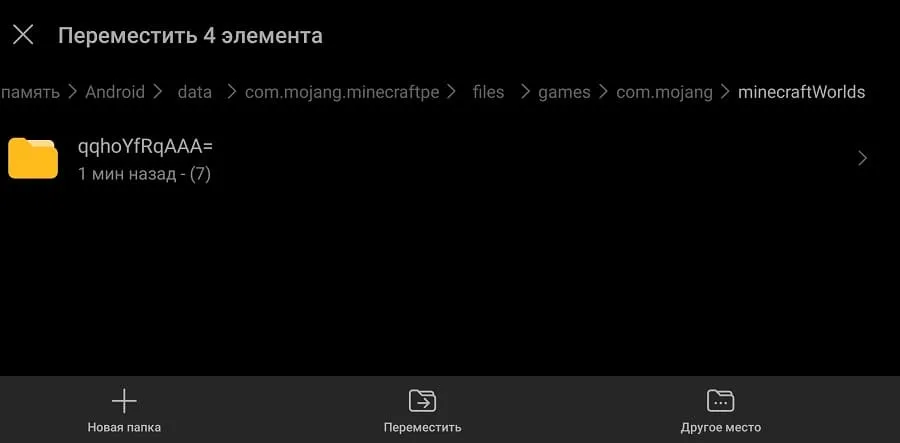
New path for Minecraft world folders

Tap move (or paste).

Moved world folders to new folder

Now all your worlds will reappear in Minecraft!
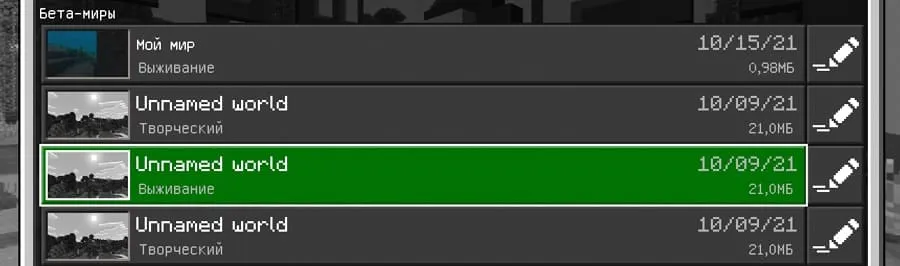
List of maps in Minecraft

Method 2

This method is suitable if you have a computer.

Connect your Android device to the computer via USB and enable File Transfer.
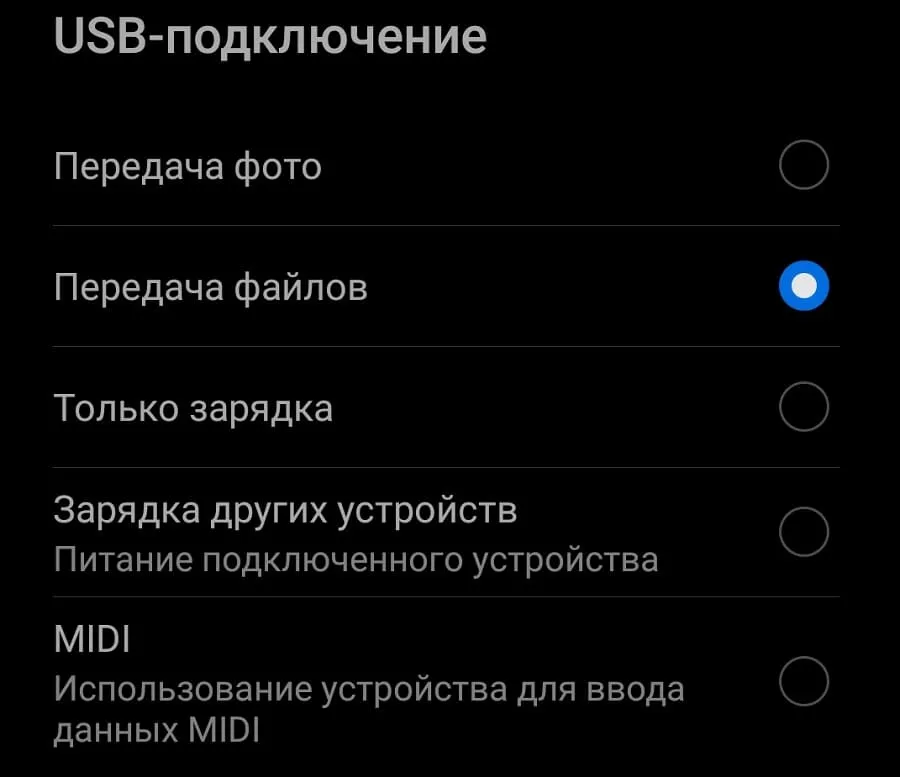
File transfer on Android

Navigate to the old path, select the world folders, and press cut.
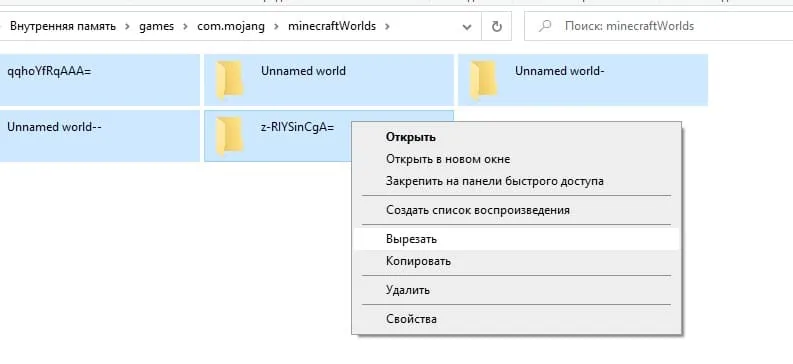
Cut world folders

Navigate to the new path and press paste.
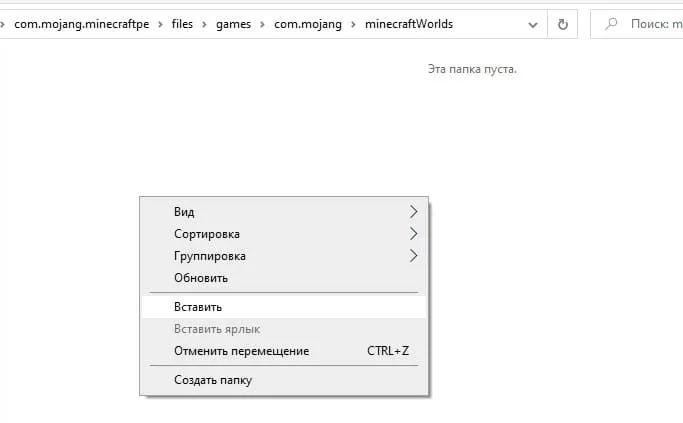
Paste world folders on PC

As a result, your world folders will be in the new location and you can launch the game to play on your worlds.

Pasted world folders on PC

These steps only need to be done once. In future versions, your worlds will not disappear, but you need to remember the new location of the map folder paths.

136 comments
  1. Guest avatar
    User Dave
    20:13 15 Oct 21
    Копировать нужно в "android", но дальше у меня нет того что показано, есть только "data" и "com"
    1. Guest avatar
      Огнезвёзд
      8:10 16 Oct 21
      Папка com.mojang.minecraftpe находиться в android/data/
      1. Guest avatar
        User Dave
        20:06 17 Oct 21
        Тоесть можно кидать сразу в data?
        1. Guest avatar
          ГАнДиОн
          11:14 18 Oct 21
          Надо в Android/data/com.mojang.mimecraft.pe/files/games/com.mojang(сюда можно копировать старую папку где были все миры и моды )/minecraftWorlds(сюда миры)
          1. Guest avatar
            User Dave
            18:35 18 Oct 21
            Когда я копирую, и выбираю папку "data" показано что в ней пусто, соответственно com.mojang и тд. Нету, посоветуйте мне сторонний файловый менеджер
            1. Guest avatar
              P
              16:51 7 Dec 21
              В папке дата пусто изза идиотизма рут прав и прочей херни, скачай X-plore, интерфейс немного сложный но другого обхода етой хрени я незнаю
  2. Guest avatar
    Nickname
    8:26 15 Oct 21
    Ура, наконец-то майнкрафт храниться там, где и другие игры, а то меня всегда бесила папка "games" на первой странице. Хотя я до сих пор не понимаю, почему называеться "игры", если это "mcpe"?

    И админам сервера: я нашёл ошибку, если оставить коментарий, он пишет "проверка на робота не пройдена", но её даже нет! Это обысъчно при первом нажатии
    1. Guest avatar
      zip Live
      9:21 16 Oct 21
      У меня с проверкой работает через раз

Immerse yourself in a unique adventure with classic survival, anarchy, a clan system, and constant events!…

PvP, Survival
IP:Port craft.pe:19132
Online 400 / 1501
Version 1.1 - 1.26
Play