How to Use a Banner?
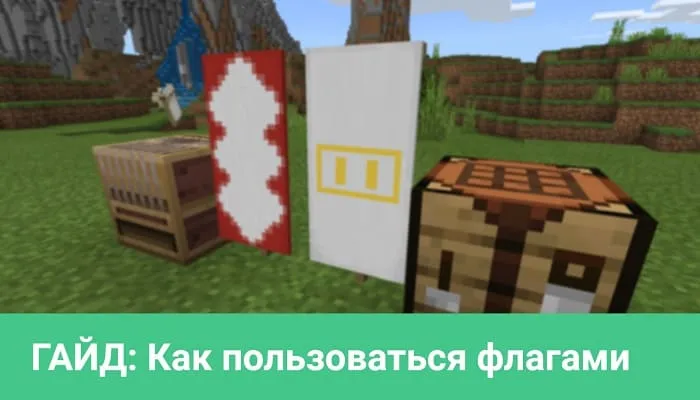
In Minecraft, the banner is probably one of the most interesting decorative blocks. This is easily explained by the fact that players can customize its appearance and create their own patterns.
In this guide, we will walk you through the process of creating and using banners, so you'll gain basic skills.
How to Get a Banner?
A banner in Minecraft can be obtained by crafting, in the Creative inventory, by finding it in an End city, or by using the command /give @s banner.
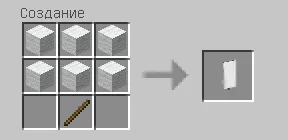
Crafting a banner is very simple. You only need one stick and six blocks of wool. You can use wool of any color and you'll get a banner of that color.
How to Get Dye?
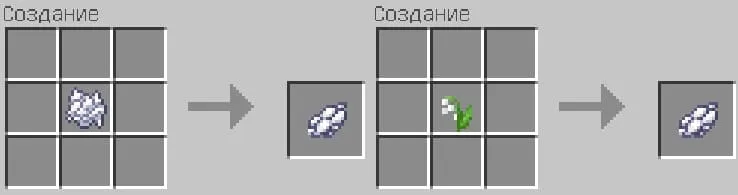
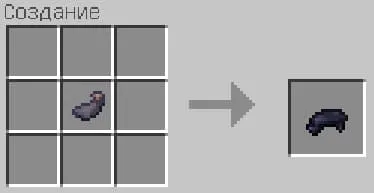
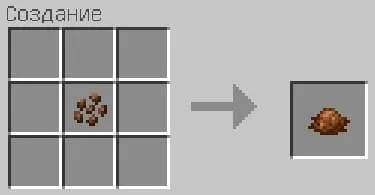
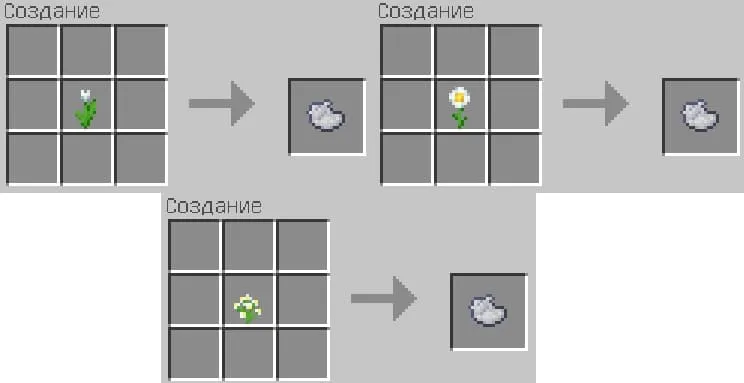
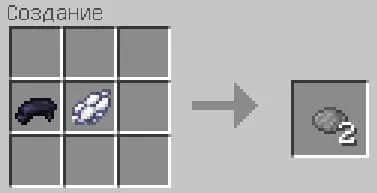
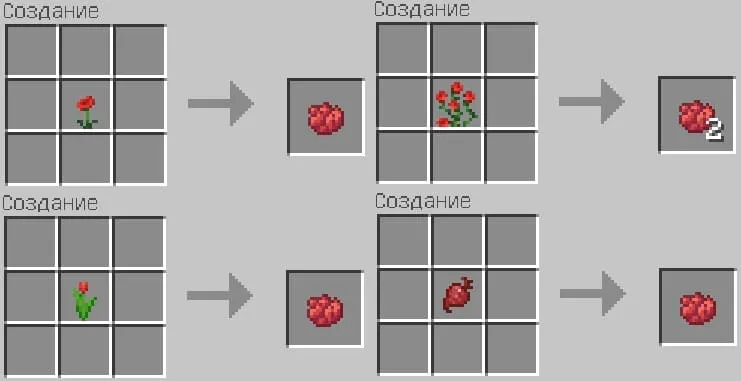
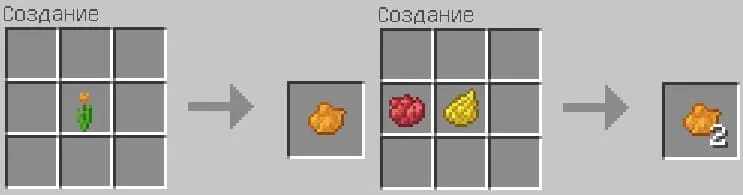
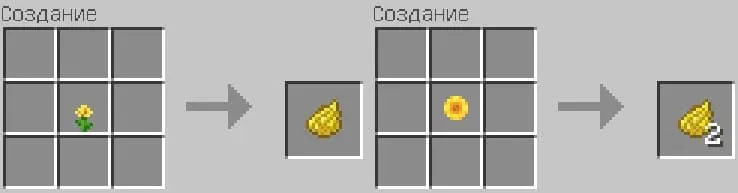
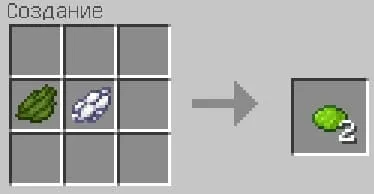
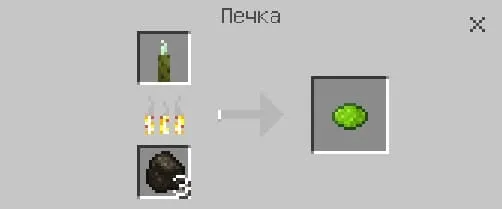
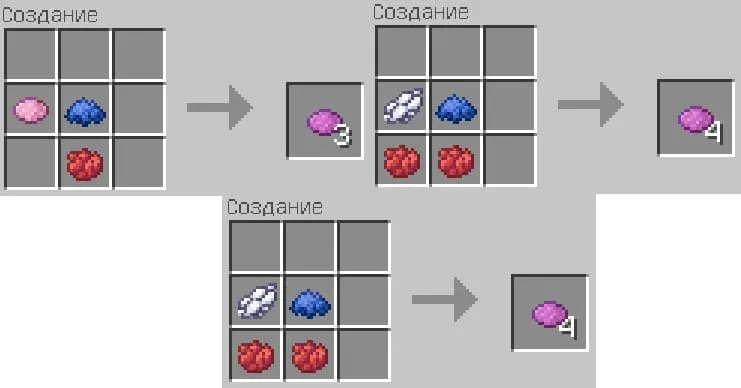
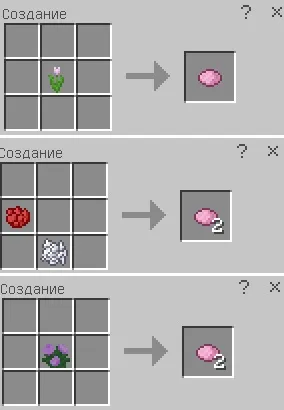
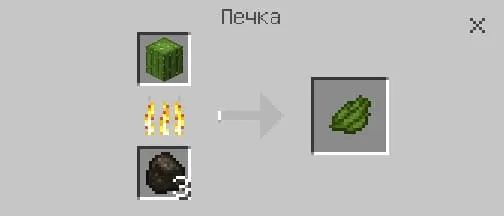
In Minecraft, there are 16 types of dye, each with a different color. Almost all dyes are created by crafting in a crafting table or by combining other dyes.
Crafting in a Crafting Table:
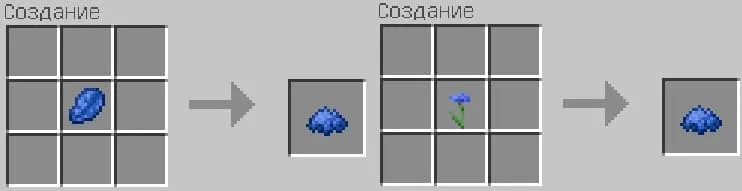
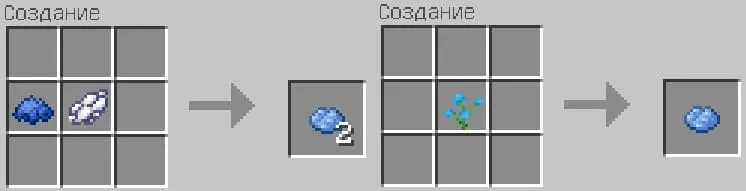
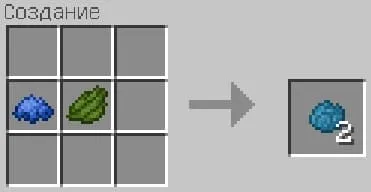
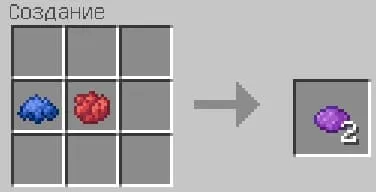
How to Create a Pattern?
You can apply up to 6 patterns on one banner. They will stack on top of each other.
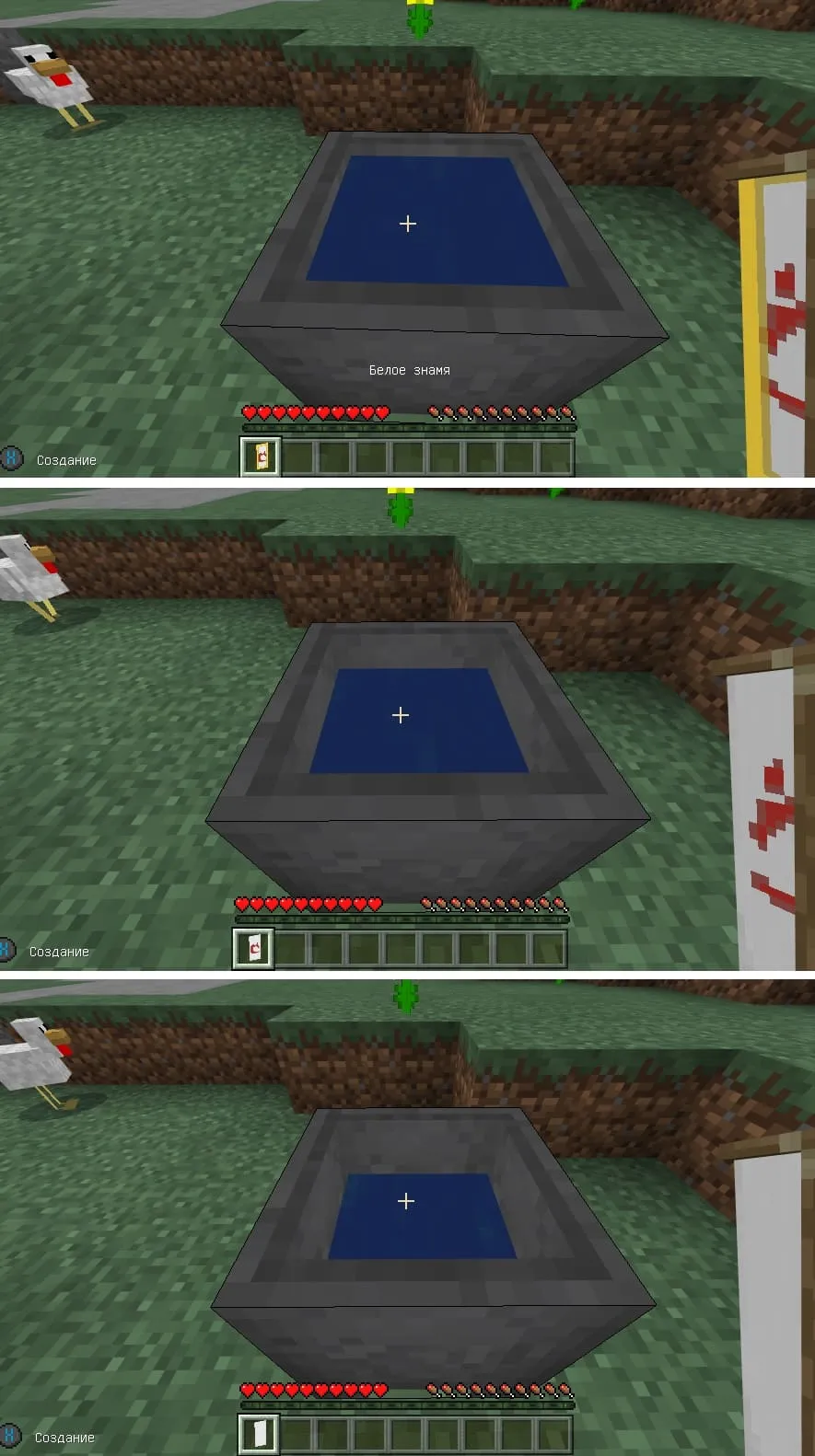
The banner pattern can be washed off in a cauldron.
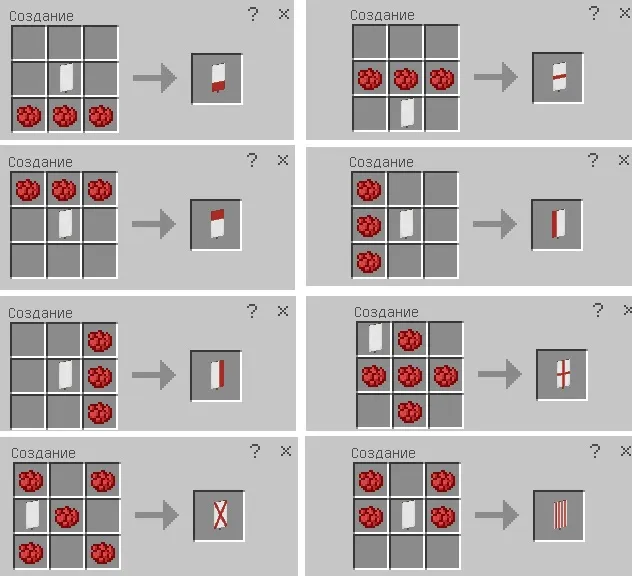
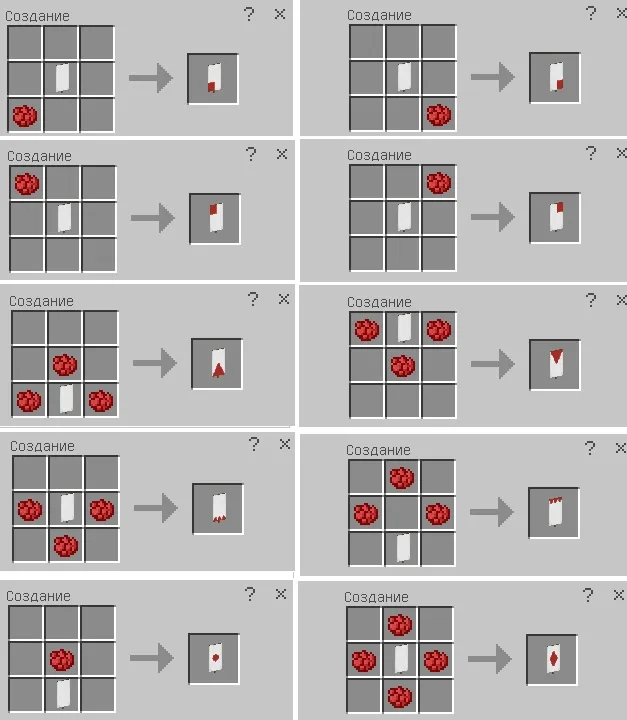
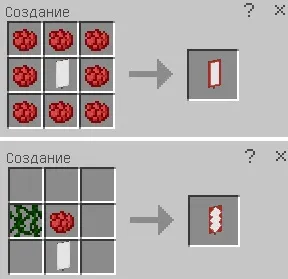
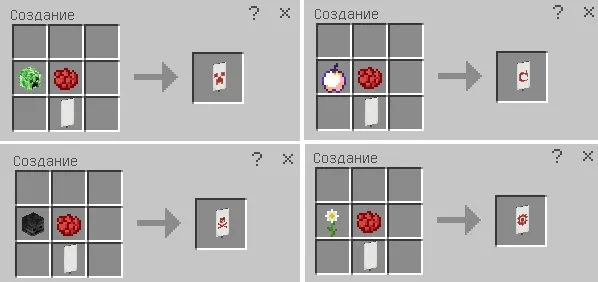
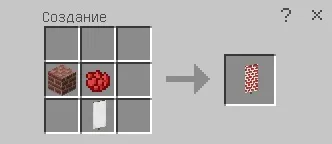
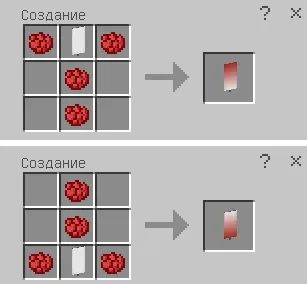
The position of the banner in the crafting slots does not matter, but the position of the dyes themselves matters a lot, as it determines the type of pattern. Just look at the screenshot below and I think you'll understand the principle.
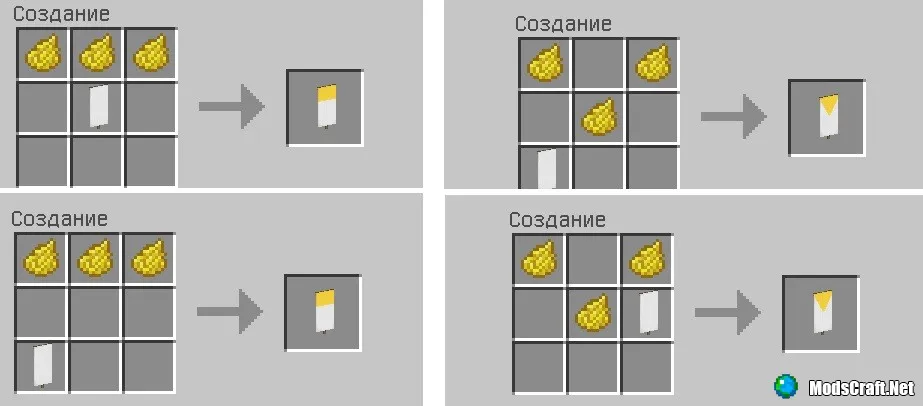
Under the spoilers you will find recipes for all patterns that exist currently. In the screenshots I used red dye, you can use any other.
Loom for Patterns
This block is available since Minecraft 1.10 and allows you to create patterns on a banner, making the process of creating the above patterns easier.
The block is crafted from two strings and planks of any type. It can be found in villages.
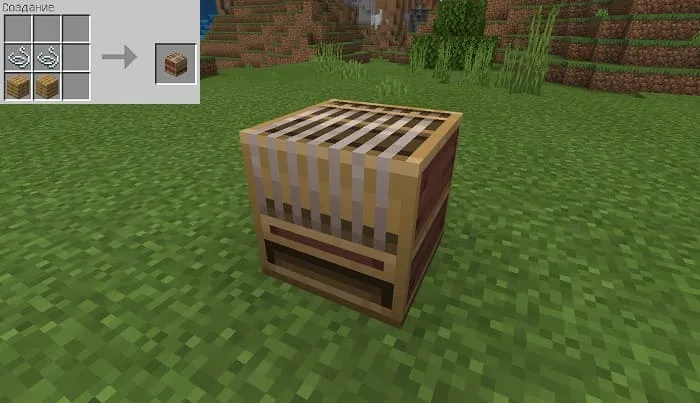
You can use a banner and any dye, choosing one of the quick available patterns.
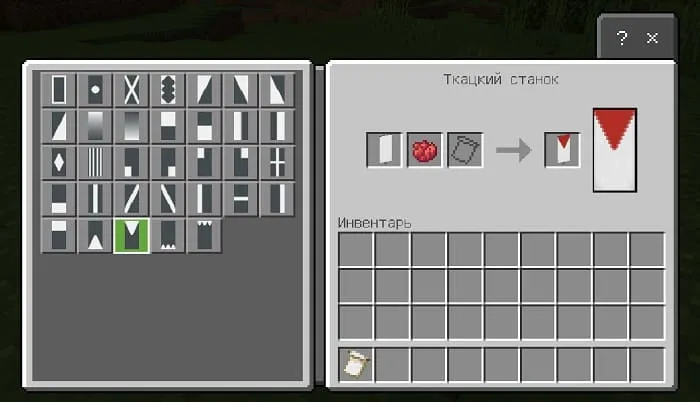
Creating a more complex pattern requires a special template.
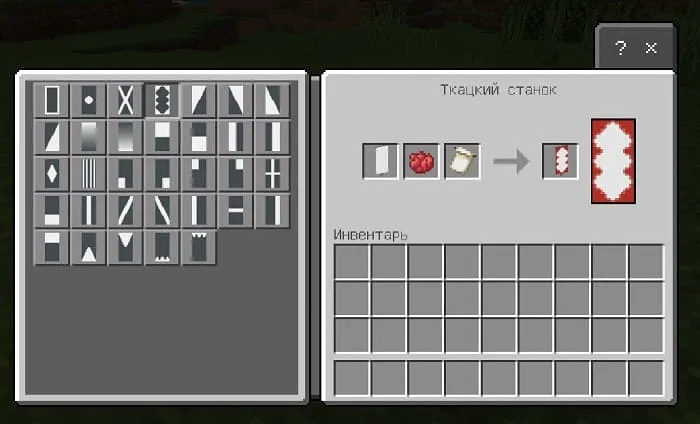
There are six templates available, each with a different design.
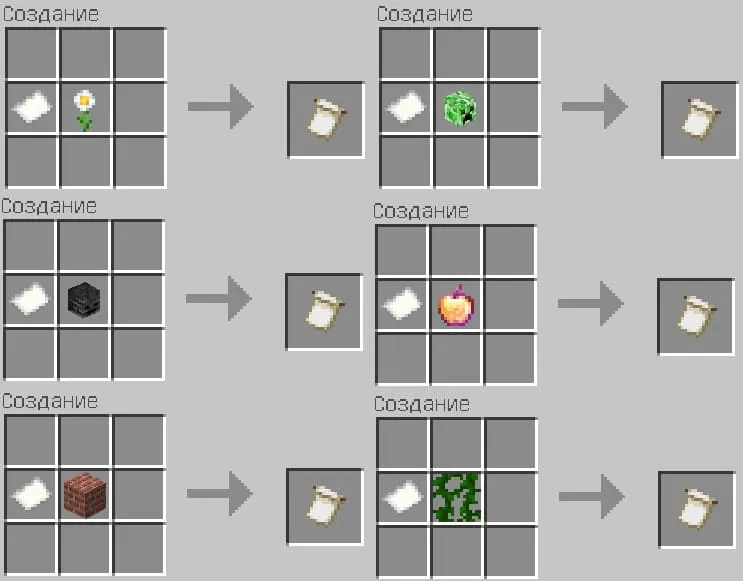
How to Wash Off a Pattern from a Banner?
For this you need a cauldron, a water bucket, and the banner with the pattern. Pour water into the cauldron and interact with it while holding the banner. Patterns will be washed off one by one.
We hope this guide was useful for you and we helped you. If you have any other questions, write them in the comments!

