Skin Invisible

3D settings
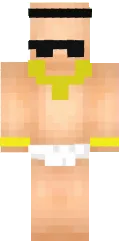
The Invisibility skin for Minecraft PE is an unusual and interesting character design that creates the effect of fully transparent textures. With this skin, your character can look almost completely invisible in the game world, adding a unique atmosphere and making gameplay more fun and unconventional.
This option is perfect for experiments, pranks with friends, or simply for players who want to stand out with something truly unique. The invisibility effect makes the character look minimalistic and mysterious, attracting attention on servers and in single-player worlds.
Installing the skin in Minecraft Pocket Edition on Android is quick and easy. Once applied, you will immediately see the changes and can enjoy the new look in the game.
Download Invisible skin
39 comments
Comments in a new tab