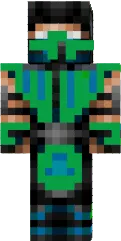
Skin Chponk

The Chponk skin for Minecraft PE is a funny character with an unusual appearance that will surely bring a smile to you and your friends. Its bright colors and humorous details make it a great choice for those who love humor and want to add some fun to the game.
This skin suits players of all ages, especially those who appreciate original and creative looks. Chponk will be noticeable on any server and help you stand out from the crowd.
You can also find the skin installation guide on our website if you need help.
Download skin Chponk
3 comments
Comments in a new tab