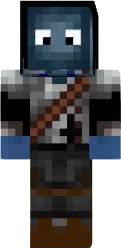
Skin Miss Katy

The Miss Katy skin for Minecraft PE depicts a girl in casual clothes: jeans, a t shirt, and a cap. Bright colors and neat hair make the look appealing.
This skin is suitable for players who want a modern and friendly character. Great for city maps and social servers.
You can also find the skin installation guide on our website if you need help.
Download skin Miss Katy
There are no comments, be the first!
Leave a comment, share your impression or ask a question.