Mod: Vanilla Backpacks
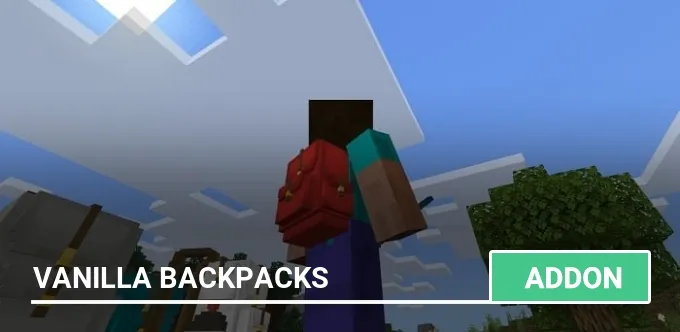
Tired of the eternal shortage of slots in your inventory? Then try the mod Vanilla Backpacks, which will add backpacks to Minecraft PE (Bedrock)!
There are three backpacks available: small, medium and large. To get a backpack, you can use crafting or creative mode inventory.
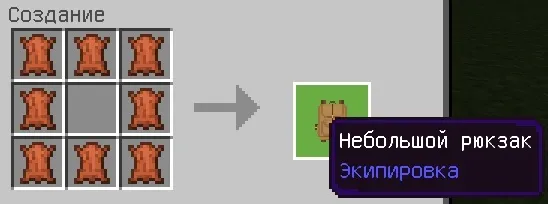
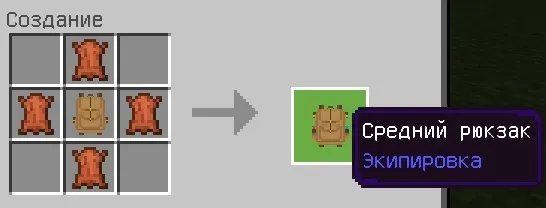
Crafting a medium backpack requires a small backpack.
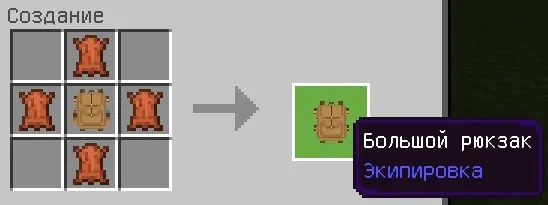
Crafting a large backpack requires an average backpack.
If you want to repaint the backpack, then just use any dye!
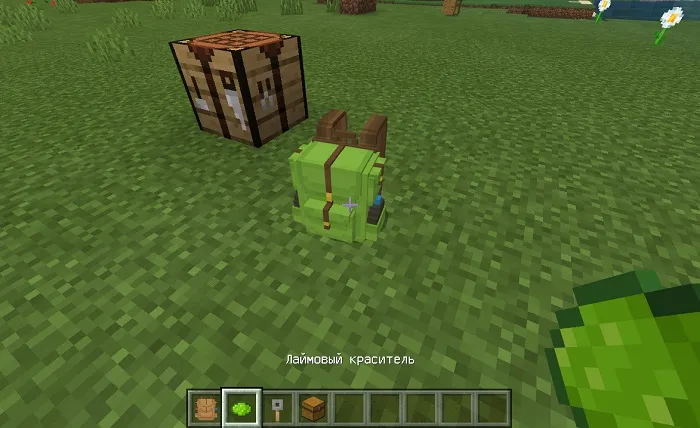
To open the backpack interface, just click on it.
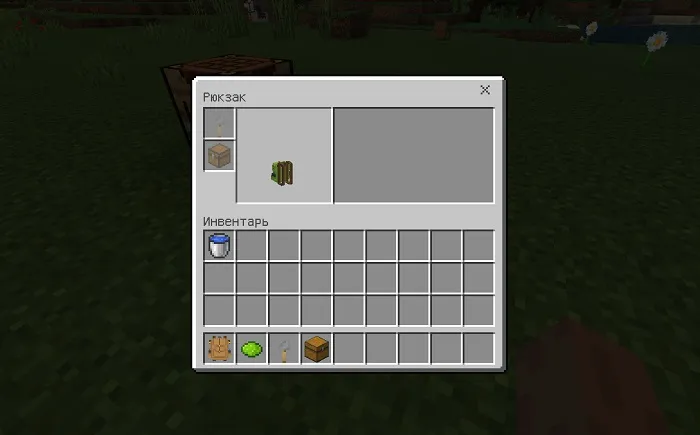
Place the chest in the slot with the corresponding icon to activate its inventory. Each chest has a certain number of slots: small — 9, medium — 12 and large — 15.
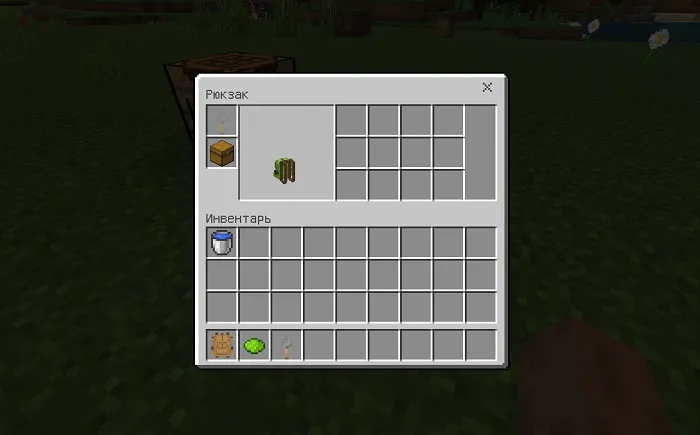
A tension sensor can be placed in the first slot, which will block the backpack from other players. But we do not recommend doing this, because then it is impossible to unlock it.
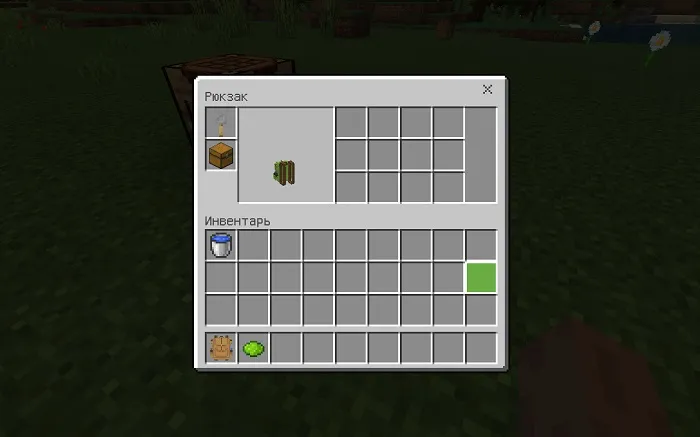
You can store liquids in backpacks! Press the PCM (or a long tap on the mobile device) while holding a bucket of water or lava in your hand to put the liquid in the backpack. If you want to pick it up, then repeat the same steps, but with an empty bucket.
This feature only works with the middle chest!
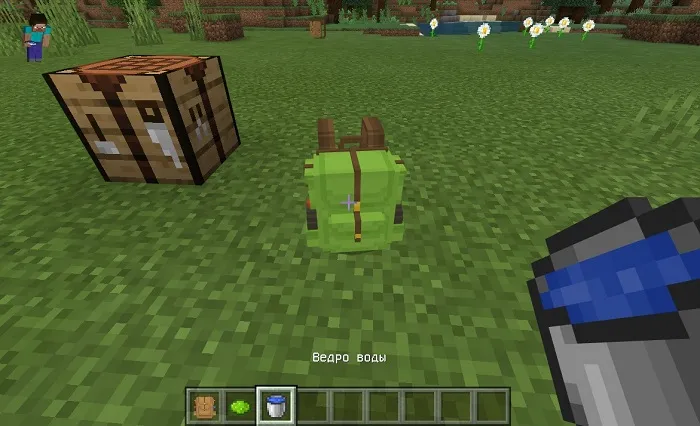
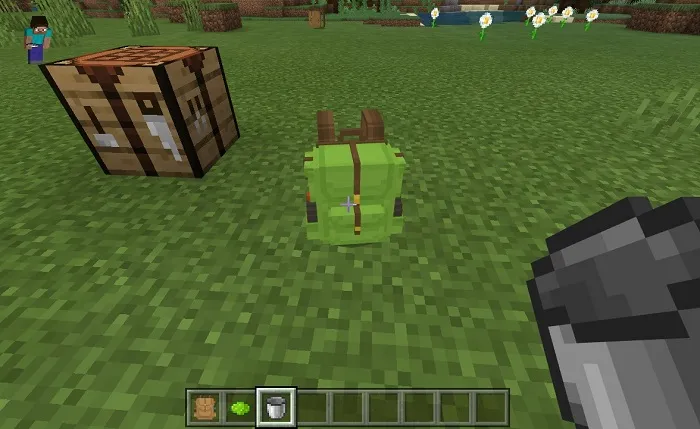
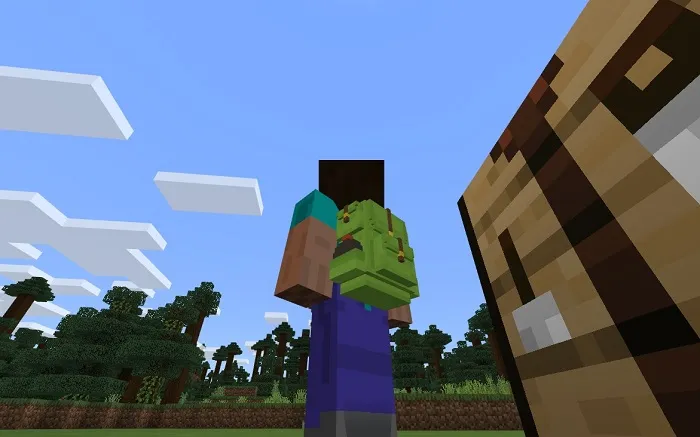
Just go to the backpack and it will automatically be on your back. If you want to take it off, then jump up and press the sneak button.
ATTENTION! On version 1.13, the modification does not work correctly and we do not recommend installing it!
Installing the Vanilla Backpacks mod (.mcaddon):
- Download the mod file marked .mcaddon from the link below.
- Just open the file (via ES Explorer on Android) and the game will install everything you need by itself.
- Launch Minecraft and go to edit the world.
- Select Resource packs.
- Find the texture pack and activate it.
- Select Behavior packs.
- Find the add-on and activate it.
- The mod is installed, have a nice game!
