ModsCraft » Mods » Mod: Vanilla Backpacks
Mod: Vanilla Backpacks

WhatsApp
Telegram VKontakte Odnoklassniki Pinterest
Mod: Vanilla Backpacks

Tired of the eternal shortage of slots in your inventory? Then try the mod Vanilla Backpacks, which will add backpacks to Minecraft PE (Bedrock)!

There are three backpacks available: small, medium and large. To get a backpack, you can use crafting or creative mode inventory.
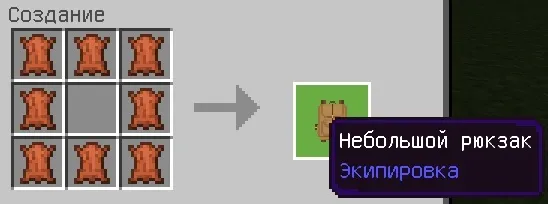
Mod: Vanilla Backpacks

Crafting a medium backpack requires a small backpack.
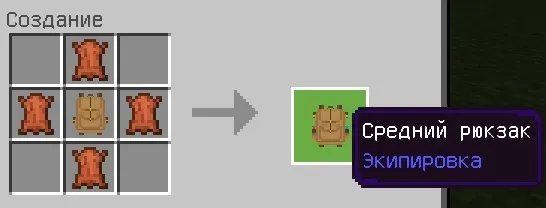
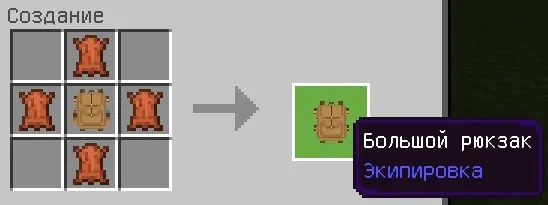
Crafting a large backpack requires an average backpack.
If you want to repaint the backpack, then just use any dye!
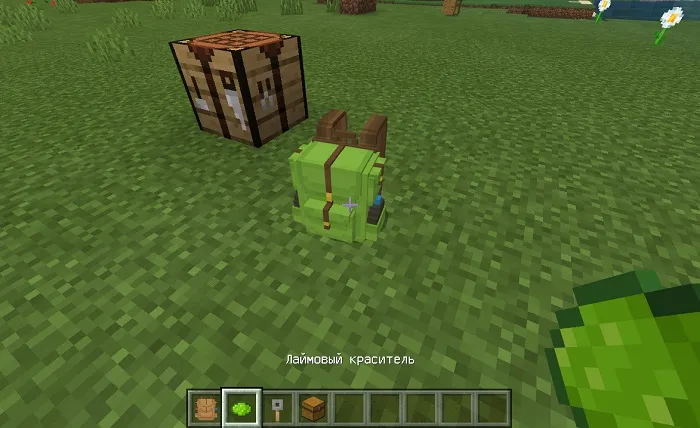
To open the backpack interface, just click on it.
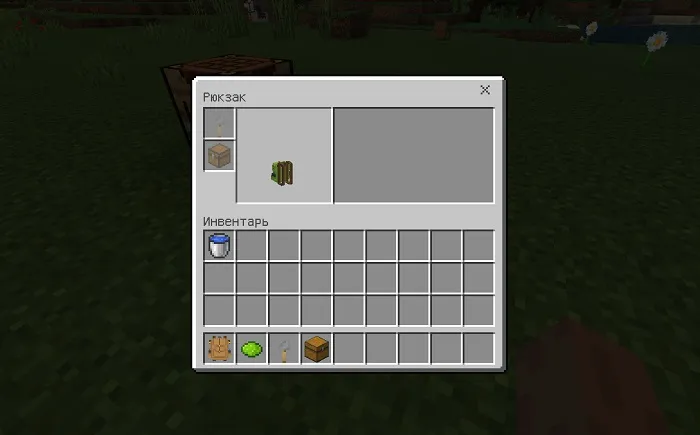
Place the chest in the slot with the corresponding icon to activate its inventory. Each chest has a certain number of slots: small — 9, medium — 12 and large — 15.
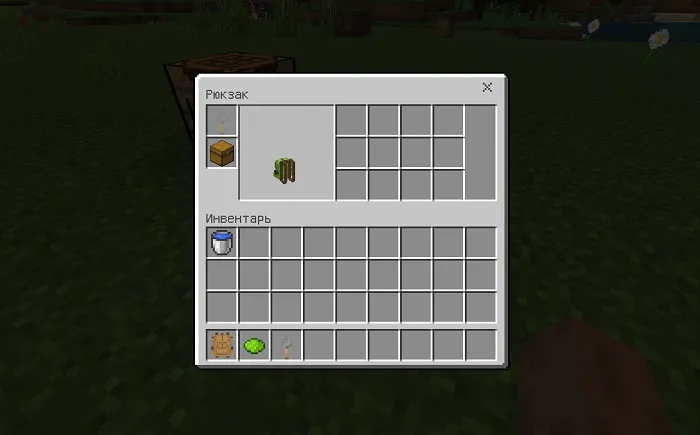
A tension sensor can be placed in the first slot, which will block the backpack from other players. But we do not recommend doing this, because then it is impossible to unlock it.
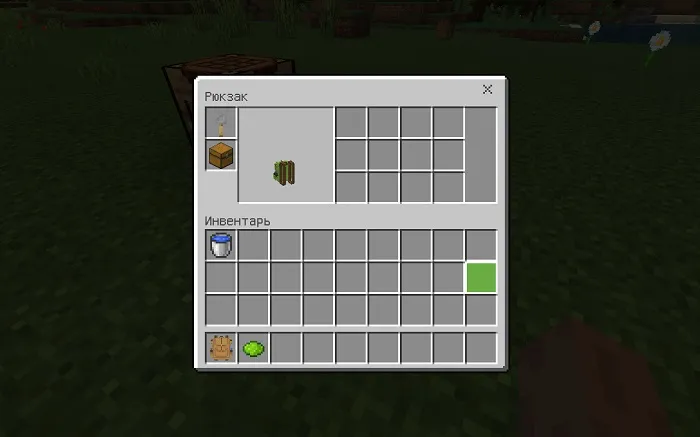
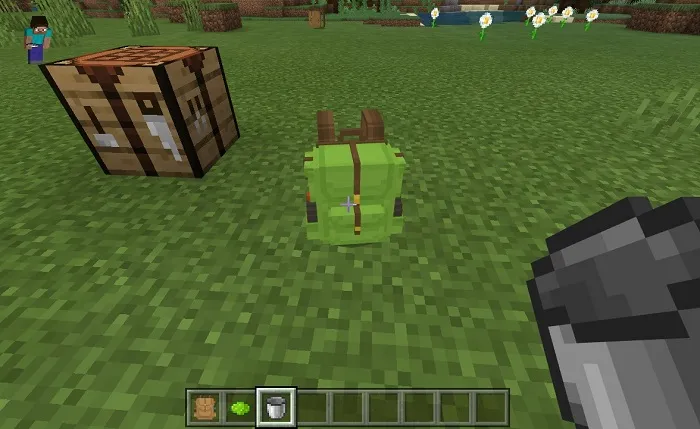
You can store liquids in backpacks! Press the PCM (or a long tap on the mobile device) while holding a bucket of water or lava in your hand to put the liquid in the backpack. If you want to pick it up, then repeat the same steps, but with an empty bucket.

This feature only works with the middle chest!
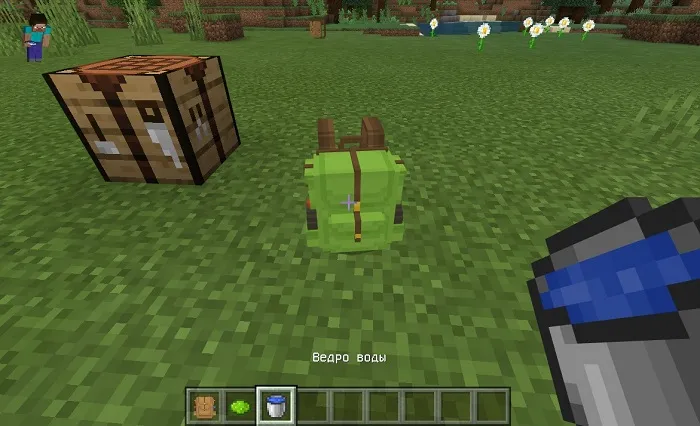
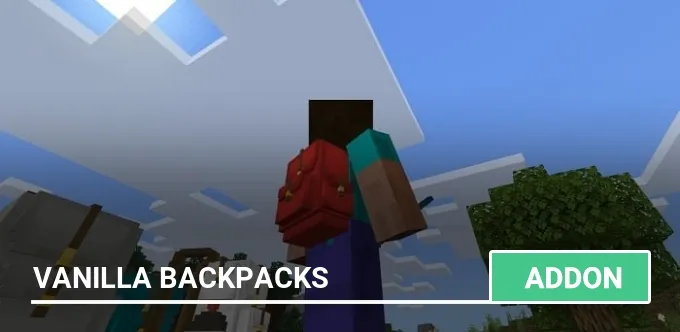
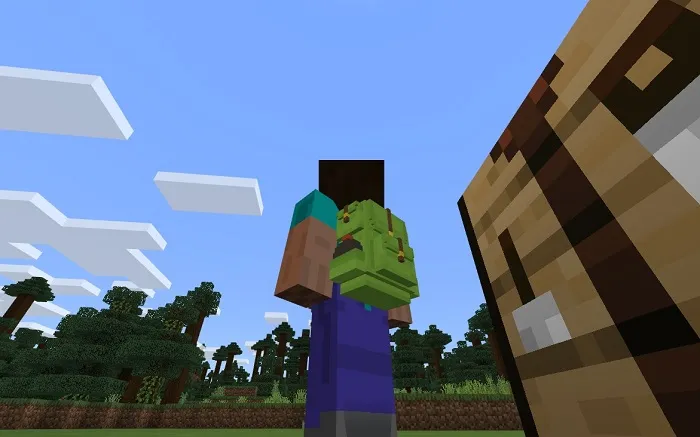
Just go to the backpack and it will automatically be on your back. If you want to take it off, then jump up and press the sneak button.
ATTENTION! On version 1.13, the modification does not work correctly and we do not recommend installing it!

Installing the Vanilla Backpacks mod (.mcaddon):

  • Download the mod file marked .mcaddon from the link below.
  • Just open the file (via ES Explorer on Android) and the game will install everything you need by itself.
  • Launch Minecraft and go to edit the world.
  • Select Resource packs.
  • Find the texture pack and activate it.
  • Select Behavior packs.
  • Find the add-on and activate it.
  • The mod is installed, have a nice game!

Download mod Vanilla Backpacks (.mcaddon)
Supported versions
69 comments
  1. Guest avatar
    Серёга Мамонов
    22:37 3 May 19
    Как его найти или заспаунить?
  2. Guest avatar
    Carumi- ПОДПИШИСЬ ПЛИЗ
    21:25 27 Feb 19
    А на версию 1.11.0.1 пойдёт?
  3. Guest avatar
    Незнакомец
    16:46 3 Jan 19
    У меня он невидимый
    1. Guest avatar
      Ярик
      23:29 2 Feb 19
      Где **** мод
  4. Guest avatar
    Валентин
    20:15 22 Dec 18
    А есть варриант сделать мод! А не аддон!? Тоесть добавить этот рюкзак, а не заменить в место моба... Это тупо выходит... Это во-первых, а во-вторых, он не работает так как задумано. Тоесть, мало того, что скоротали время и просто заменили внешний вид попугайки, и типо вставили инвентарь в него, так еще и плюс к этому, по тупому одевается и снимается. Называется "мама не хотела, папа не старался". Ребята, либо сделайте мод работоспособным, либо не мучайте голову себе и людям, и не беритесь за непосильные для вас дела. Надеюсь моя мысль до вас дошла.
    1. Avatar Admin
      Admin
      22:37 22 Dec 18
      Какой попугай, какой моб? Этот мод ничего не заменяет.
  5. Guest avatar
    артем
    15:02 19 Dec 18
    бедный попугайчик
  6. Guest avatar
    Dimoss
    19:28 15 Dec 18
    Я так понимаю вы переделали попугая, ну что же умно, реально как рюкзак
  7. Guest avatar
    нехороший человек
    15:40 13 Dec 18
    Пиздецццц!!! Он хавает маи рессы вот досада он сажрал маи алмазы и изумруды!!!!
  8. Guest avatar
    Андрей Абрамов
    13:15 10 Dec 18
    У меня он невидимый
    1. Guest avatar
      Yaroslav Bychkov
      23:00 30 May 19
      У меня тож
  9. Guest avatar
    Ильичев Сергей-Алексеевич
    16:27 9 Dec 18
    это прикольный мод но есть одно но рюкзак "не любит меня" просто сжирает изумруд и всё Я БАНКРОТ В МАЙИНКРАФТ!!!!!!!!!!!!!!
  10. Guest avatar
    Мистер Котя
    18:53 3 Dec 18
    Klasss

Immerse yourself in a unique adventure with classic survival, anarchy, a clan system, and constant events!…

PvP, Survival
IP:Port craft.pe:19132
Online 295 / 1501
Version 1.1 - 1.26
Play