Map: zUsHa's SkyBlocks [Survival]
![Map: zUsHa's SkyBlocks [Survival]](https://img.modscraft.net/uploads/posts/2017-06/1497208236_skyblock-2.webp)
On the "SkyBlocks" map, you will have to survive on a small island located high in the sky. But besides this island, there are many other small islands that you will need to reach. Try to conserve resources and use them wisely, because you will need to get to the largest island!
How to Play?
On the main (first) island, you can start your survival. Here you can get some items from the chest. Use them wisely and first of all, it's best to make a cobblestone generator.
![Map: zUsHa's SkyBlocks [Survival]](https://img.modscraft.net/uploads/posts/2017-06/1497208257_skyblock-1.webp)
You will need to reach the other islands to get new resources. Each island has its own chest with certain items and blocks.
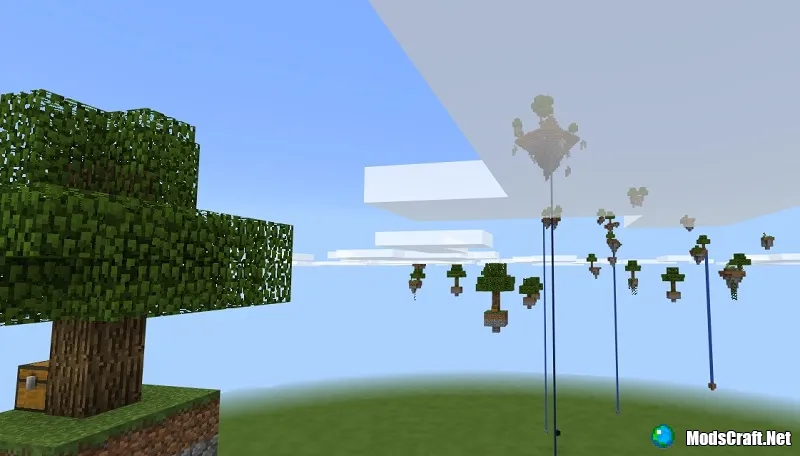
The goal of the map is to reach the main island, which is the largest of all!
Rules
- Do not use cheats or third-party programs
- Do not intentionally jump off the island to restore health and hunger
- Do not play on peaceful difficulty
Installing the SkyBlocks Map (.mcworld):
- Download the .mcworld map file from the link below.
- Simply open the file (via ES File Explorer on Android) and the game will install all necessary files automatically.
- Launch Minecraft Pocket Edition and find the map in the world list.
- Start the map and enjoy playing through it!
Files
Files in a new tab
Download SkyBlocks map (.mcworld)
16
comments
Comments in a new tab
Loading…
Loading…
Loading…
