How to Install a Minecraft Map on iOS?

If you have an iOS device (iPhone or iPad), when installing a Minecraft map in .mcworld or .mctemplate format, you may have encountered the error Failed to export level, as shown in the screenshot below.

How to fix this error and install the map correctly? In this guide, we describe the detailed process!
VIDEO INSTRUCTIONS
After downloading the map file, open the built-in Files app and go to Downloads.
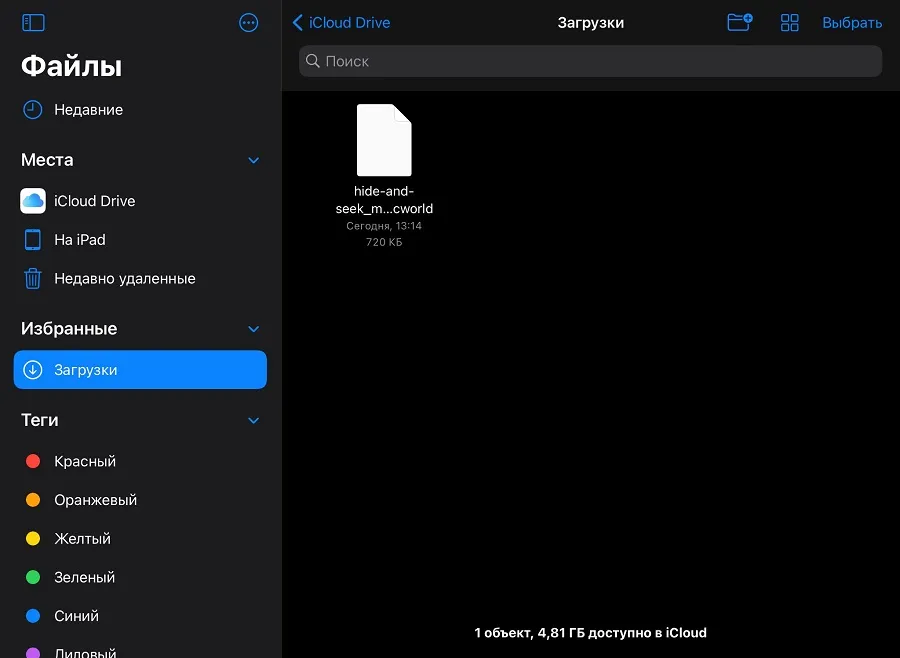
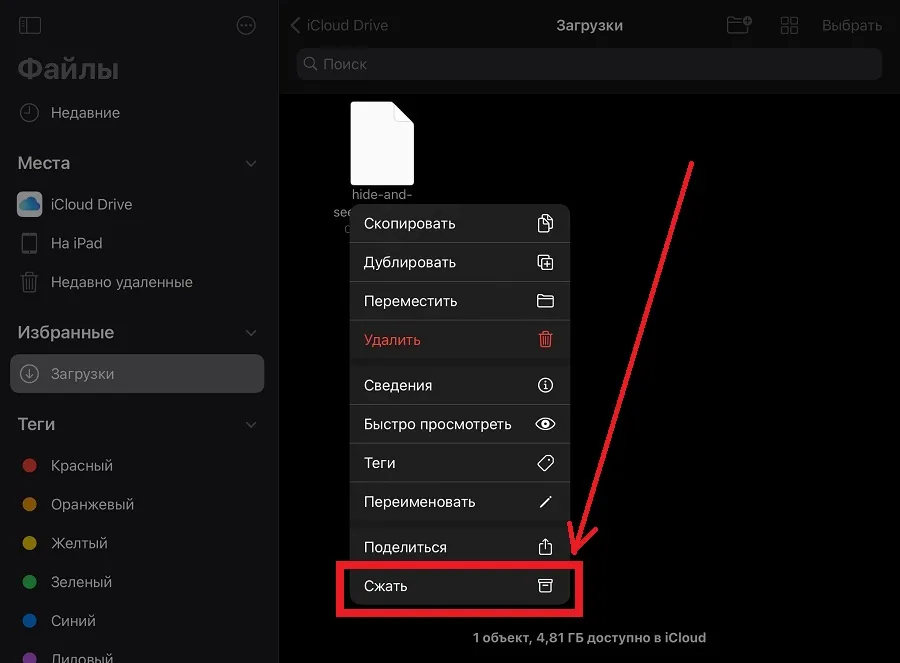
Find the downloaded map, press and hold it, and select Compress.
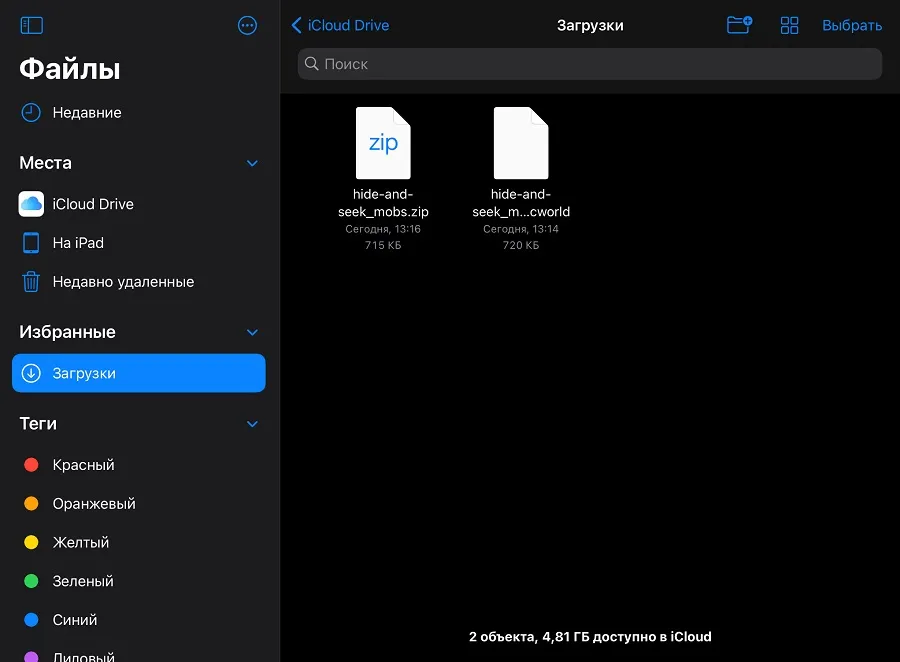
After a while, a compressed archive in .zip format will appear next to the map file.
Press and hold this archive and select Quick Look.
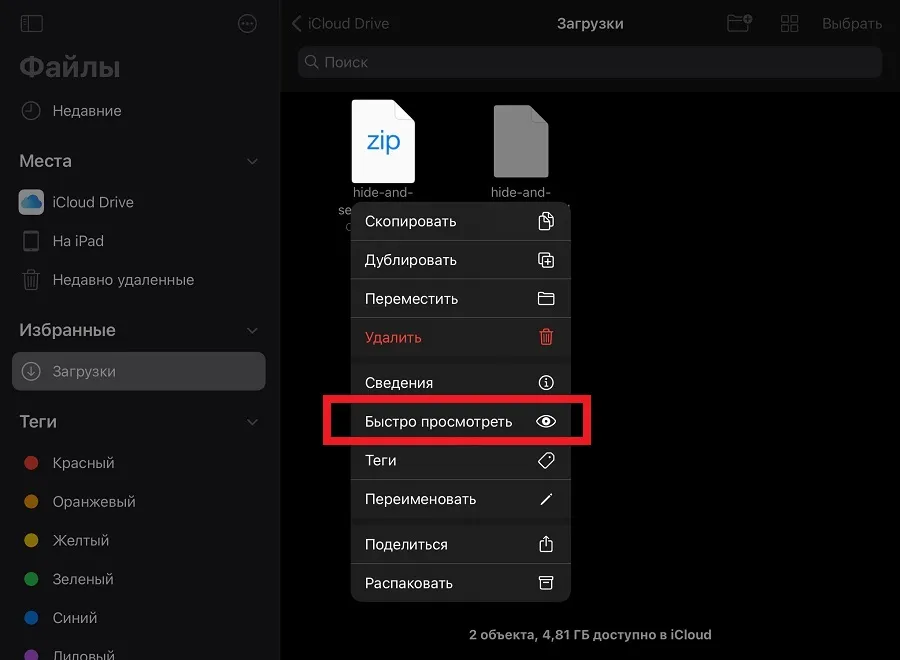
Then select View Content.

In the window that opens, tap Open in Minecraft at the top.
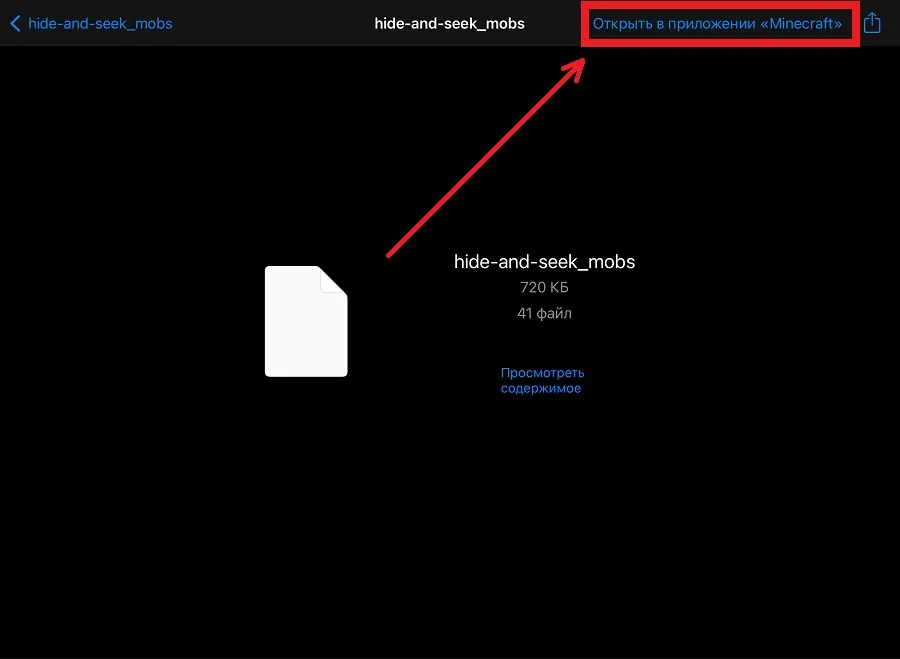
The process of importing the map into Minecraft will start, and you need to wait a bit.

After successful import, go to the worlds list window and find the installed map.
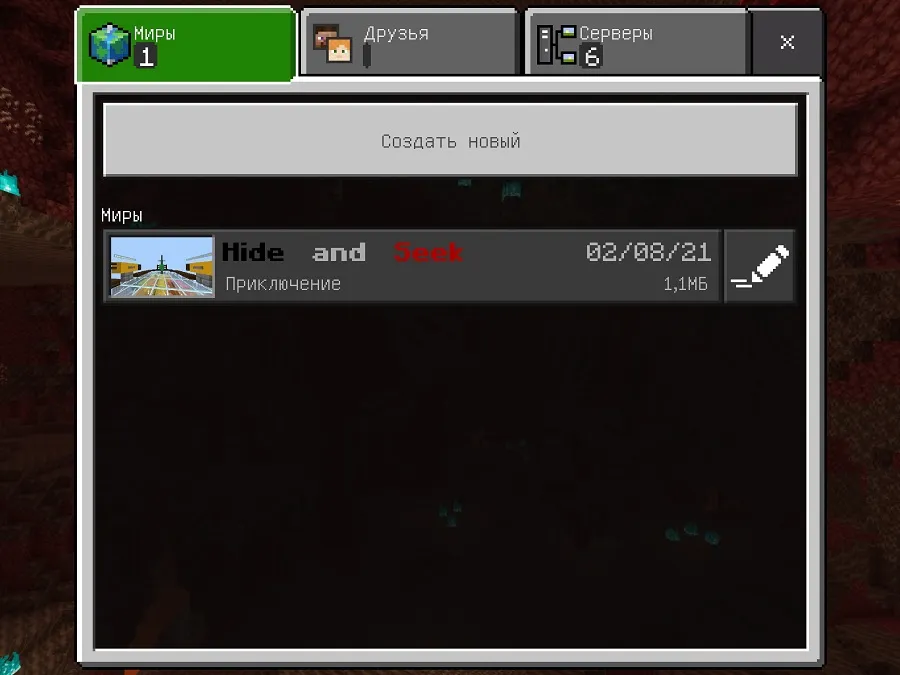
The map has been successfully installed, and now you can play on it from your iPhone or iPad!
If something didn't work out or you have questions, write in the comments and we will definitely help!
