How to Use the Offhand?

The offhand currently works fully on the PC version of Minecraft (or Java Edition). In this guide, you'll learn how to put a sword or any other item in your offhand. Remember, you won't be able to use it in combat, as it's just for show!
How does it work?
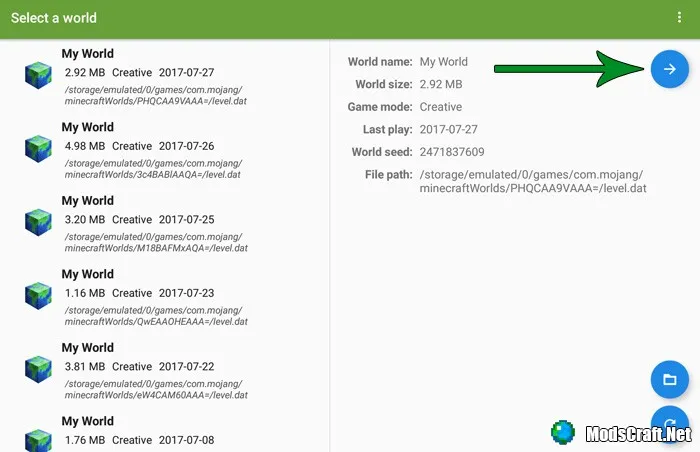
First, you'll need an Android device (smartphone or tablet) and the Blocktograph app. Open the Blocktograph app, select a world, then tap the blue arrow in the top right corner to view and edit the world.
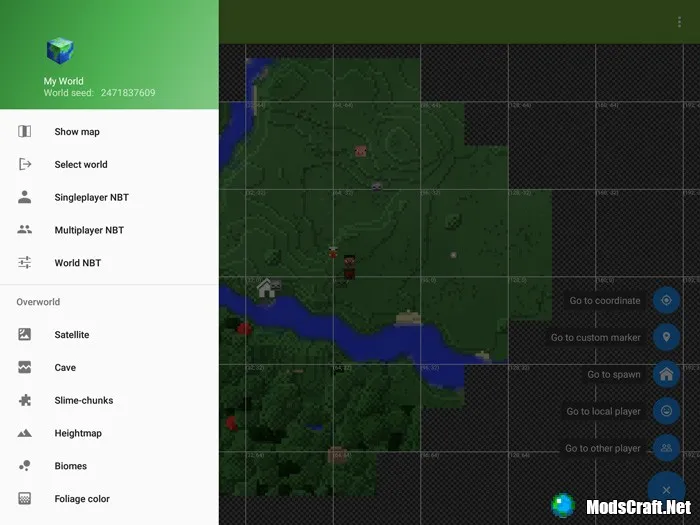
A window will open showing your world map. This is really cool and another reason to install this app. Tap the "+" icon in the bottom right corner, then select Singleplayer NBT from the menu on the left.
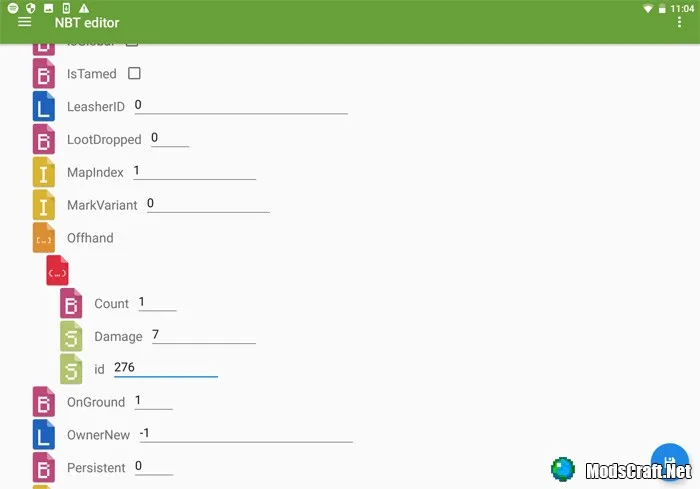
In the new window, you'll need to find the Offhand parameter in the list, then change its values to the following:
- Count: 1
- Damage: 7
- ID: 276 (diamond sword, you can enter any item or block ID)
Now, when you launch your world, you'll see an extra weapon in your left hand. However, it looks a bit odd.
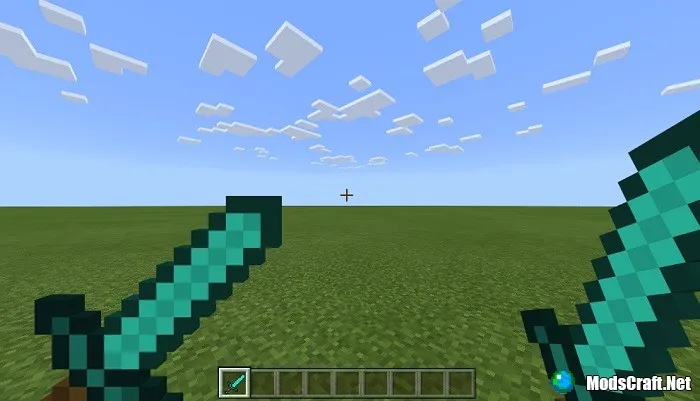
I recommend switching to third-person view, but remember, the extra weapon doesn't provide any benefit!
