Minecraft PE: How to Make a Living Minecart?
Hello everyone! Command blocks in Minecraft Pocket Edition, but even with them you can make many interesting things. And in this guide, I'll tell you how to make a real living minecart in MCPE!
So, let's get straight to the point.
Get command blocks with the command /give @p command_block in chat. Then place them as shown in the screenshot below, spawn a wolf and tame it with a bone (don't forget to make it sit).
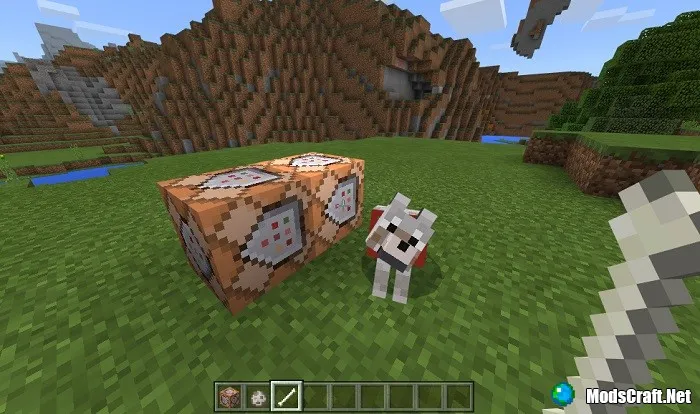
Open the first command block and enter the command effect @e[type=wolf] invisibility 9999 250 true:

After that, the wolf will become invisible.
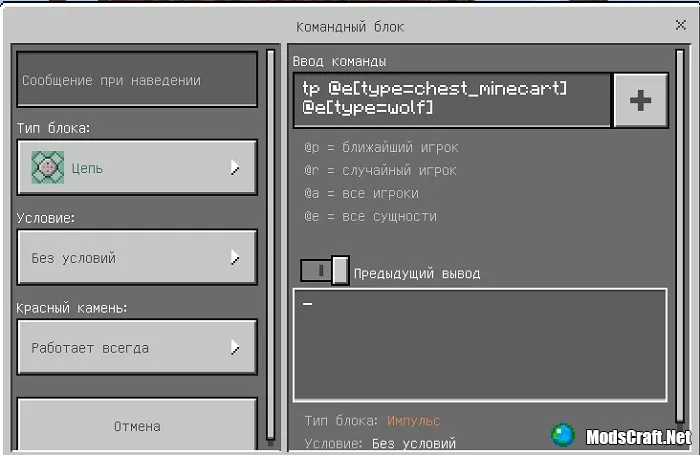
Important! Don't forget to set the Block Type to Repeat, and Redstone to Always Active.
If the chat messages bother you, enter the command /gamerule commandblockoutput false in chat.
Open the second command block, set the block type to Chain, Redstone: Always Active, and enter the command tp @e[type=chest_minecart] @e[type=wolf].
Now place rails and a minecart nearby, and it will automatically teleport to the wolf.
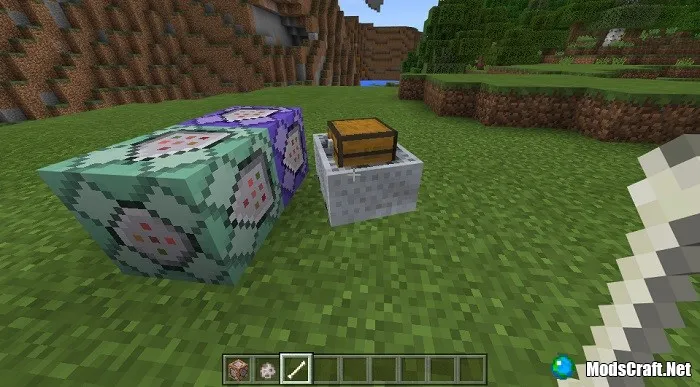
That's it! Now you have a living minecart with a chest that will protect you from monsters and you can store items in it!
Approach the minecart and hover over it, try to find the Ride button so the minecart follows you.
