Guide: 4 Ideas for Awesome Banners
One of the underappreciated features of Minecraft is banners (or flags)! By adding banners to the game, the developers opened up a whole canvas for creativity that is rarely explored in the Russian-speaking community of the game; nevertheless, interesting ideas can still be found, and we've gathered them into one small guide.
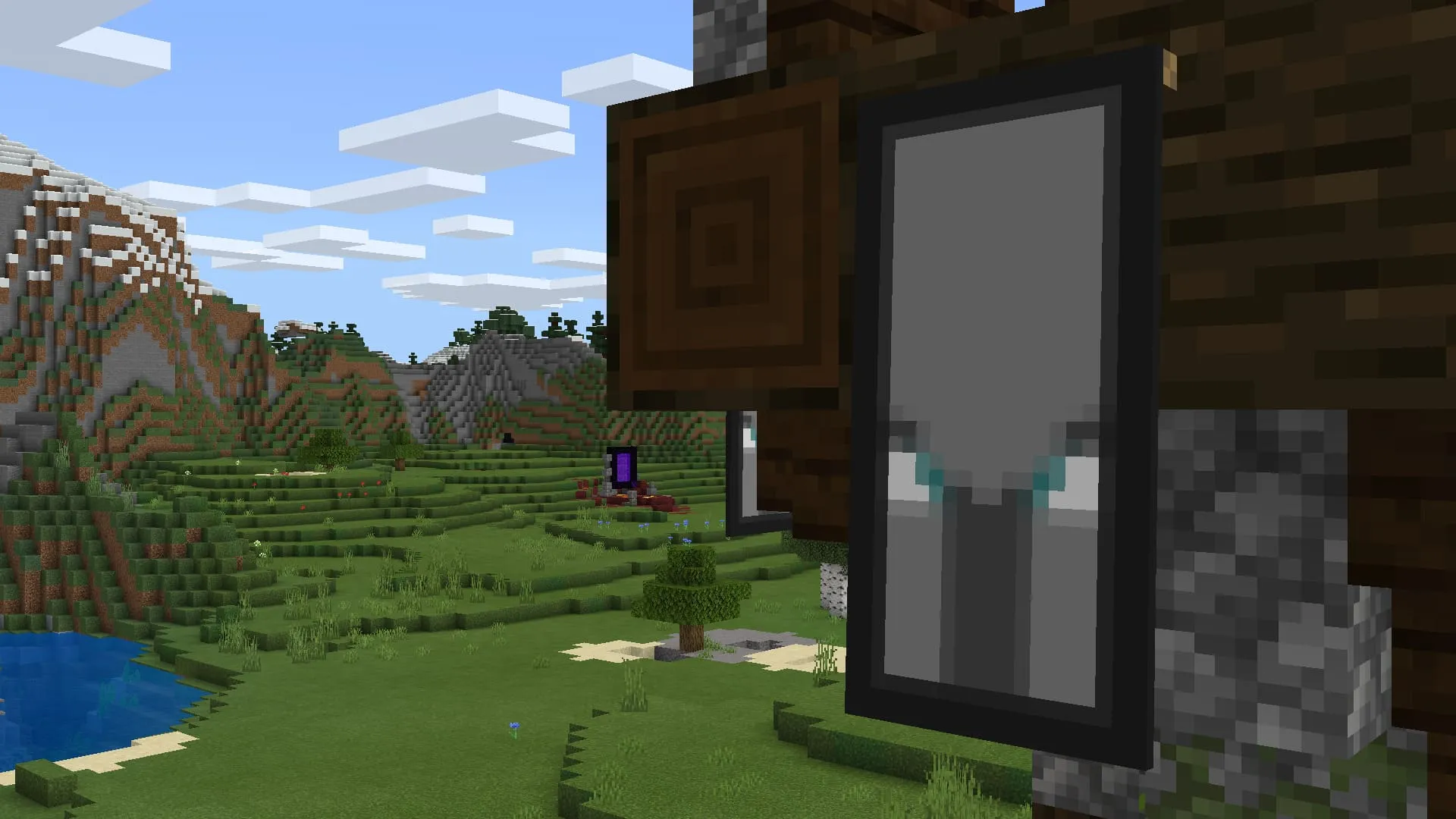
Banners or flags were added to Minecraft Java Edition back in 2014, and to Bedrock Edition only three years later, in 2017. The developers quickly found a use for them in the Pocket Edition and placed purple banners in End cities, while black and gray banners were placed inside woodland mansions.

Later, after several major updates, Mojang added the loom to the game, which simplified banner creation. Additionally, banners were hung in savanna villages and pillager outposts, and given an exclusive texture called the "Ominous Banner".
And for seven long years now, the community around the game keeps finding new patterns that can be drawn on banners using various ingredients. Here is a small list of awesome ideas:
All banners will require various ingredients and, most importantly, a loom!
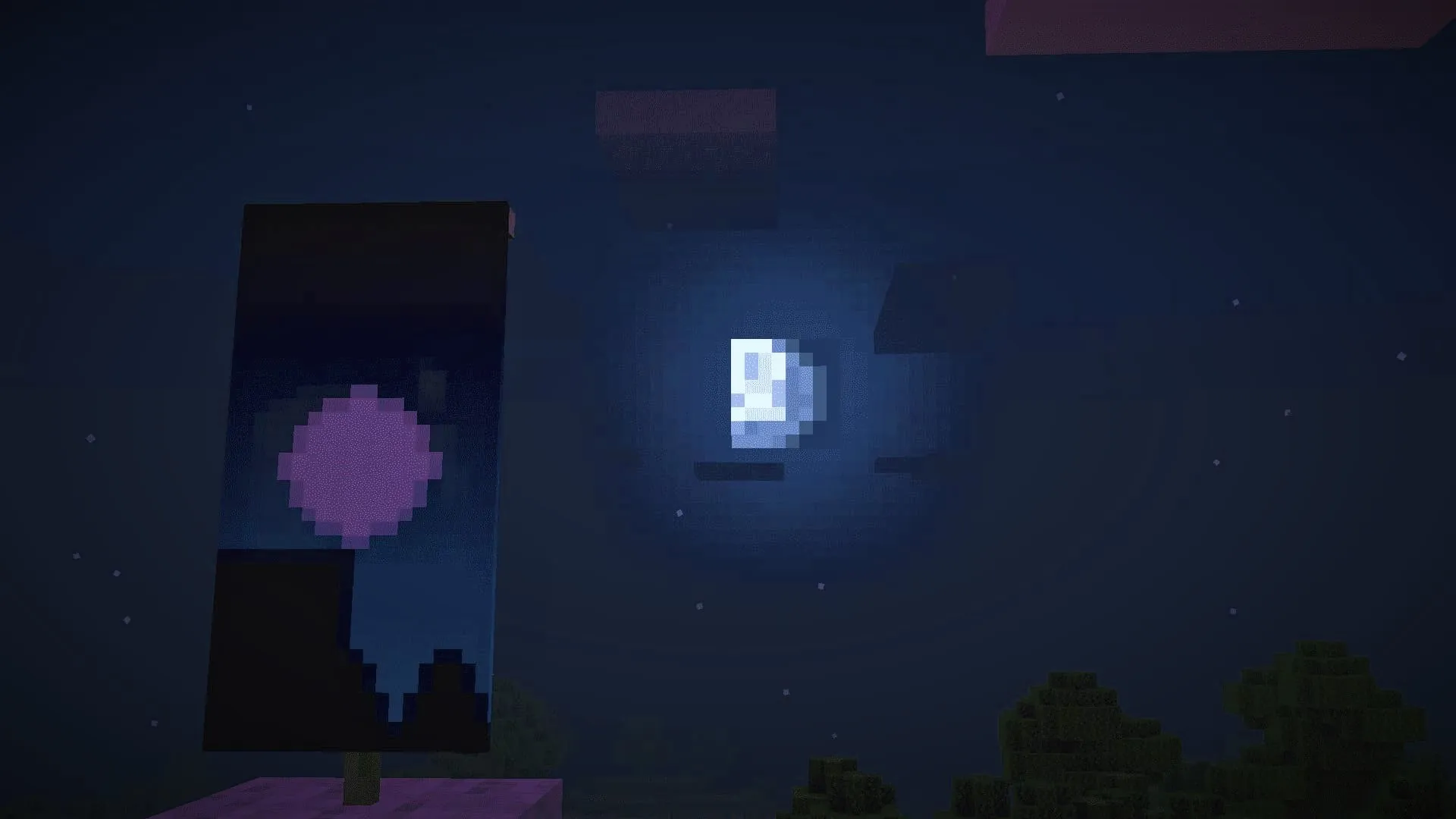
Banner: Moonlight
Ingredients: paper, enchanted apple, blue banner, white, light gray, black (3), and light blue dye.
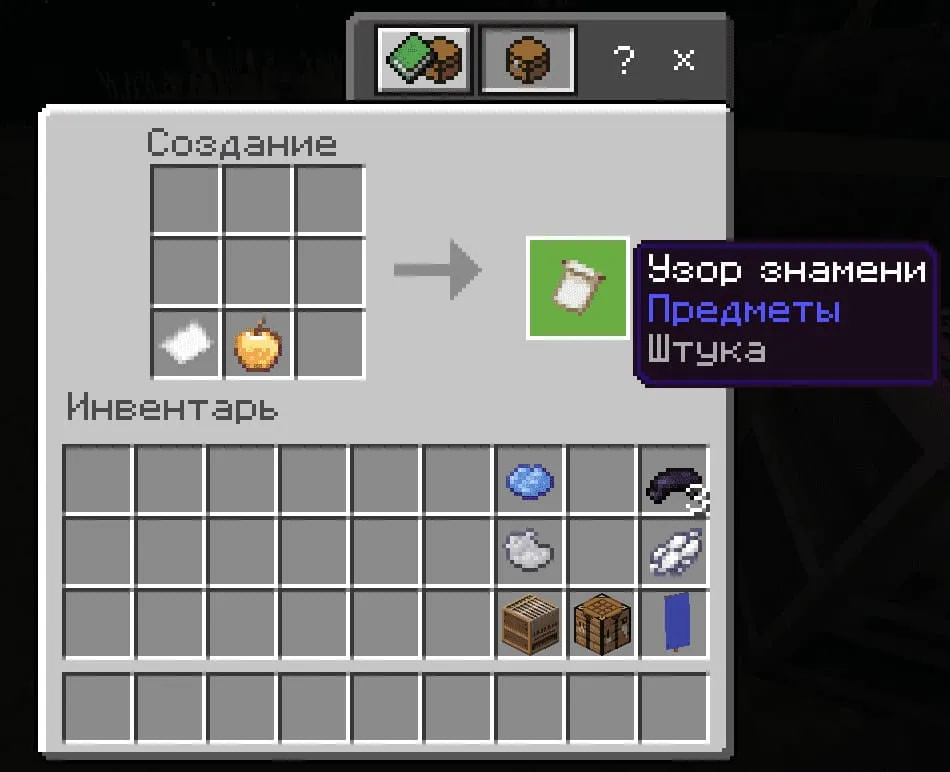
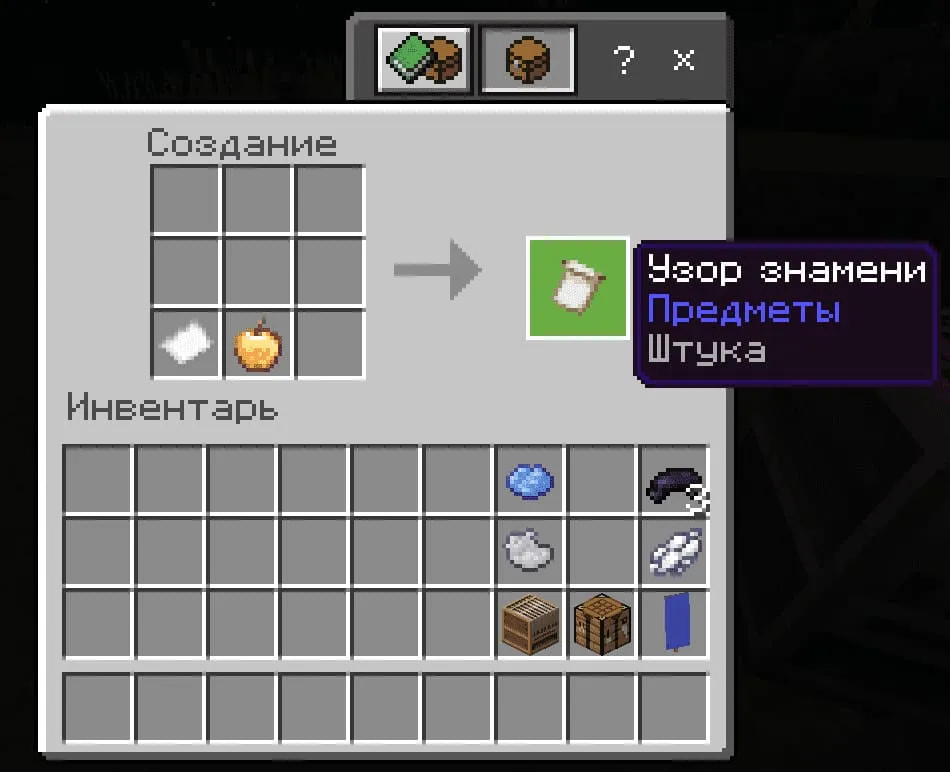
- Place a paper and an enchanted apple in a crafting table to get the 'Thing' banner pattern (i.e., a canvas for the future design);
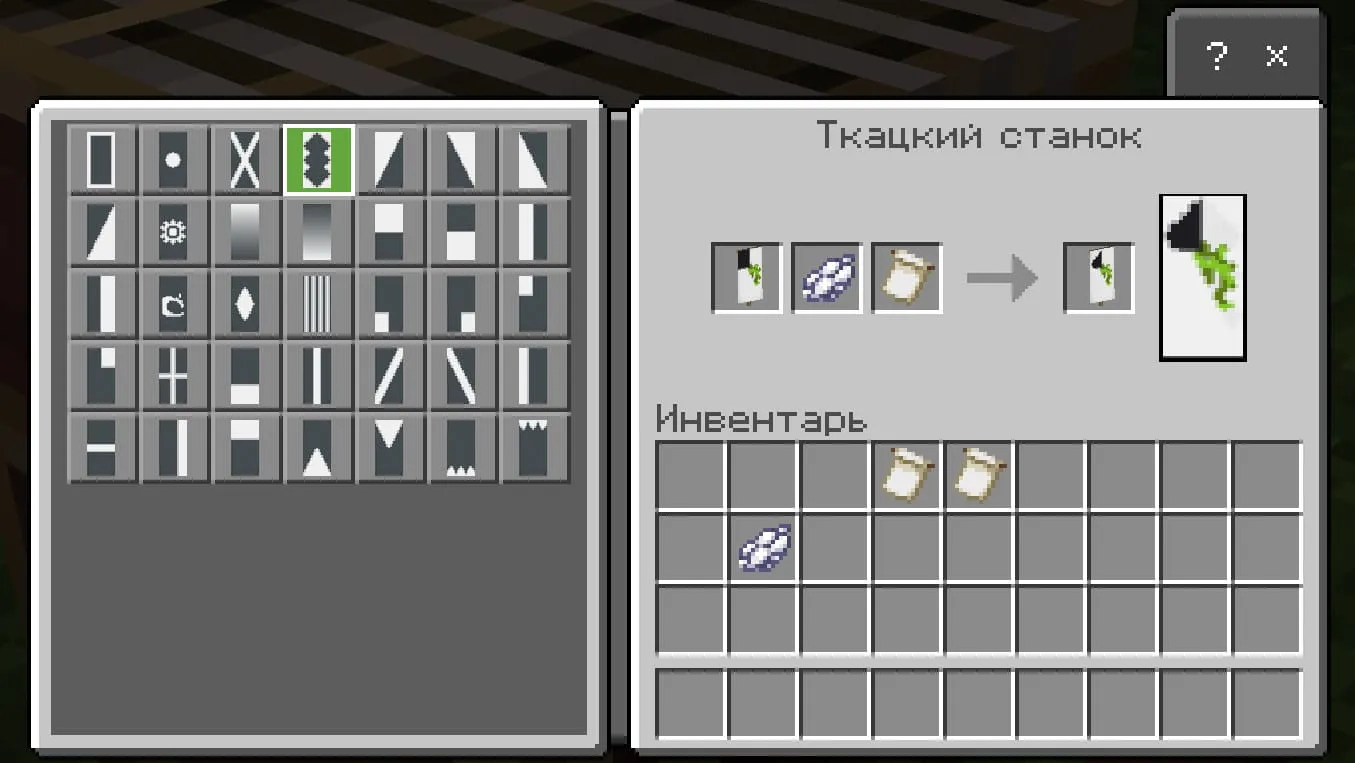
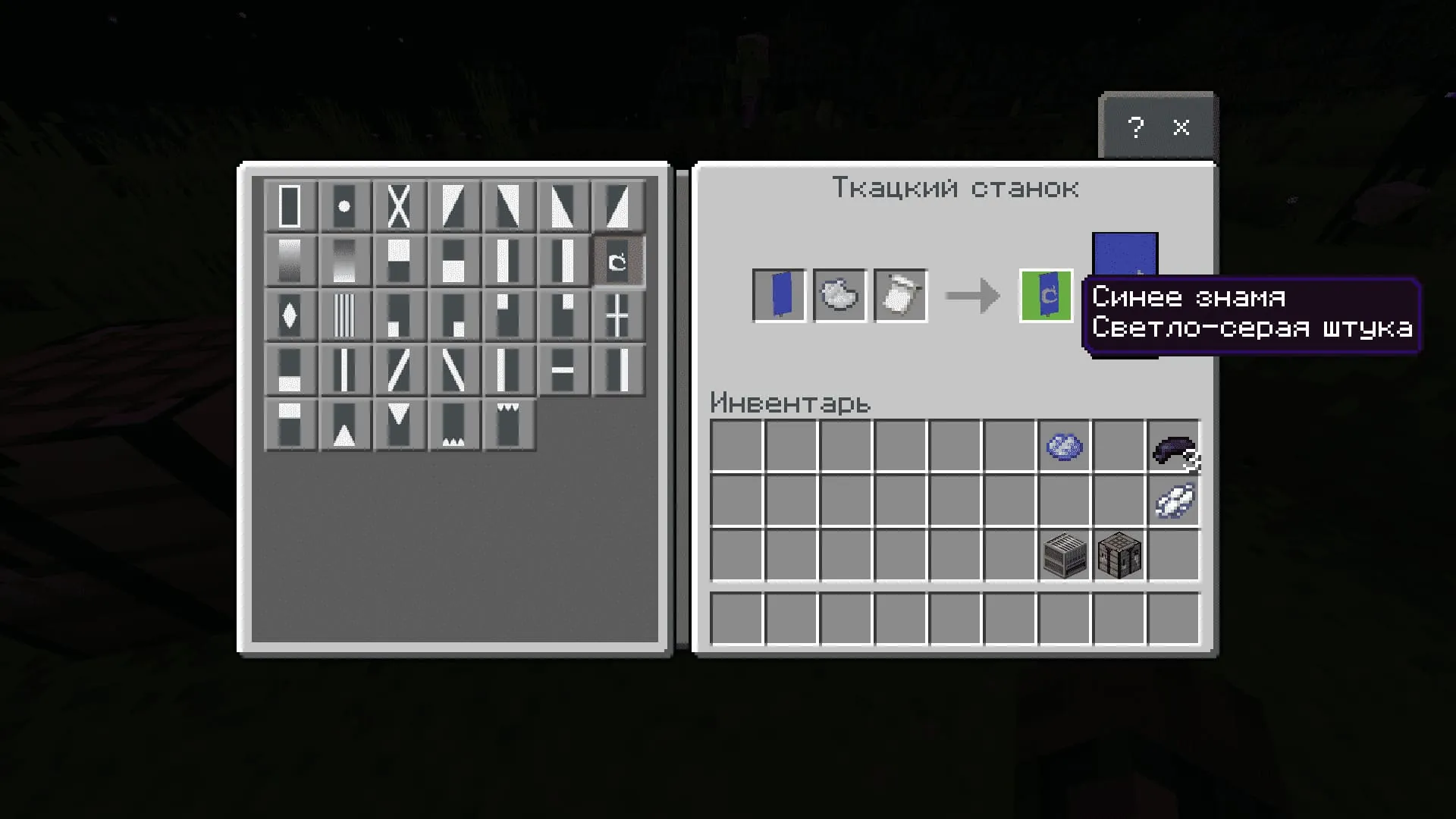
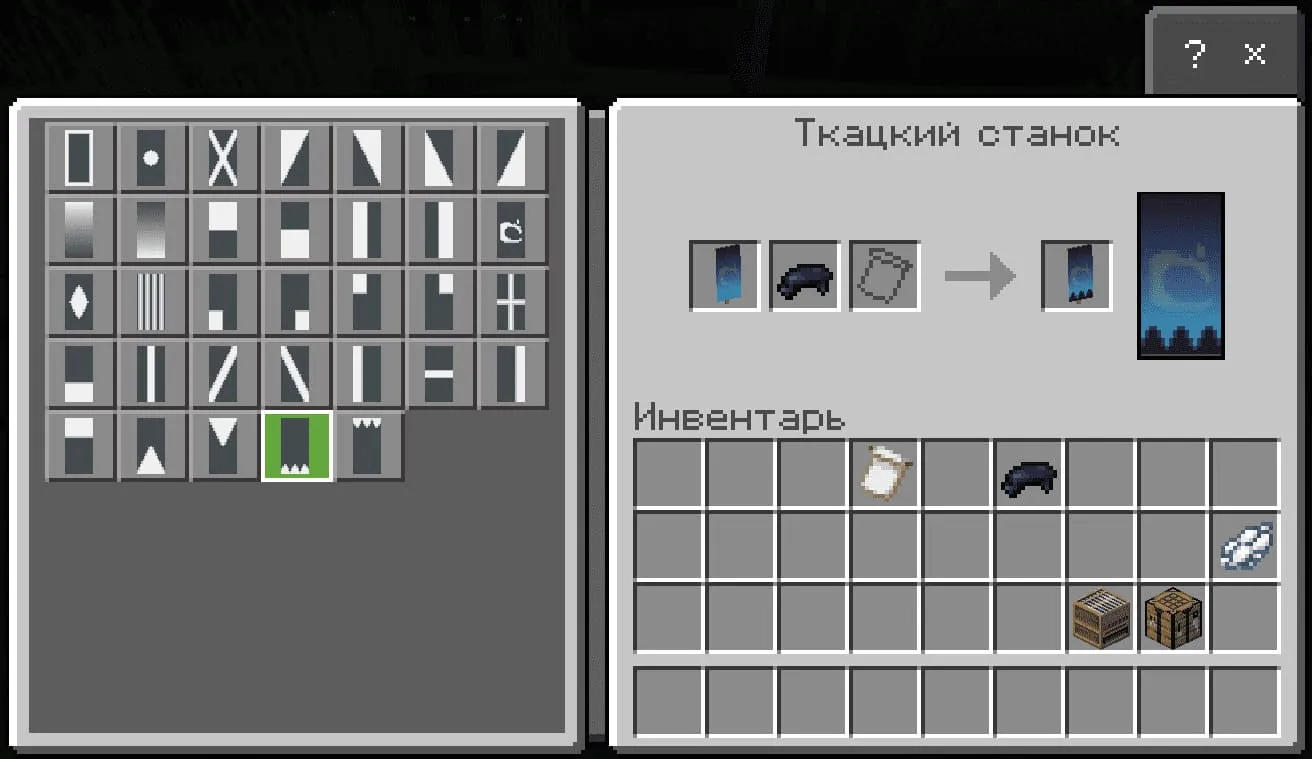
- Then open the loom: place the banner in the rightmost slot, a blue banner in the left slot, and light gray dye in the middle slot;
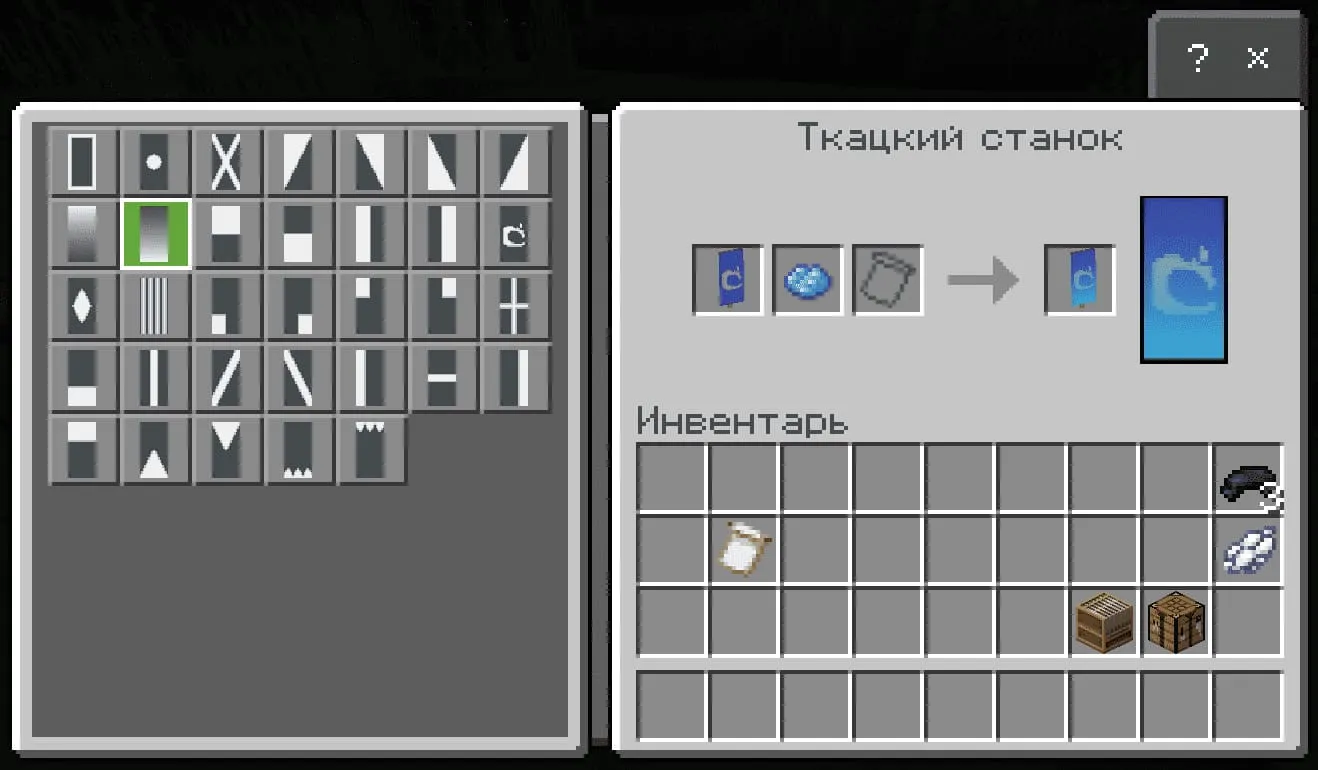
- Place the resulting banner back in the loom, add the 'Thing' pattern again, and put light blue dye in the middle; in the list, select the bottom gradient (as shown in the screenshots below);
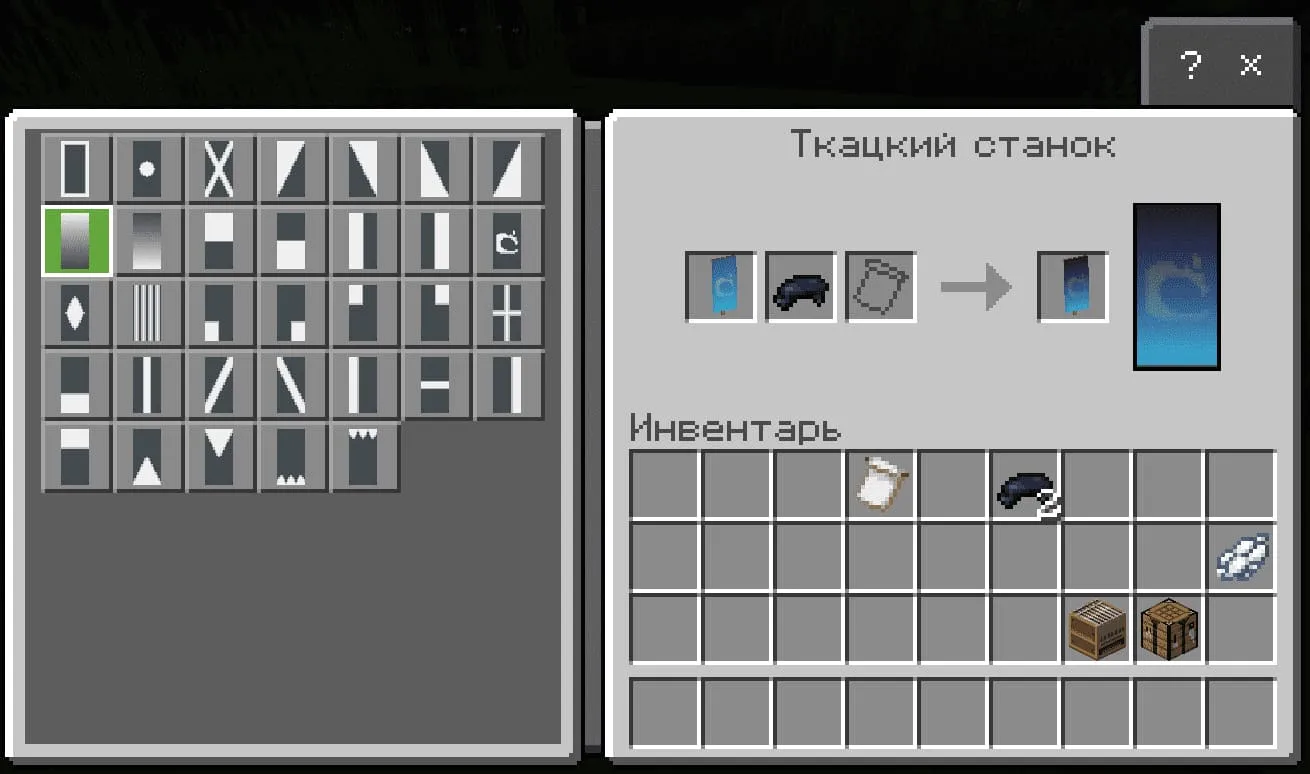
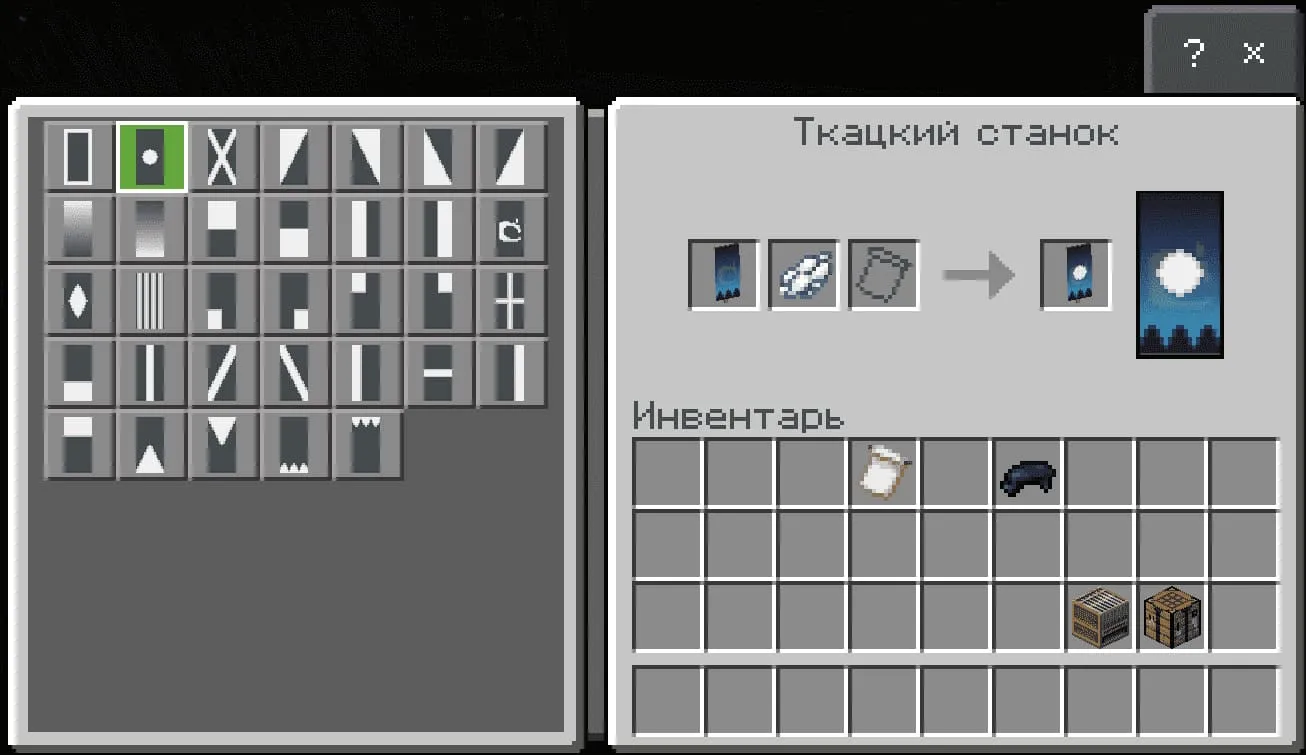
- Place the resulting banner back in the loom, add black dye, then select the top gradient from the list;
- Add another black dye to this banner and select the three 'spikes' from the bottom from the pattern list;
- Add white dye to this banner and select the pattern with a dot in the middle;
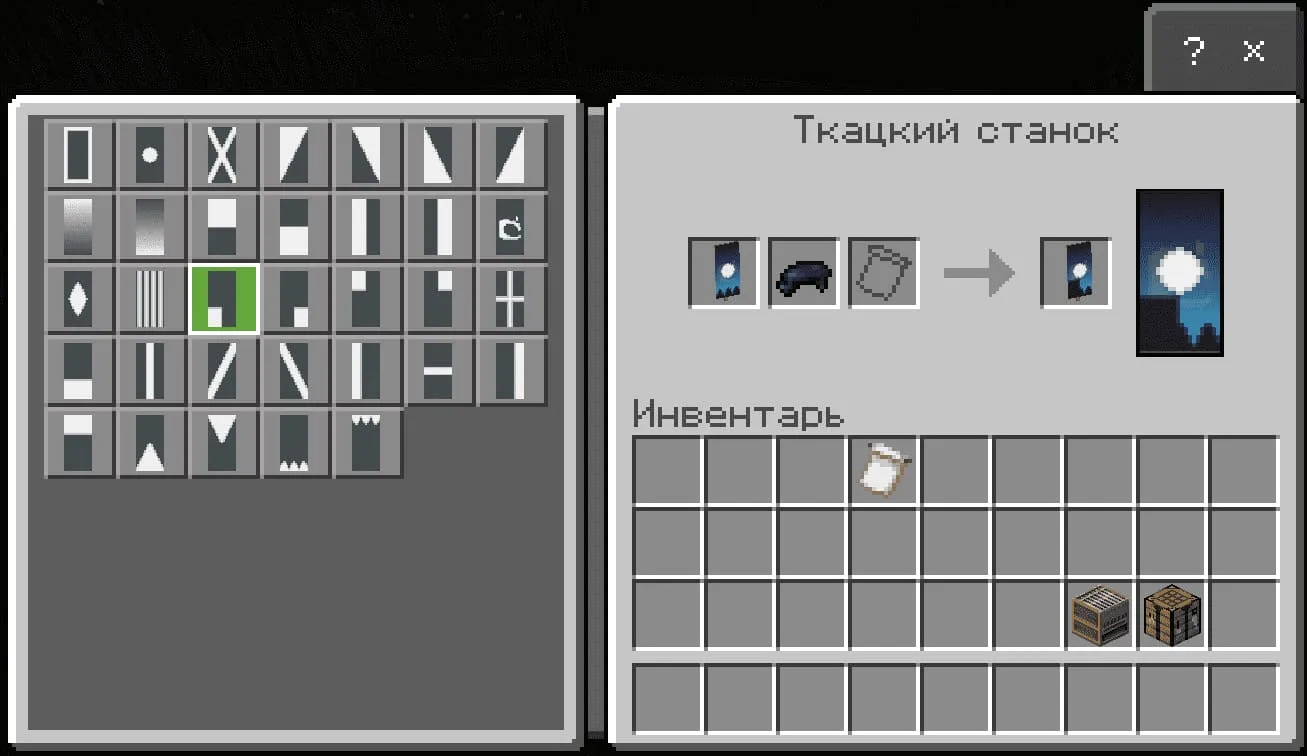
- Add another black dye to this banner and select the pattern with the bottom-left filled corner.
- Voila, the 'Moonlight' banner is ready!

Banner: Pokeball
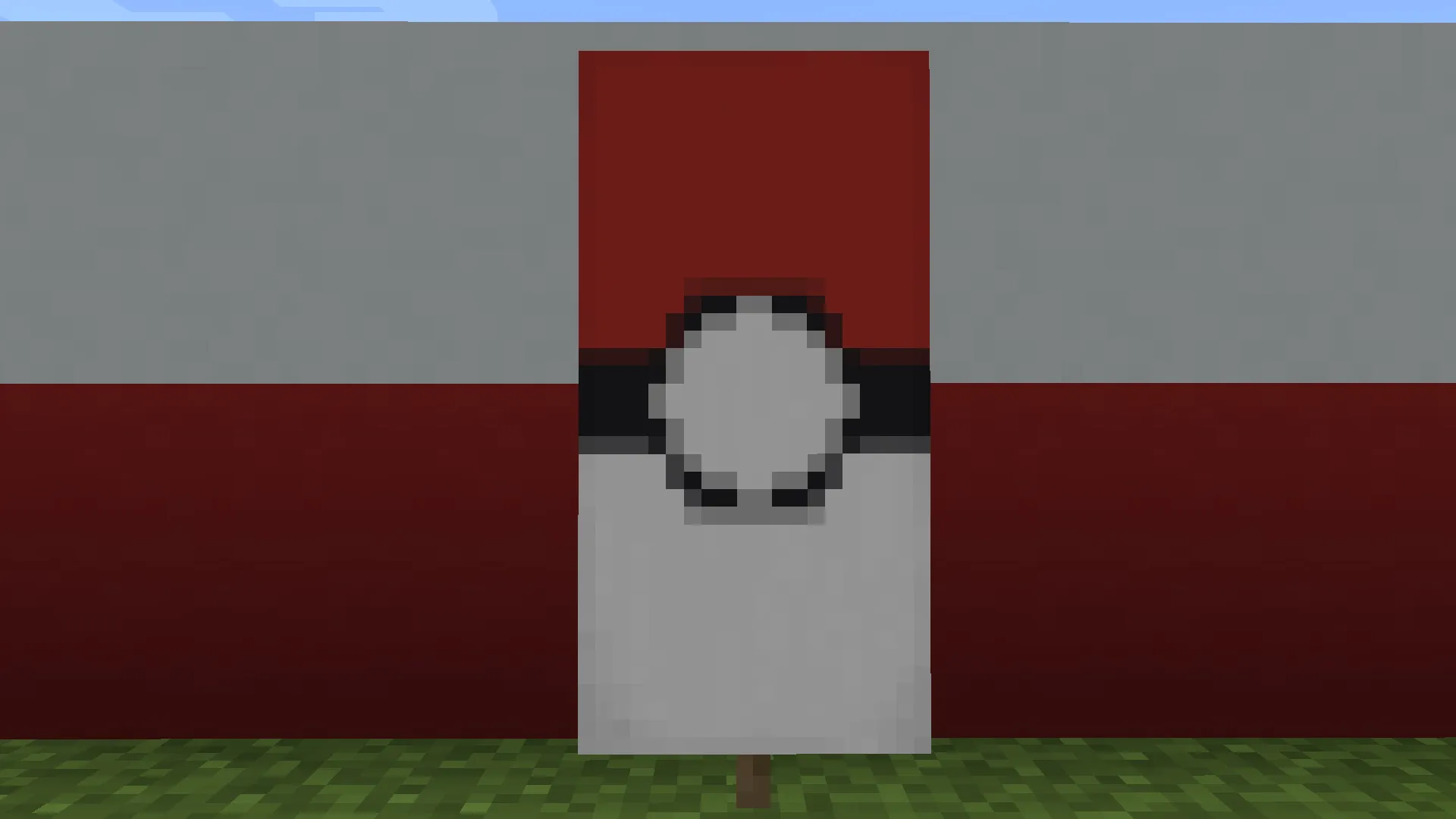
Ingredients: white banner, black dye (2), red dye (2), and white dye (2)
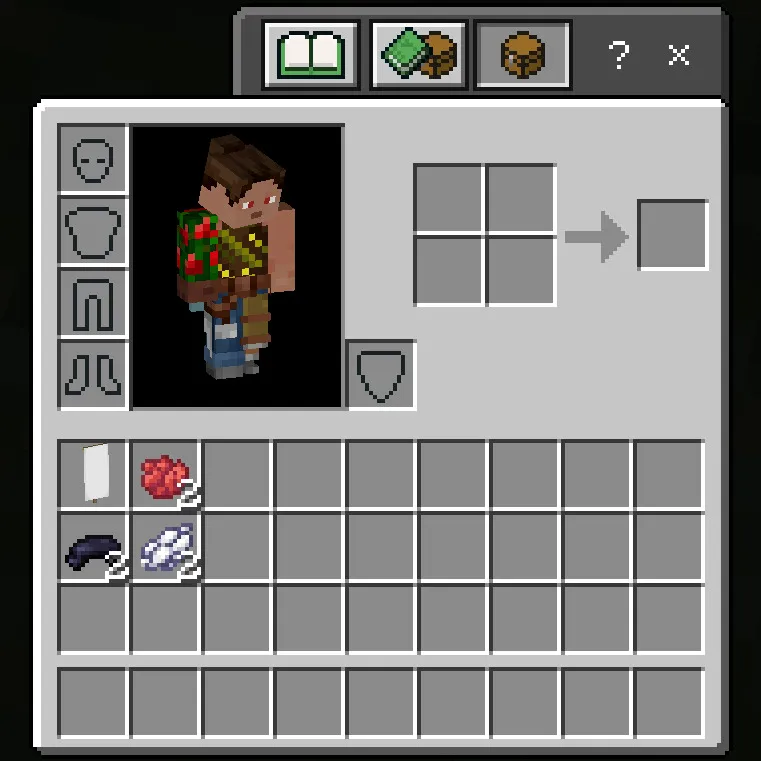
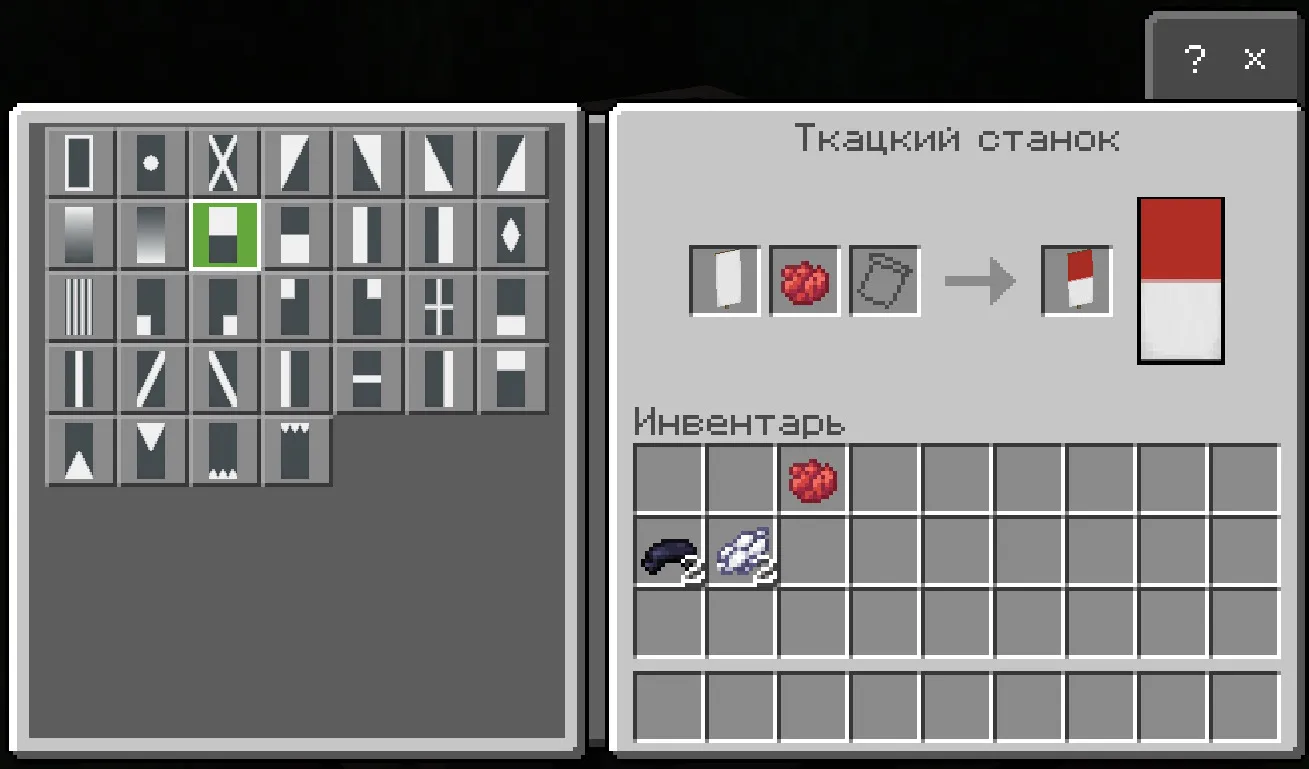
- Add white banner and red dye to the loom and select the top red half from the pattern list;
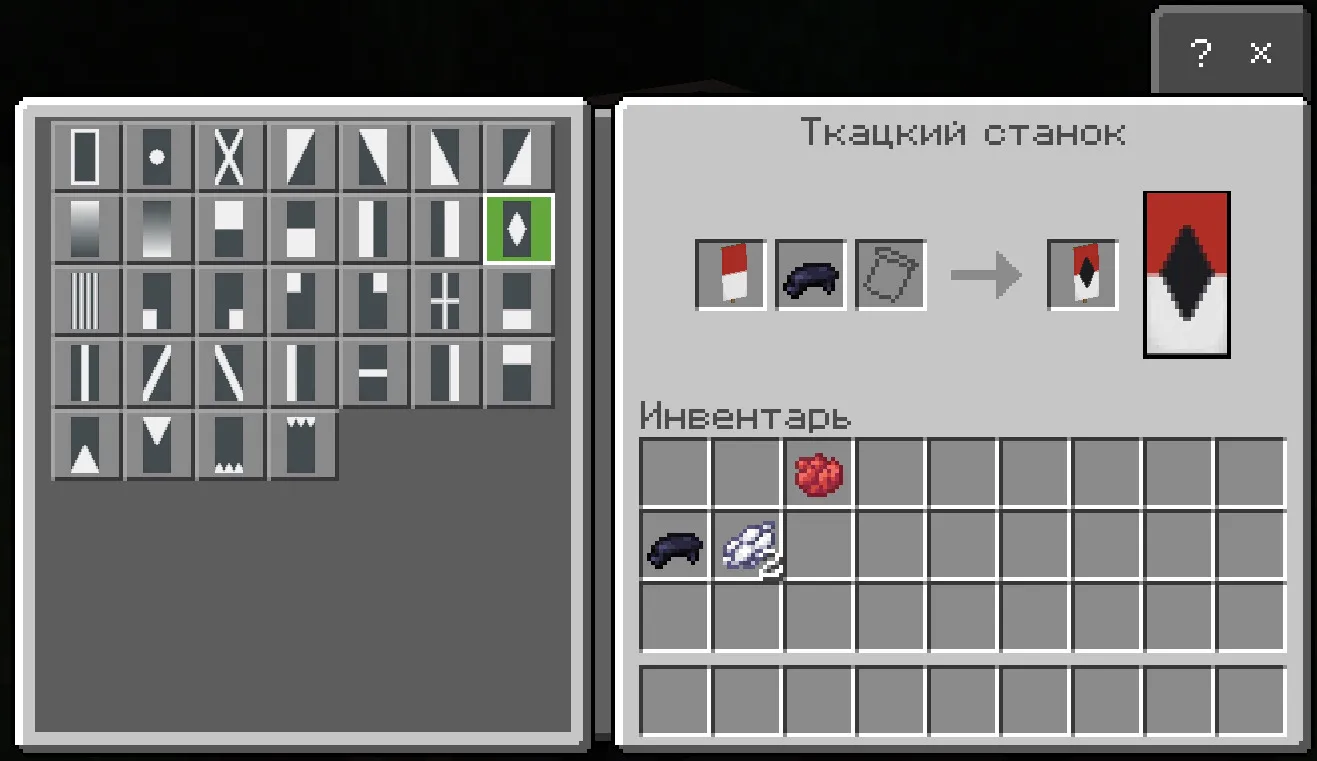
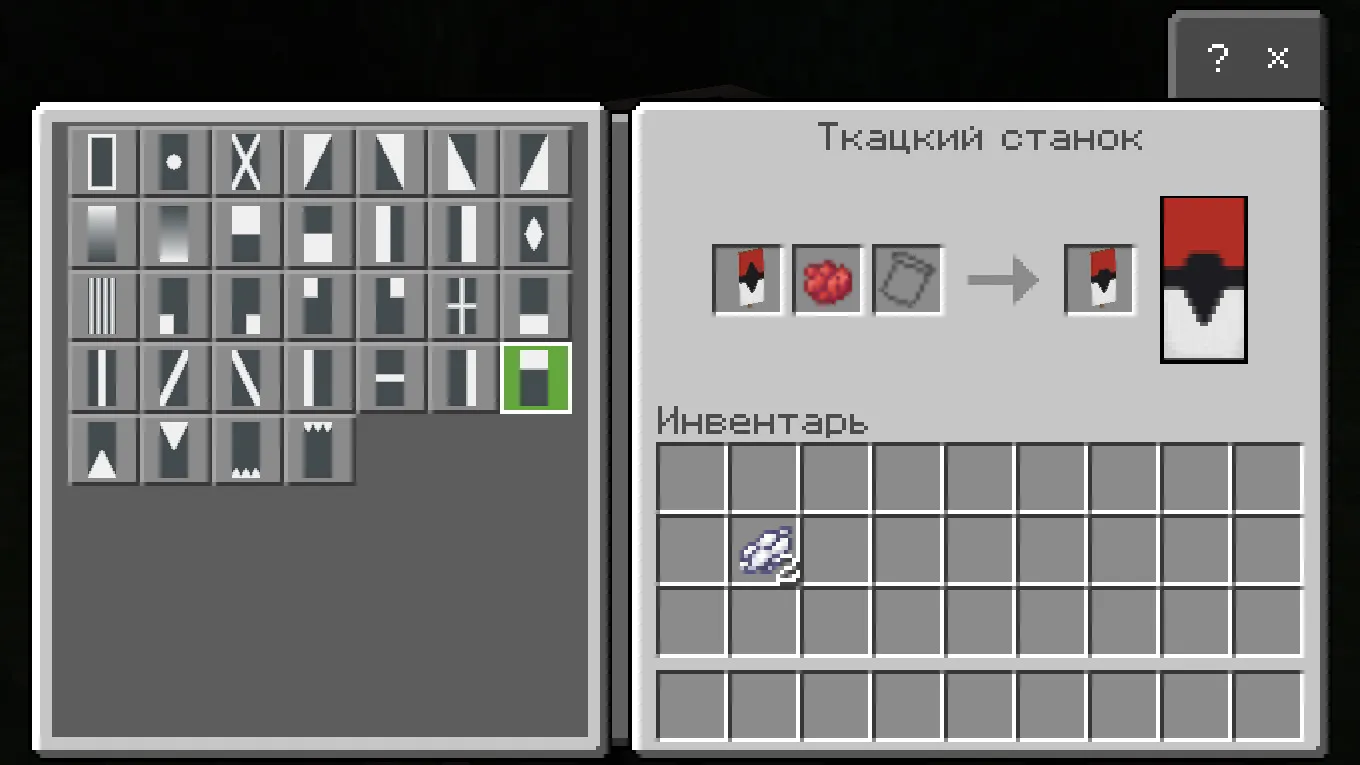
- Add black dye to the resulting banner and select the black diamond from the pattern list;
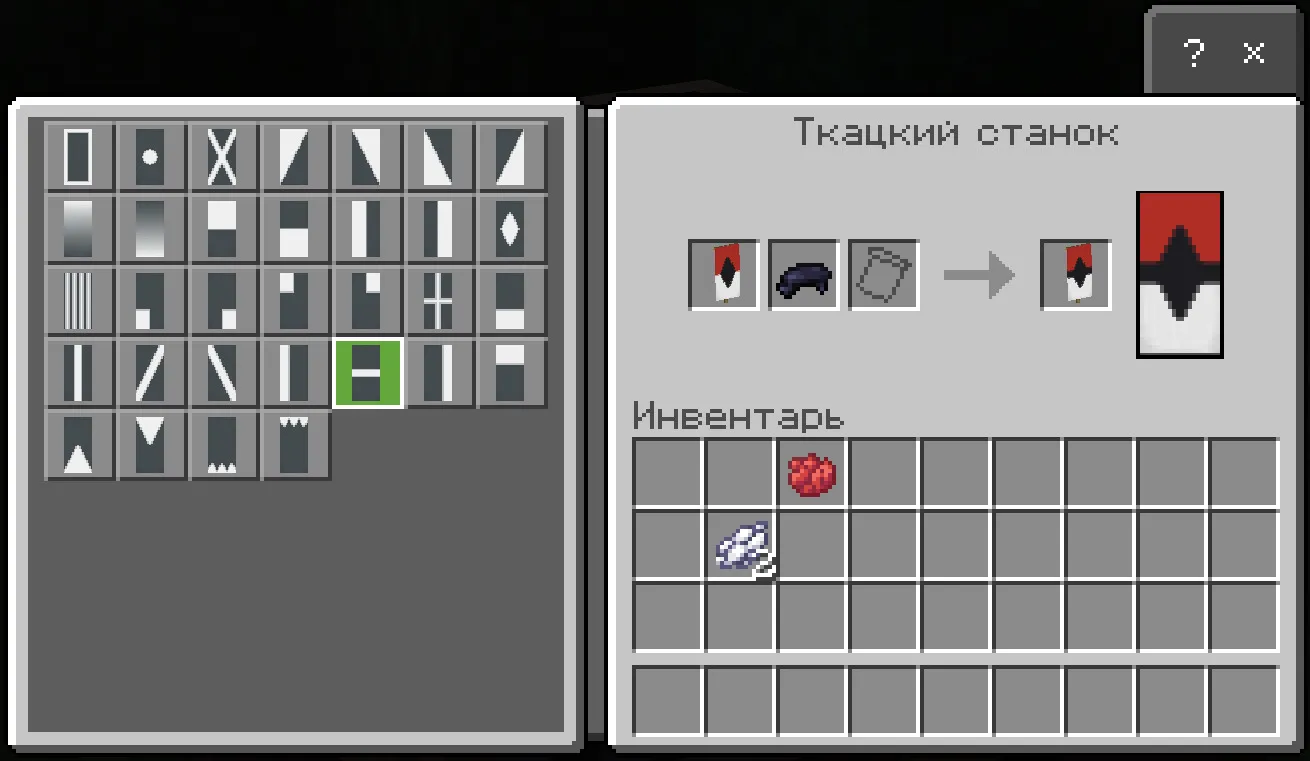
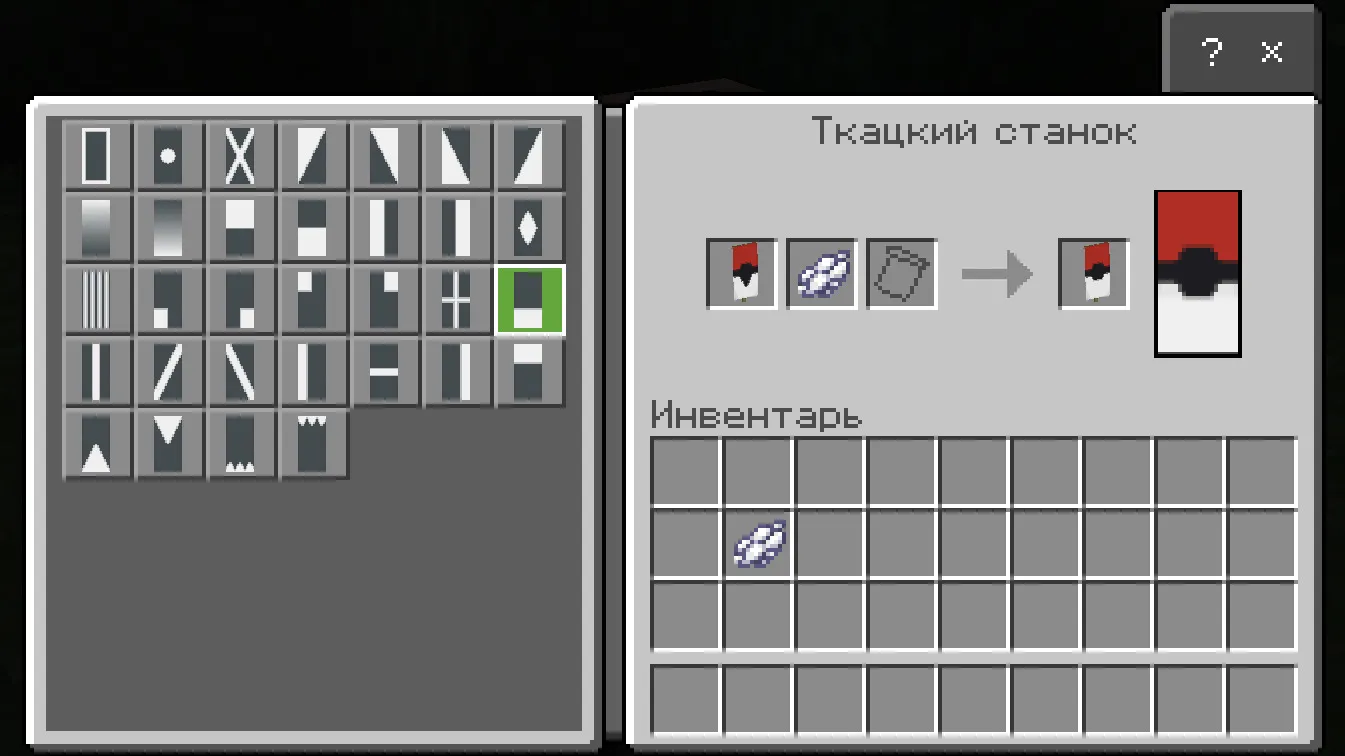
- Add another black dye to this banner and select the black horizontal stripe from the pattern list;
- Add red dye to this banner and select the filled rectangle from the pattern list (as in the screenshot);
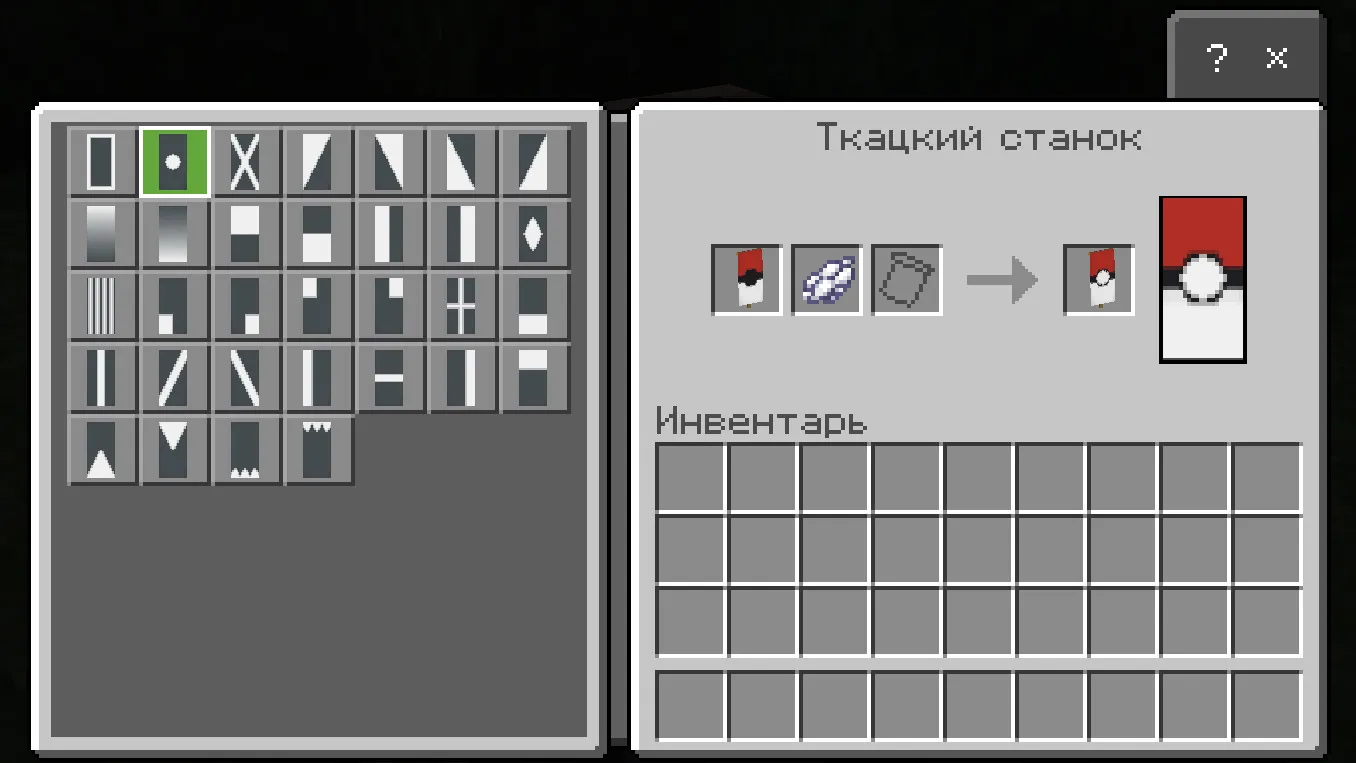
- Add white dye to this banner and select the bottom filled rectangle from the pattern list;
- Add white dye to this banner and select the pattern with a dot in the middle;
- Done!
Banner: Fire
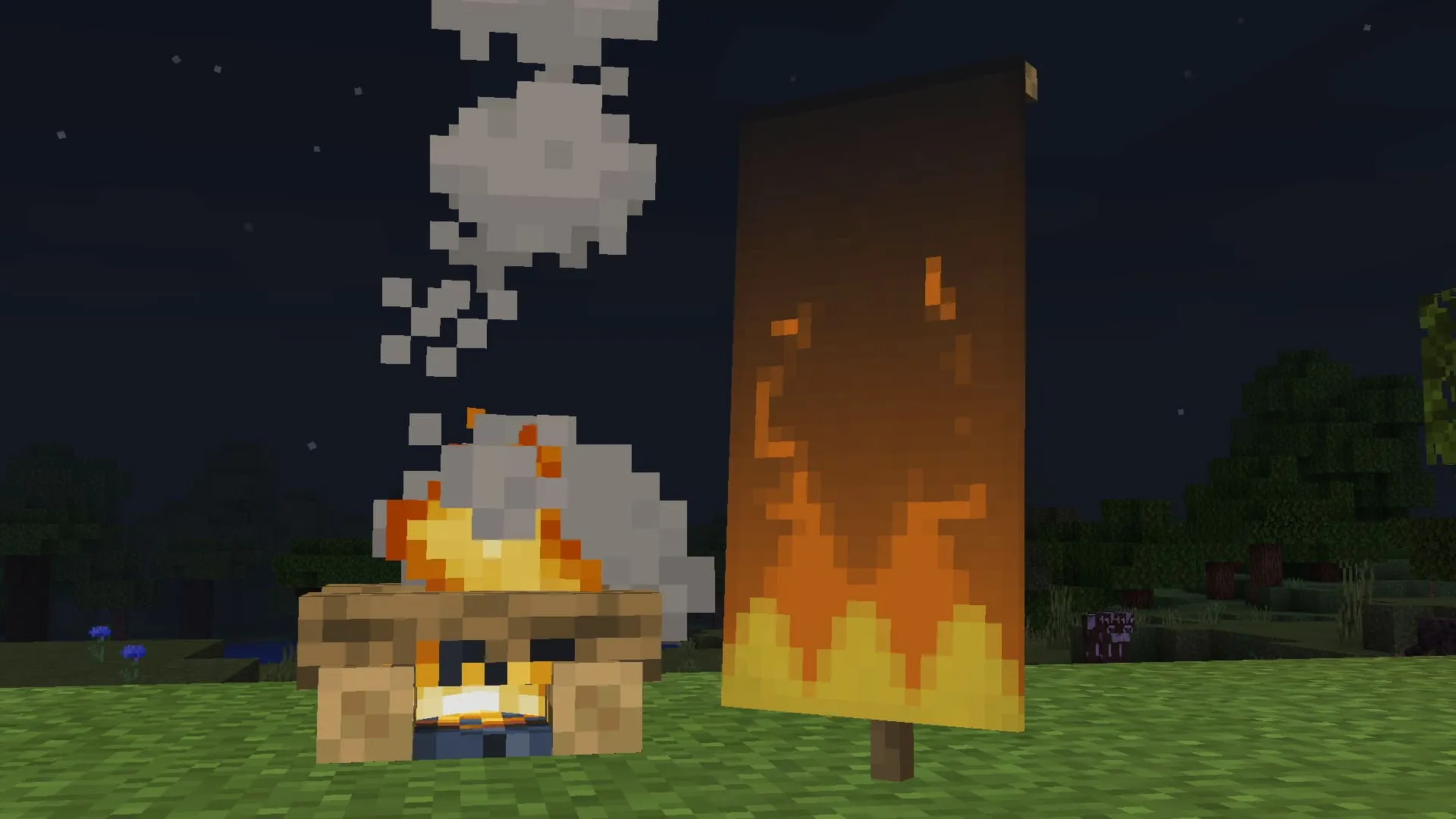
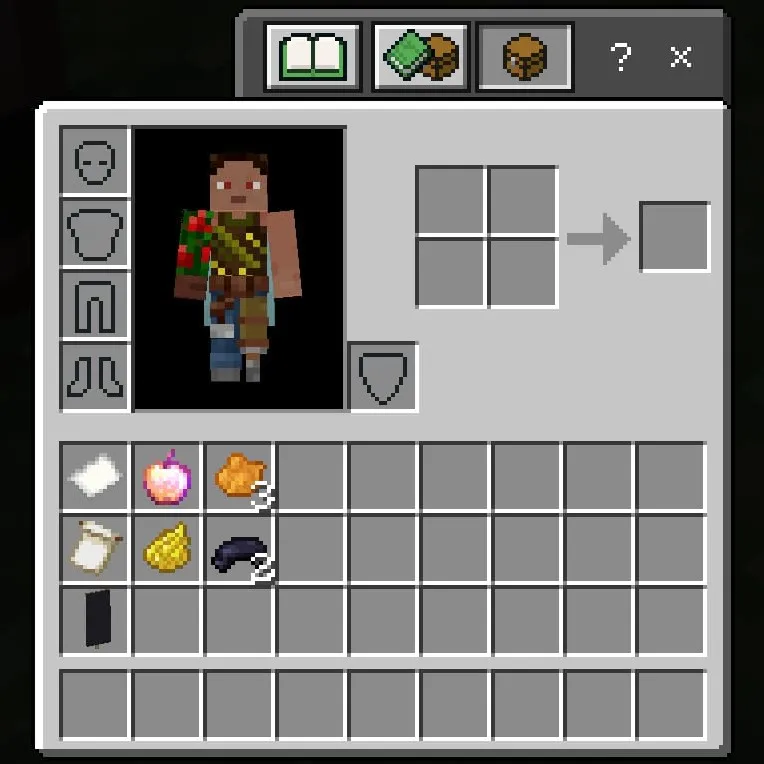
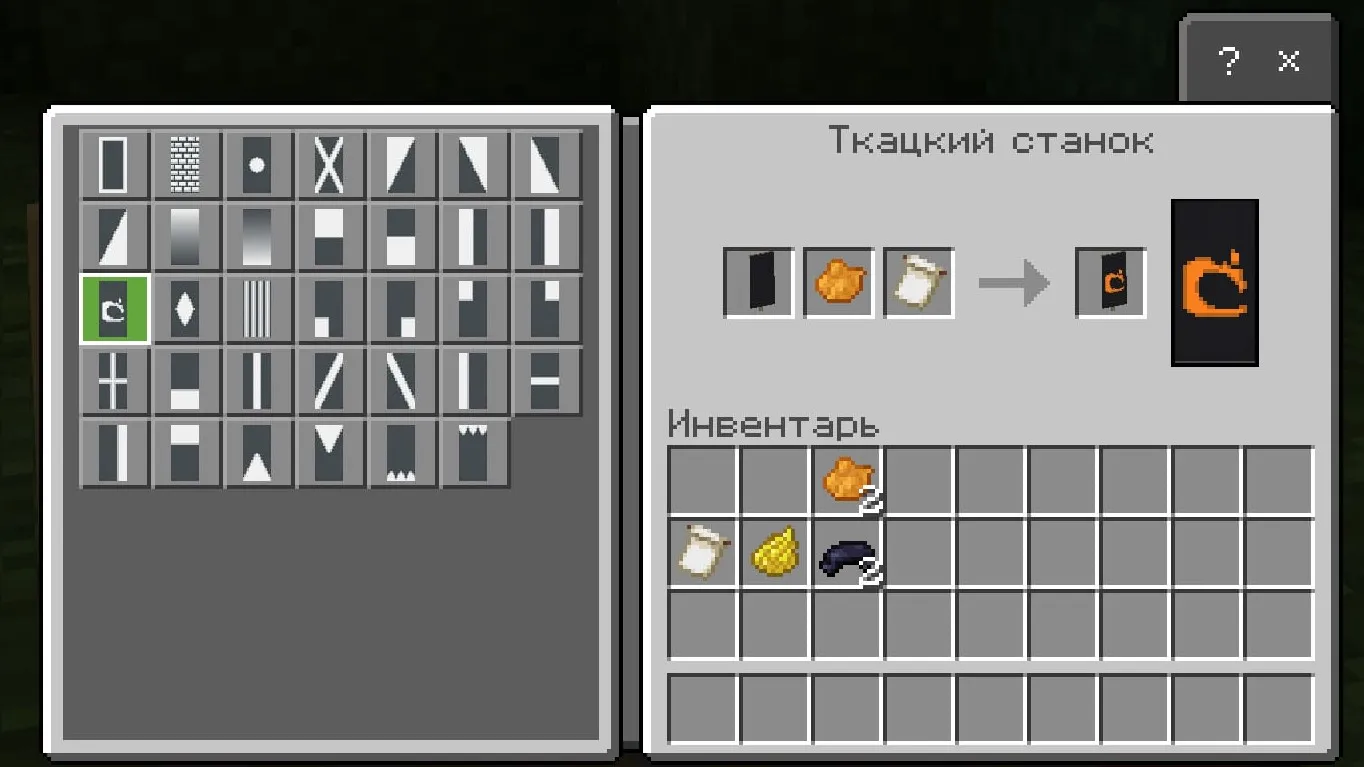
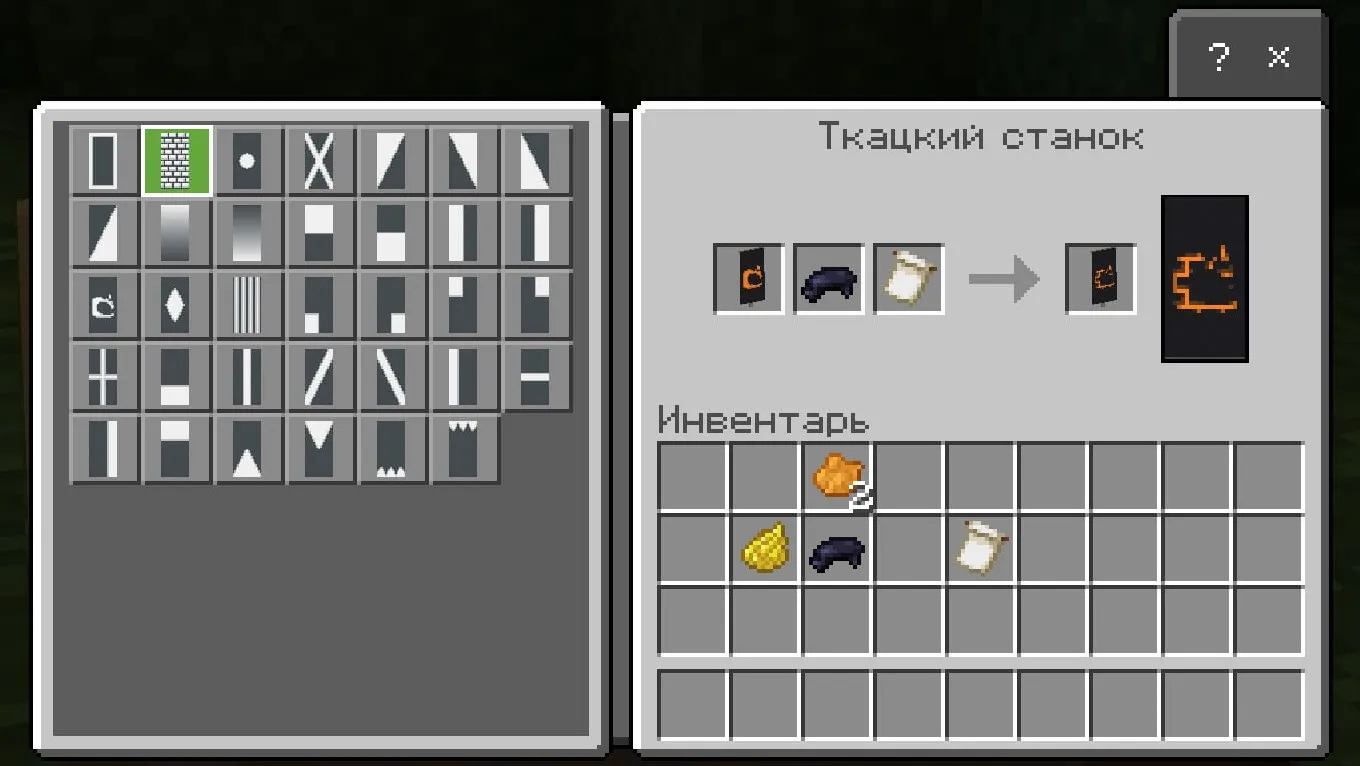
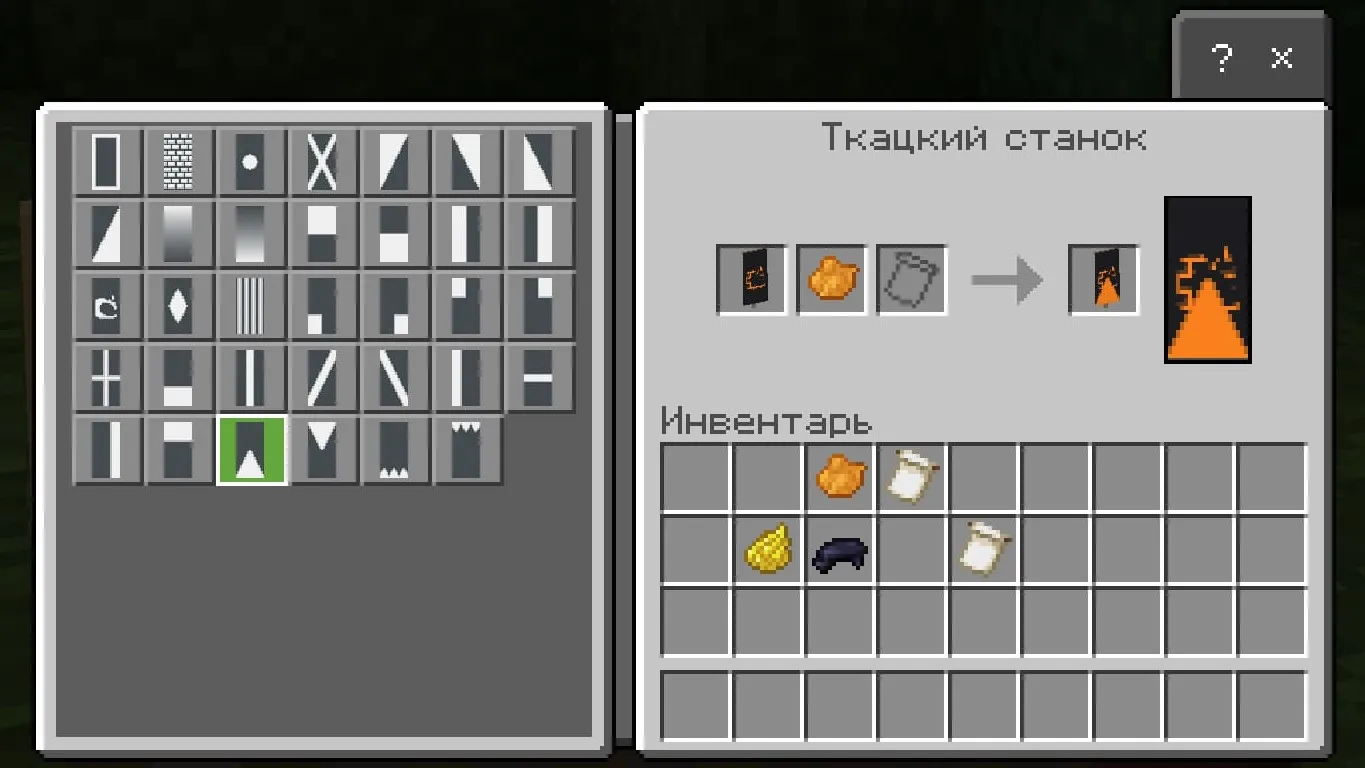
Ingredients: black banner, yellow dye, paper, enchanted apple, orange dye (3), black dye (2), 'Brick' banner pattern.
- Craft paper and enchanted apple on a crafting table to get the 'Thing' banner pattern;
- Add the black banner to the loom, add the 'Thing' pattern, and add orange dye;
- Add black dye to the resulting banner and select the brick pattern from the list;
- Add another orange dye to this banner and select the triangle from the bottom from the list;
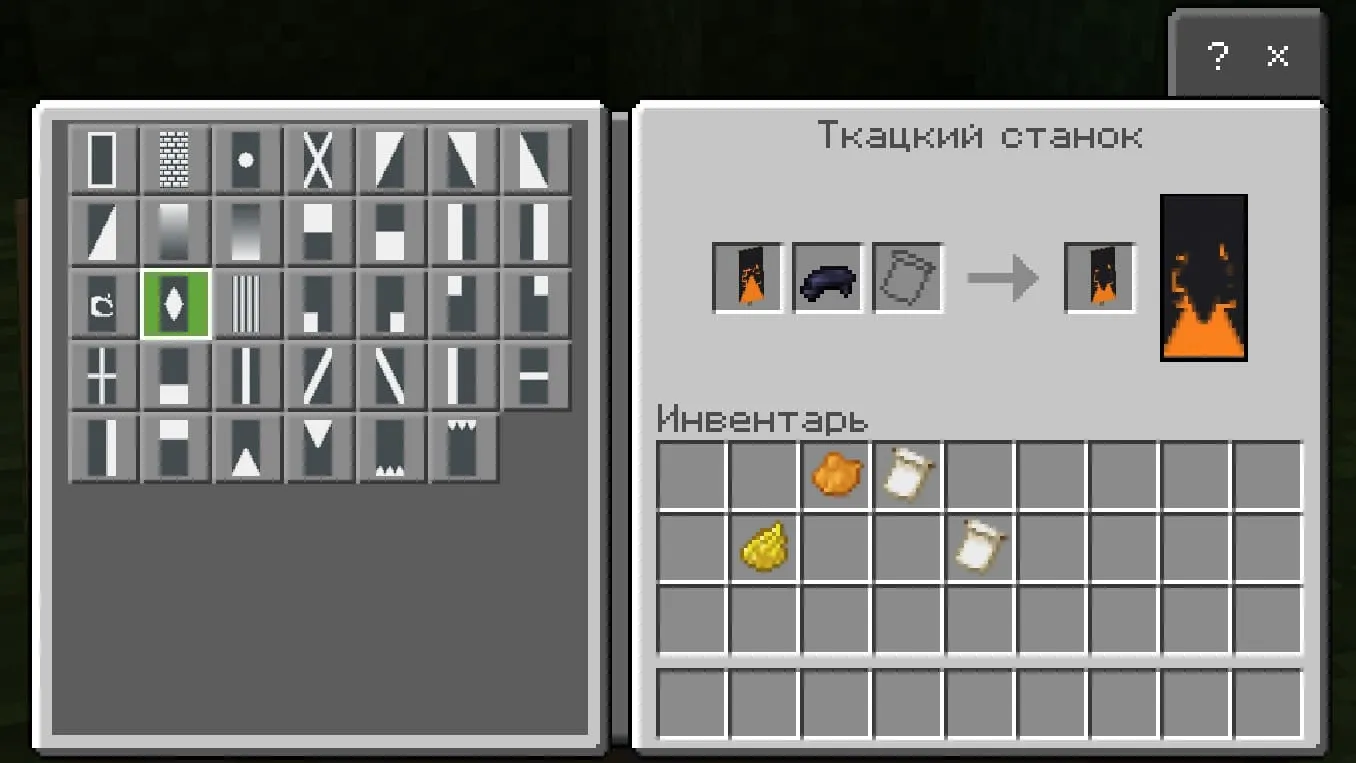
- Add black dye to this banner and select the diamond in the middle from the list;
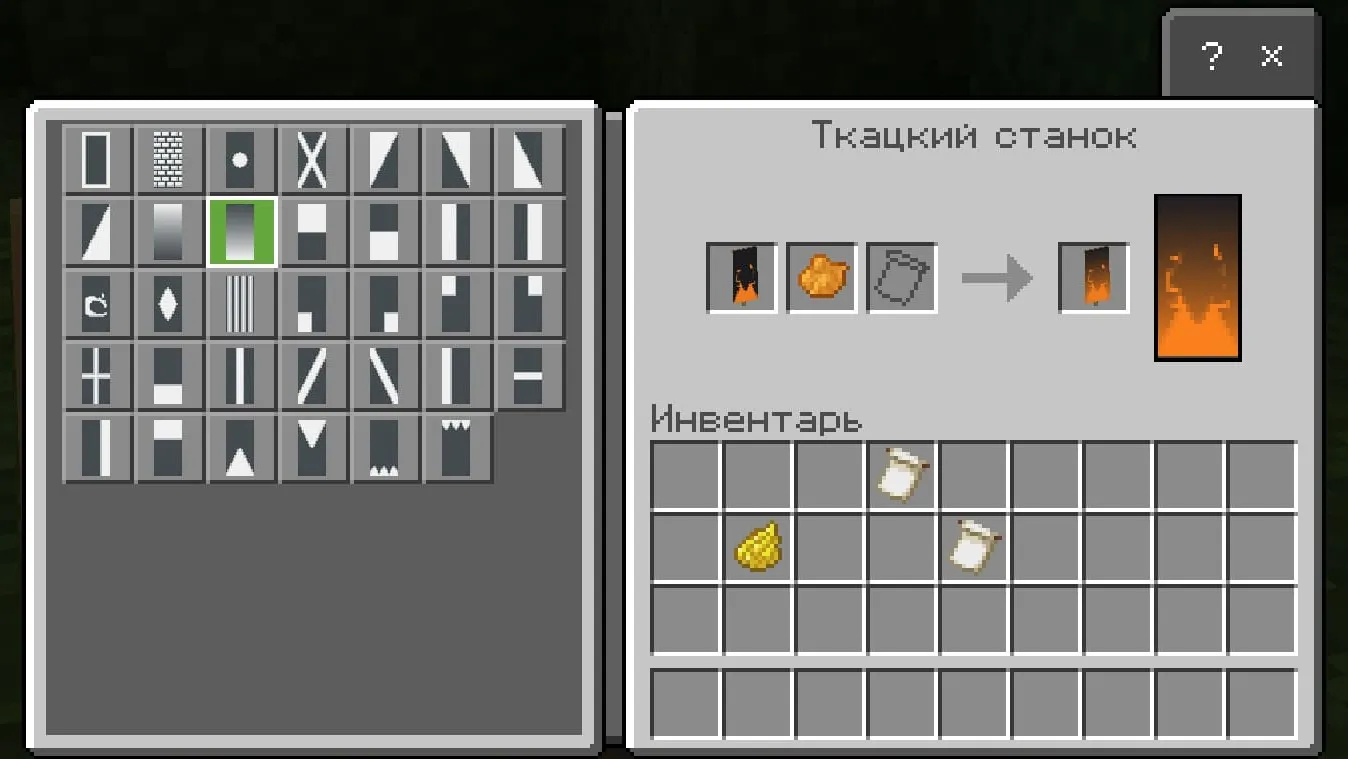
- Add orange dye to this banner and select the bottom gradient from the list;
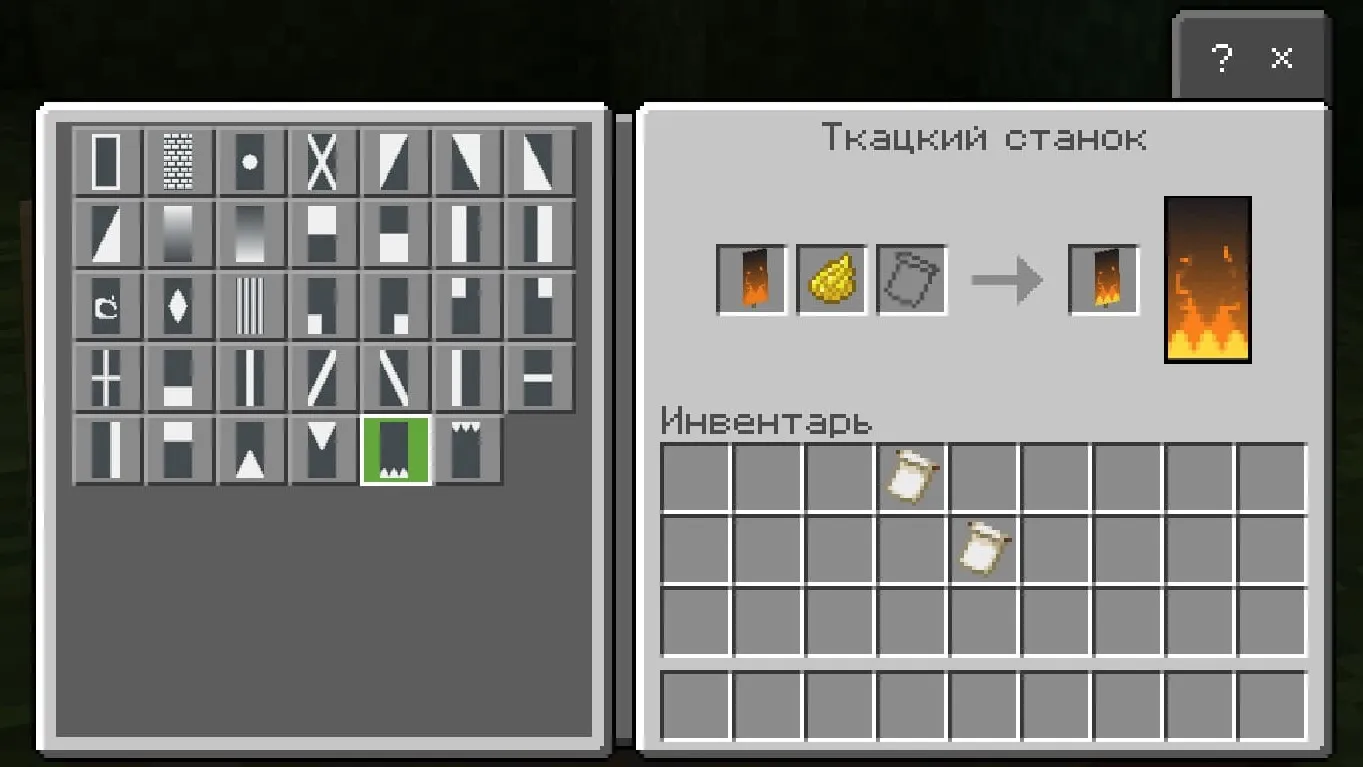
- Add yellow dye to this banner and select the three spikes from the list;
- And the banner is ready!
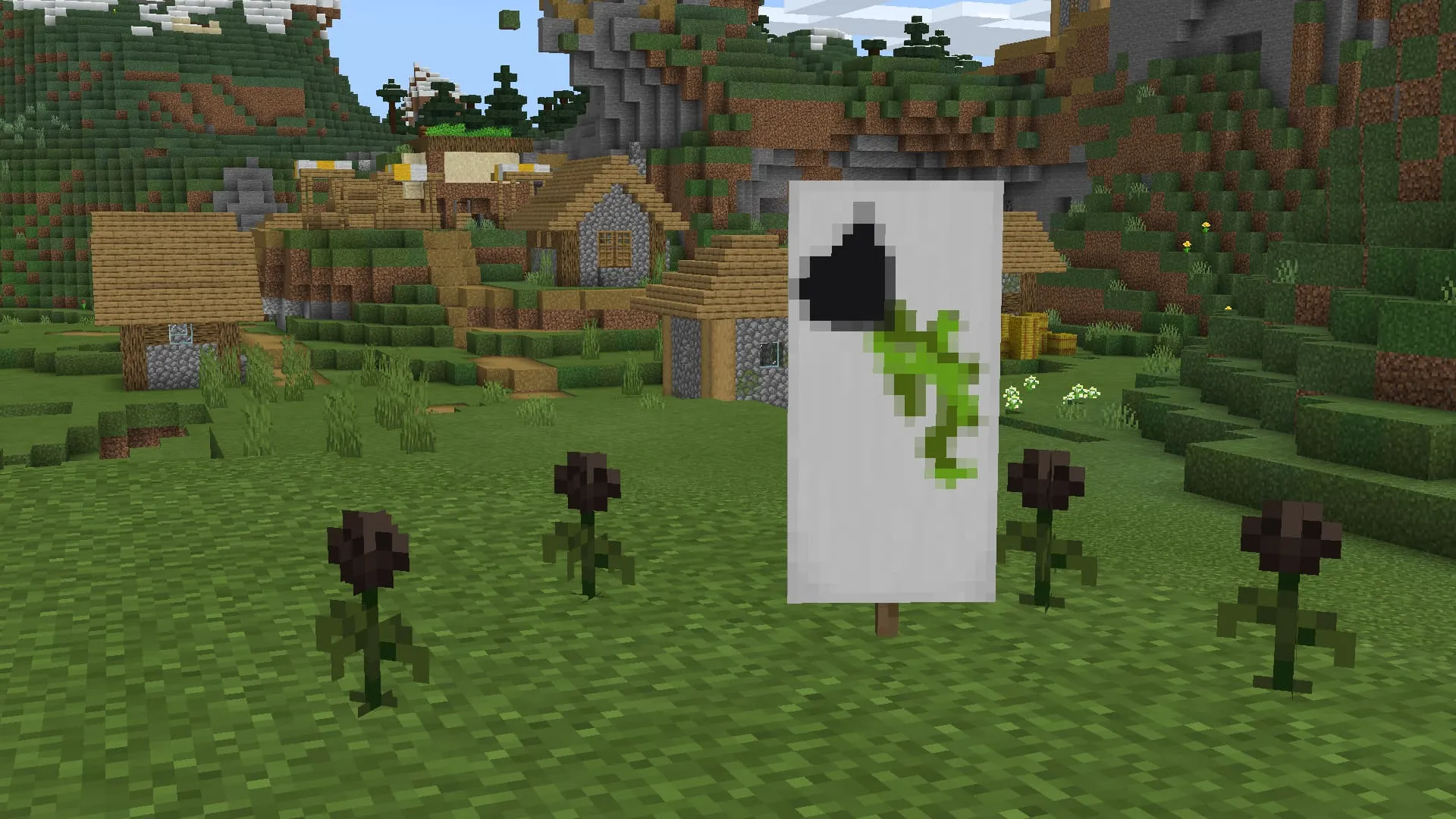
Banner: Wither Rose
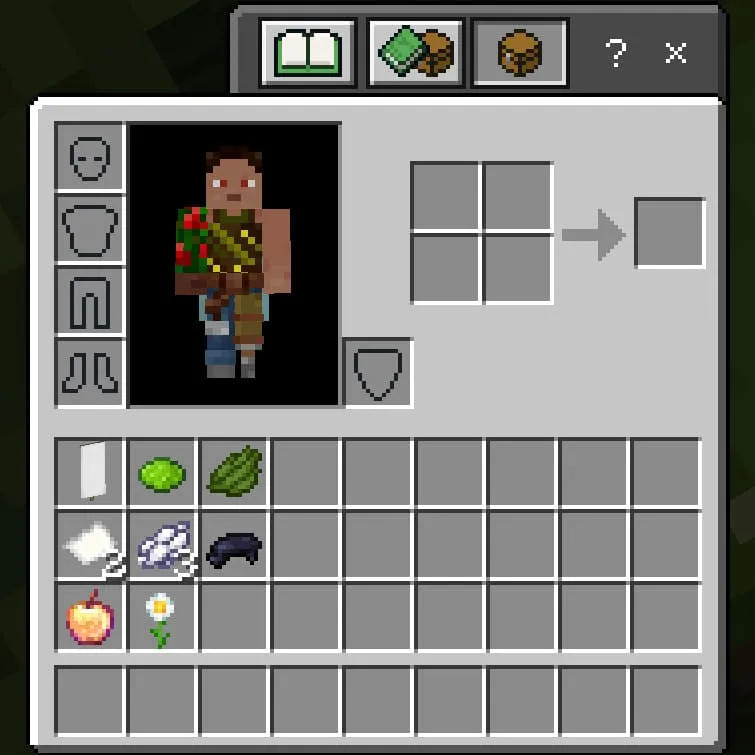
Ingredients: white banner, white dye (3), black dye, paper (2), lime dye, green dye, enchanted apple, oxeye daisy, 'Bordure Indented' banner pattern.
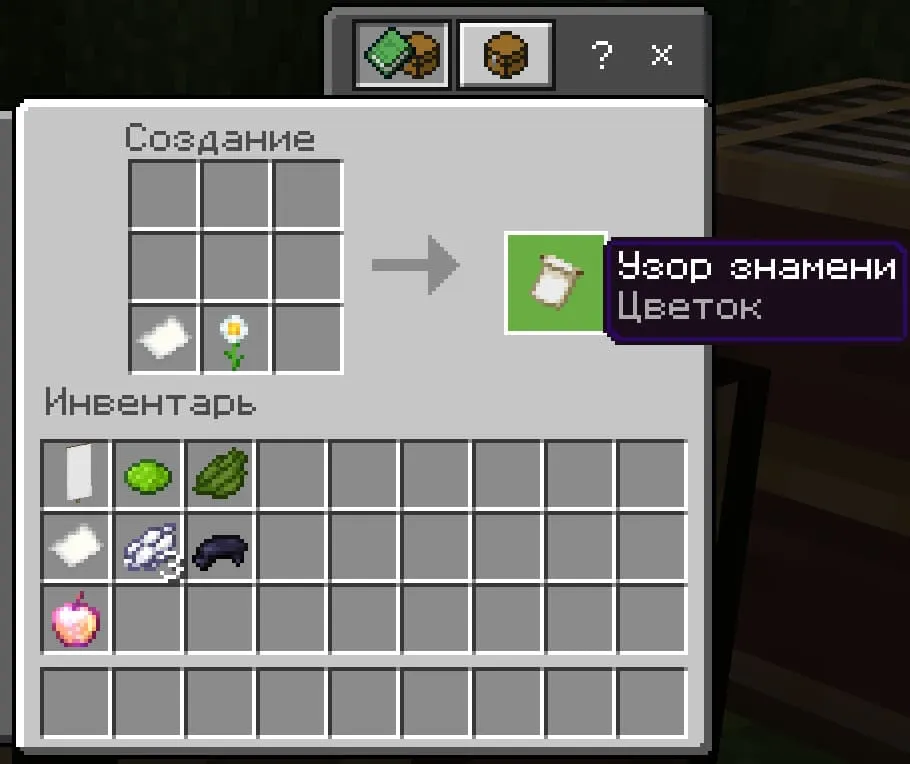
- First, create the 'Flower Charge' banner pattern: craft paper and an oxeye daisy on a crafting table;
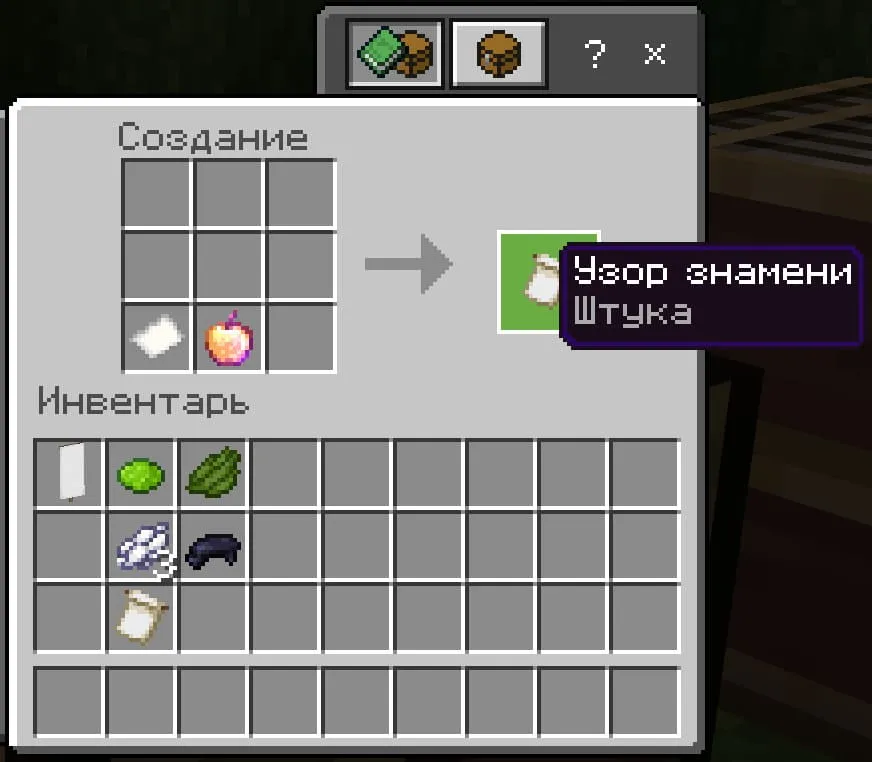
- Next, create the 'Thing' banner pattern: paper + enchanted apple;
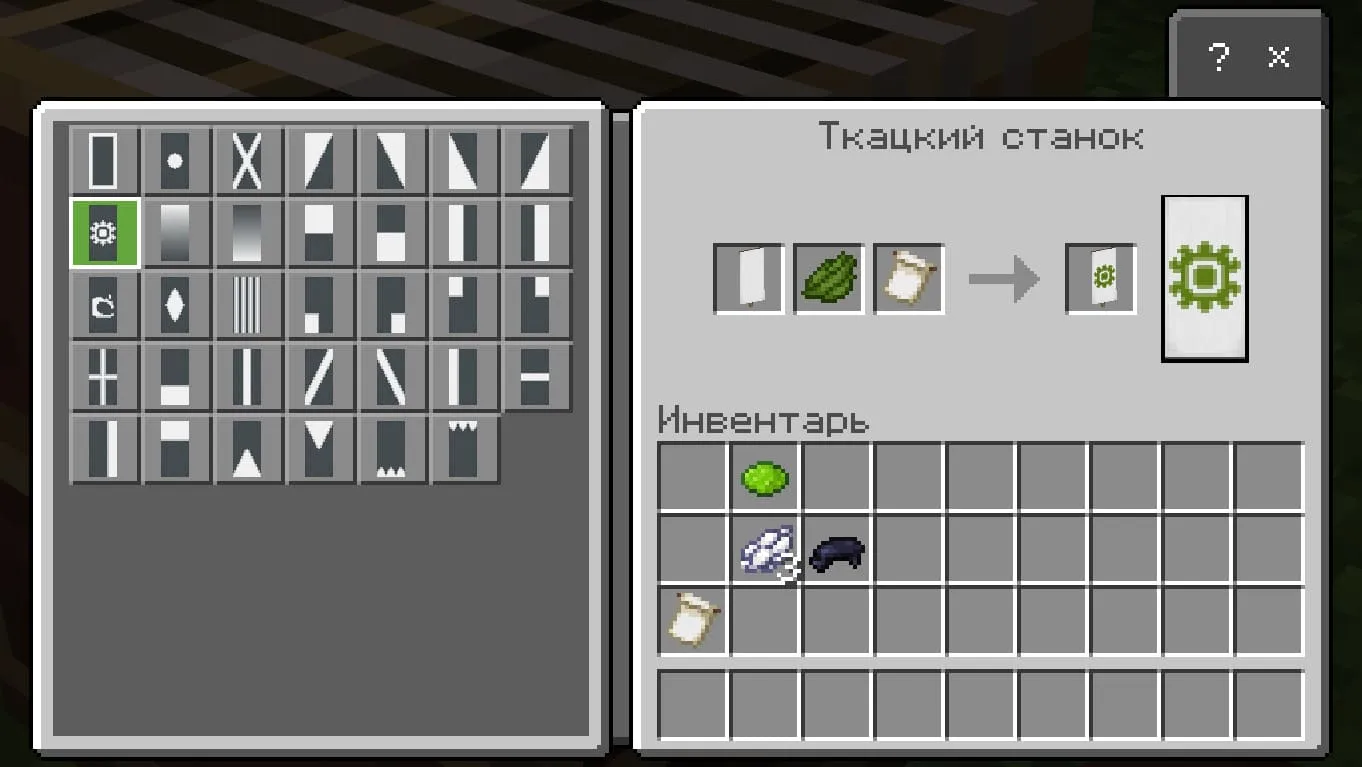
- Place the 'Flower Charge' pattern in the loom with green dye and a white banner;
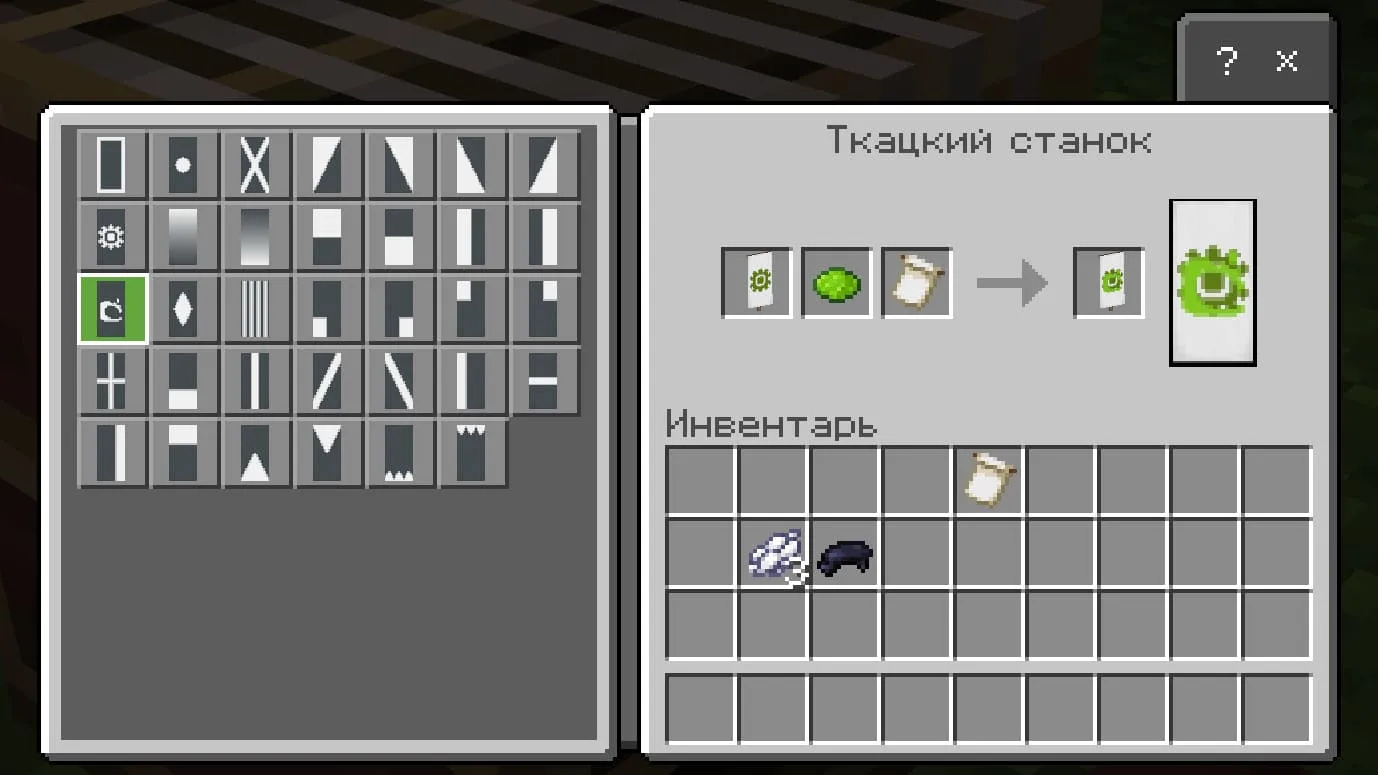
- Add the 'Thing' pattern and lime dye to the resulting banner;
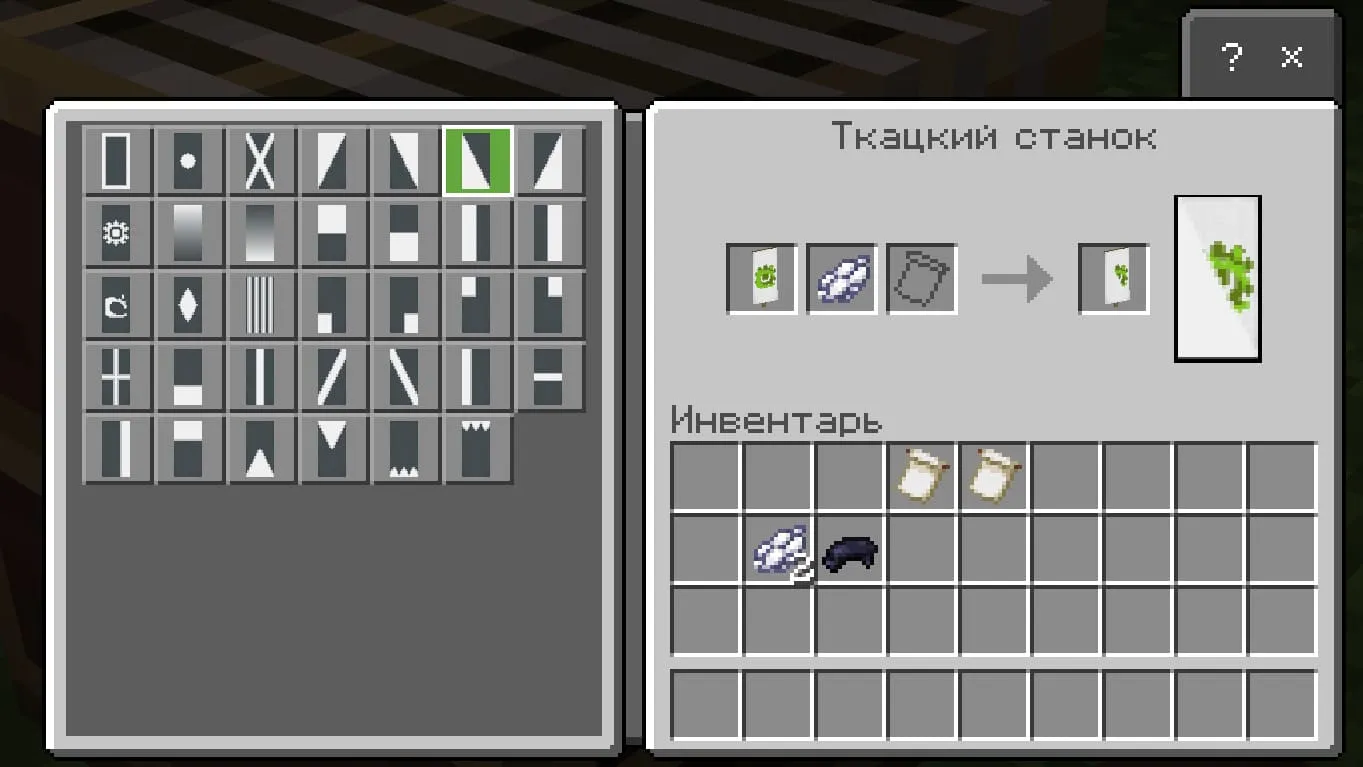
- Add white dye to this banner and select the triangle in the bottom-left corner from the list;
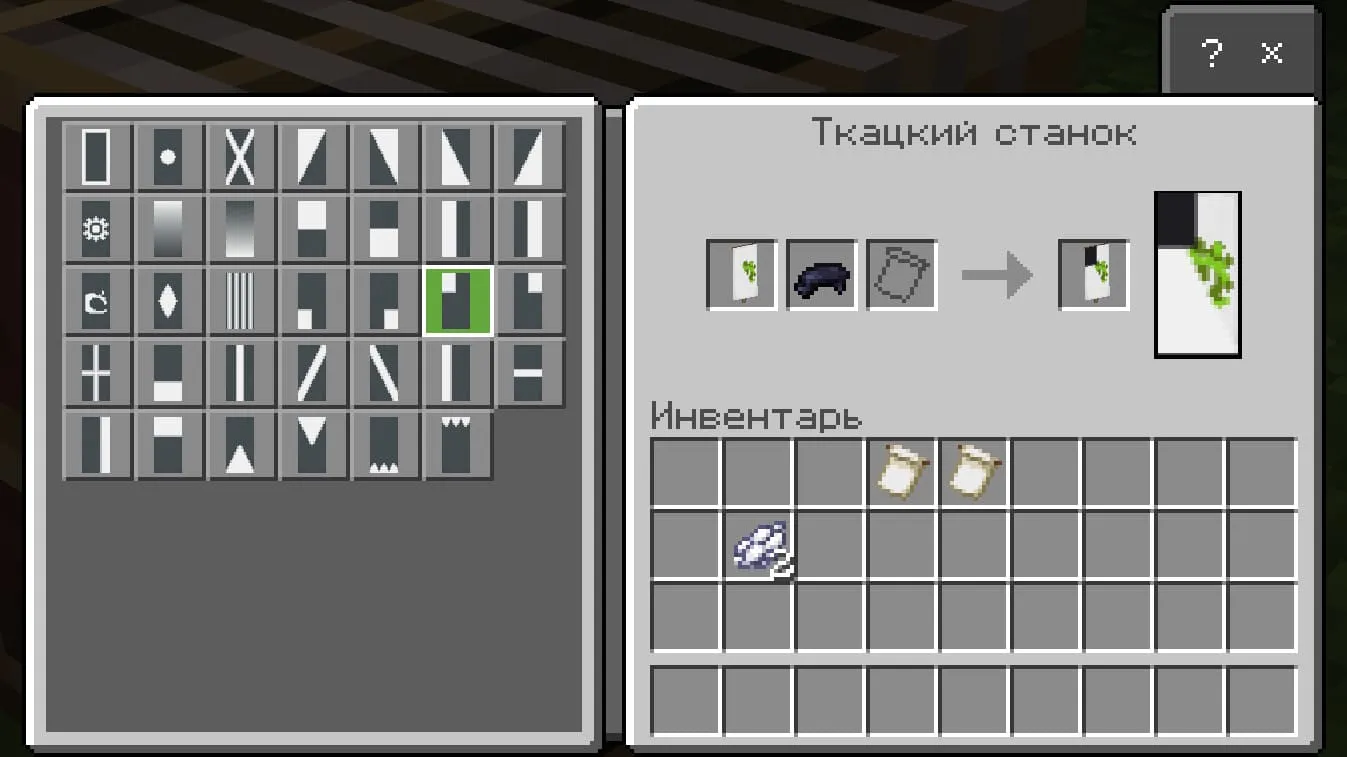
- Add black dye to this banner and select the rectangle in the top-left corner from the list;
- Add white dye to this banner and the 'Bordure Indented' pattern from the list;
- Add white dye to this banner and select the 'spikes' from the top from the list;
- And done!