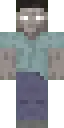
Skin Deadpool 2

The Deadpool skin brings the famous antihero from comics into the Minecraft world. The red suit, mask with white eyes, and signature swords make the look recognizable. This skin is a must have for all Deadpool fans.
The skin is perfect for adventure maps and mini games where you can express the character's personality. Thanks to the bright design, your character will stand out among other players.
You can also find the skin installation guide on our website if you need help.
Download skin Deadpool 2 .png
There are no comments, be the first!
Leave a comment, share your impression or ask a question.