Text Formatting in Minecraft
Did you know that in Minecraft you can change text color, make it italic or bold? If not, in this guide we have created a detailed description for creating formatted text in the game. You can format:
- text in chat
- text in a book and quill
- text in localization files (for example, the purple name of the golden apple)
- text on signs
- server description
- world name
- item name
- mob names (use a name tag)
To format text in the game, a special symbol § is used. On a computer, you can type it by pressing ALT+21. On an Android device, you need to long-press the ¶ symbol to get §.

If you are an iOS user, you need to long-press the & symbol.
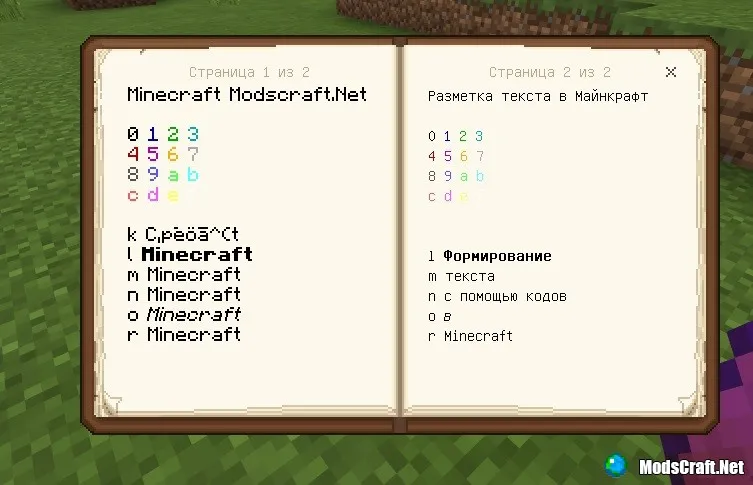
Now you need to enter the color number (below is a table with all color codes in the game). For example, typing §4 followed by some text will make it red. You can also combine different colors.
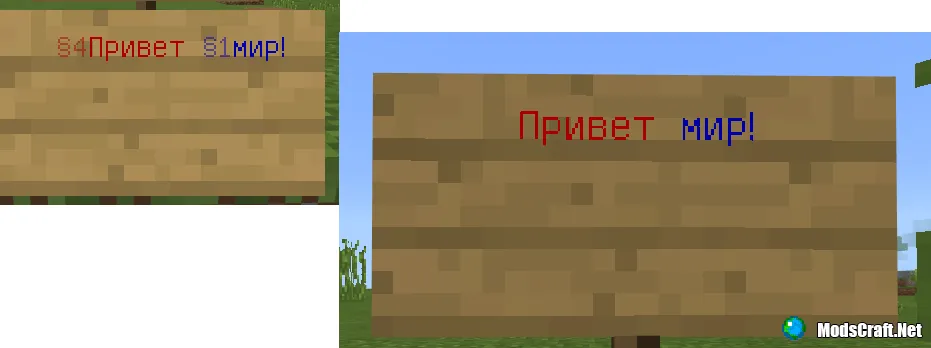
Minecraft Color Codes:
| Code | Text Color | HEX Code |
|---|---|---|
| §0 | Black | 000000 |
| §1 | Dark Blue | 0000AA |
| §2 | Dark Green | 00AA00 |
| §3 | Dark Aqua | 00AAAA |
| §4 | Dark Red | AA0000 |
| §5 | Dark Purple | AA00AA |
| §6 | Gold | FFAA00 |
| §7 | Gray | AAAAAA |
| §8 | Dark Gray | 555555 |
| §9 | Blue | 5555FF |
| §a | Green | 55FF55 |
| §b | Aqua | 55FFFF |
| §c | Red | FF5555 |
| §d | Light Purple | FF55FF |
| §e | Yellow | FFFF55 |
| §f | White | FFFFFF |
Formatting Codes
Text can be made italic, bold, etc. This is done in the same way as with colored text.
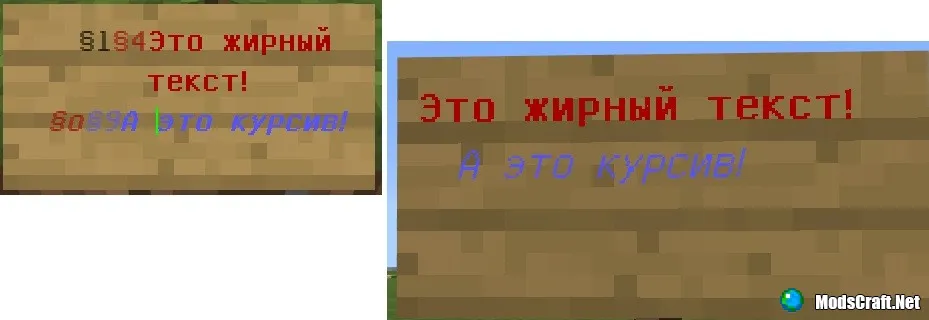
Formatting Codes Table:
| Code | Result |
|---|---|
| §k | Obfuscated |
| §l | Bold |
| §m | |
| §n | Underline |
| §o | Italic |
| §r | Reset |
What is Obfuscated Text?
It is really something interesting. I recommend watching the GIF below to understand what it is:
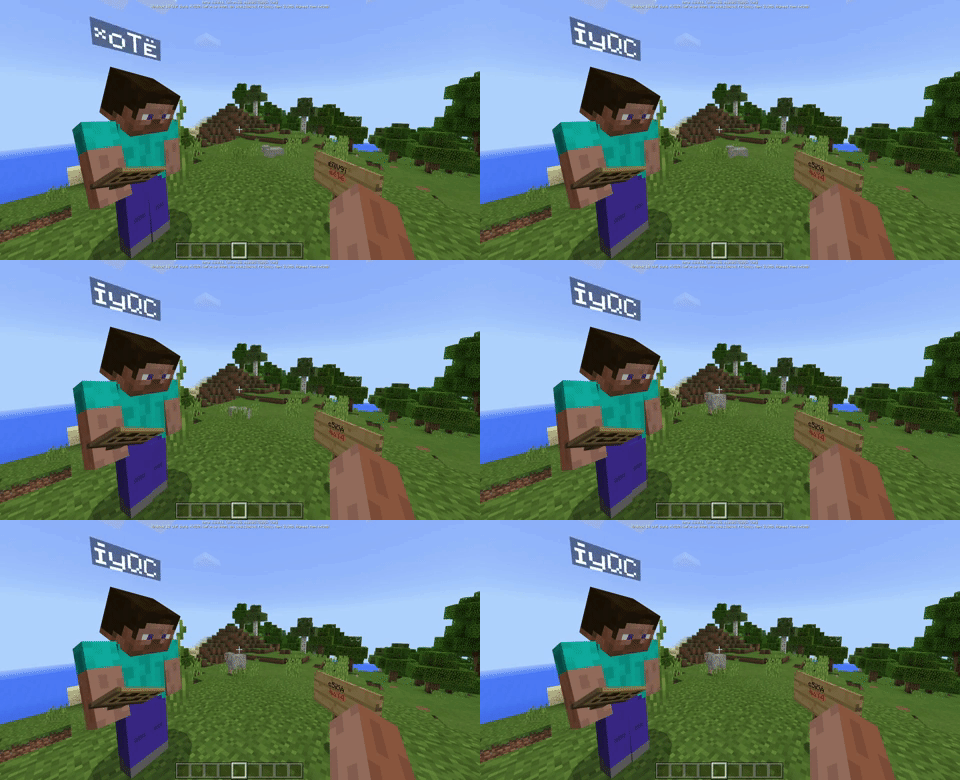
You can do this in chat, player nickname, on a sign, in item name, in mob name. Type §k and some text and you will see the result!
That's all! If you liked the guide, give it a thumbs up!
