Command Block [Minecraft Guides]
![Command Block [Minecraft Guides]](https://img.modscraft.net/uploads/posts/2017-08/1503763806_command-block-guide-wiki.webp)
A command block allows you to execute the same commands in Minecraft as you would in the regular chat. So what is a command block, how do you get it, and how do you use it? In this article, we'll tell you all about it!
![Command Block [Minecraft Guides]](https://img.modscraft.net/uploads/posts/2017-03/1490192027_a15acer.webp)
It's a really useful block that expands the possibilities for creating maps in Minecraft.
You can find a full list of commands on the Console Commands page, but not all of them work in Minecraft on Android, iOS, and Windows 10 versions.
+ of command blocks in MCPE:
- Unlike the PC version, command blocks in PE don't cause heavy lag, so FPS stays stable.
- The command block interface is adapted for mobile devices.
- of command blocks in MCPE:
- Too limited functionality.
How to get a command block?
You can't craft a command block in the game, but you can give yourself one using the command /give Steve command_block, where Steve is the player's username. You can also use @p instead of Steve to give the block to yourself. Don't forget to enable cheats in the world settings.
How to enter a command into a command block?
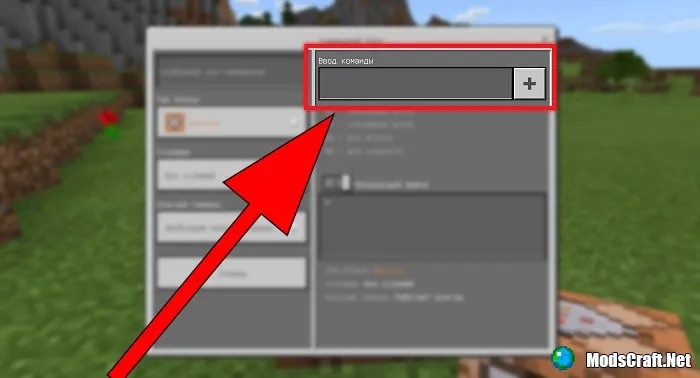
To do this, open its interface. It's very easy: just tap on it. In the Command Input field, enter the command that the command block will execute. Below that, there's a field where you can see an error if you entered something wrong.
Example commands:
- give @p apple 5 - gives the player five apples.
- setblock ~ ~+1 ~ wool - places a wool block at the player's coordinates.
- tp Player 48 41 14 - teleports the player named Player to coordinates x=48, y=41, z=14.
Who do command blocks work with?
Using selectors, you can target a player or entity for the command to affect:
- @p — the player who activated the command.
- @a — all players.
- @r — a random player.
- @e — all entities (including mobs).
Additional selectors:
How do you, for example, teleport all players to a certain point except yourself? Easy: use additional selectors, e.g., tp @a[name!=Admin] 228 811 381 teleports all players except the one named Admin to x=228, y=811, z=381. All parameters:
- x — X coordinate. If you use ~ instead of a value, the point will be the command block's location.
- y — Y coordinate. If you use ~ instead of a value, the point will be the command block's location.
- z — Z coordinate. If you use ~ instead of a value, the point will be the command block's location.
- r — maximum search radius.
- rm — minimum search radius.
- m — game mode.
- l — maximum experience level.
- lm — minimum experience level.
- name — player's username.
- c — additional argument for @a that limits the number of players affected. For example, @a[c=5] affects the first five players in the list, @a[c=-5] affects the last five.
- type — for example, the command /kill @e[type=Skeleton] kills all skeletons, and /kill @e[type=!Player] kills all entities that are not players.
Example command:
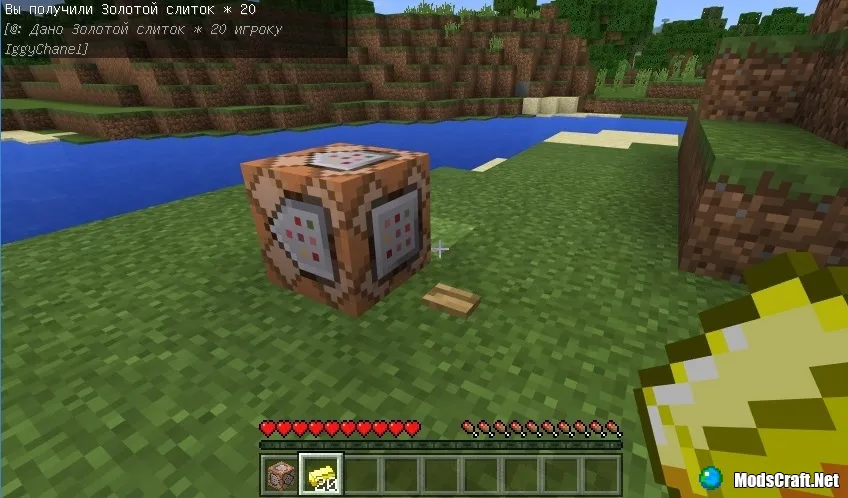
- give @p gold_ingot 20 - gives the nearest player within a 10-block radius 20 gold ingots.
Command Block Modes
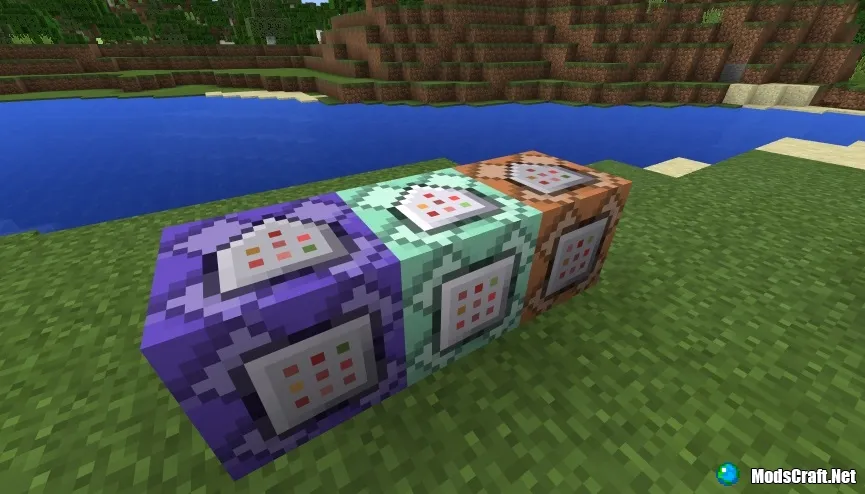
There are three command block modes: Impulse, Chain, and Repeat - the block's color changes depending on the mode.
- Impulse mode (orange): activates the specified command once.
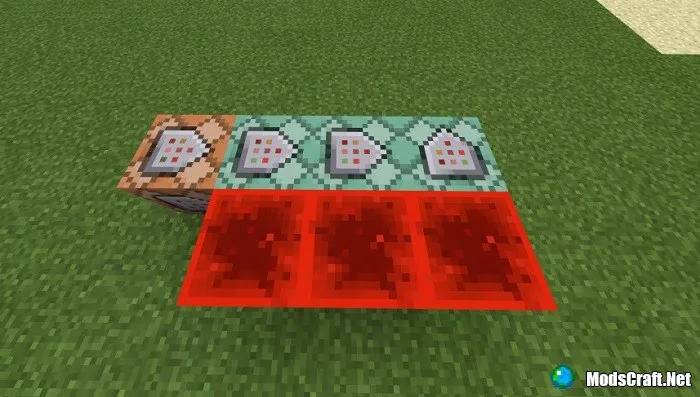
- Chain mode (green): the command runs if the block is attached to another command block and connects to other command blocks.
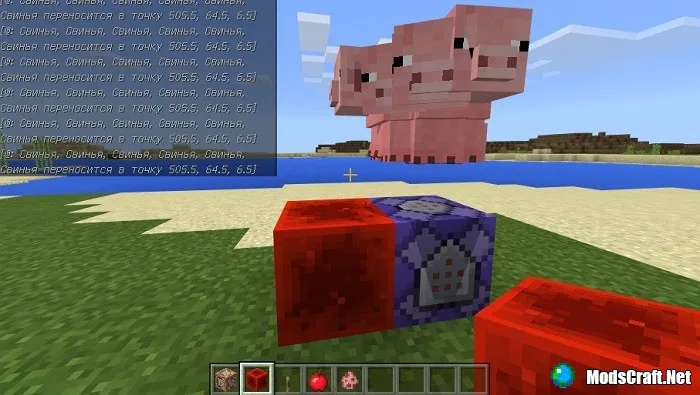
- Repeat mode (blue): the command repeats every tick while the block is powered.
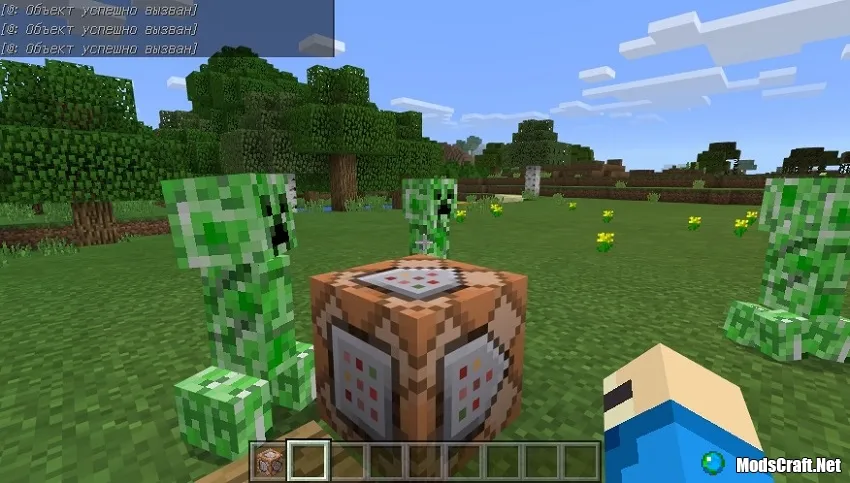
Impulse Mode
These are standard command blocks used to interact with chain blocks, but you can also execute commands directly in these blocks.
Chain Mode
As the name suggests, this mode works like a chain.
Note that for a chain block to work, you need an impulse command block to send the signal, as well as a redstone block - without it, the chain command block won't work.
The title command and its parameters:
- title clear - clears messages from the player's screen.
- title reset - clears messages and resets parameters.
- title title - the main title displayed on screen.
- title subtitle - the subtitle displayed when the title appears.
- title actionbar - displays text above the inventory.
- title times - fade-in, stay, and fade-out times. Default values: 10 (0.5s), 70 (3.5s), and 20 (1s).
Example commands:
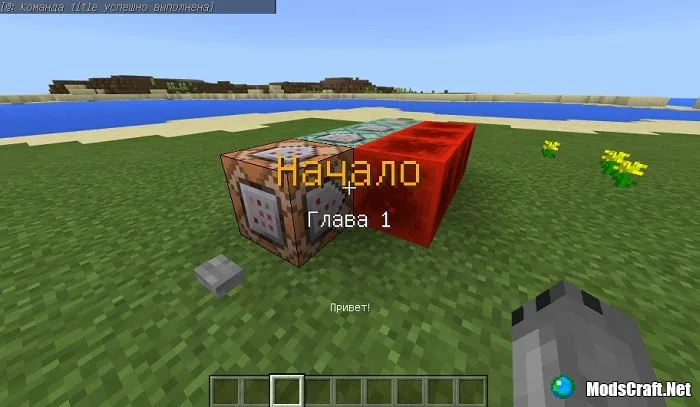
- title @a title §6Beginning - title with orange color.
- title @a actionbar Hello! - displays text above the inventory.
- title @a subtitle Chapter 1 - subtitle.
Repeat Mode
Executes the command as long as the command block is powered by redstone. For example, tp @e[type=pig] ~ ~+ ~ will teleport all found pigs to the command block's location with a height offset of +1.
That concludes our guide on command blocks. If the developers add anything new for mobile command blocks, we'll update this article and let you know about the new features!

