ModsCraft » Guides » Structure Block [Minecraft Bedrock/PE Guides]

Structure Block [Minecraft Bedrock/PE Guides]

WhatsApp
Telegram VKontakte Odnoklassniki Pinterest
Structure Block [Minecraft Bedrock/PE Guides]

The Minecraft Bedrock (PE) 1.13 update brought fully functional structure blocks to the game, allowing you to copy and load structures, as well as create three-dimensional versions!

To start, create a new world (or edit an existing one) and enable Experimental Gameplay mode.
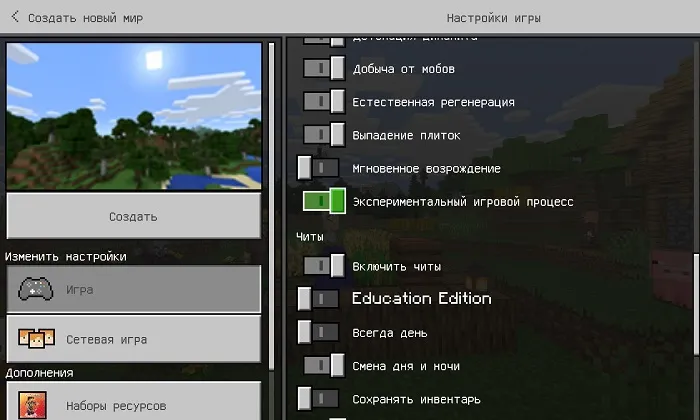
Creating a new world in Minecraft PE

After creating the world, use the command '/give @s structure_block' to get a structure block.

Structure Block [Minecraft Bedrock/PE Guides]

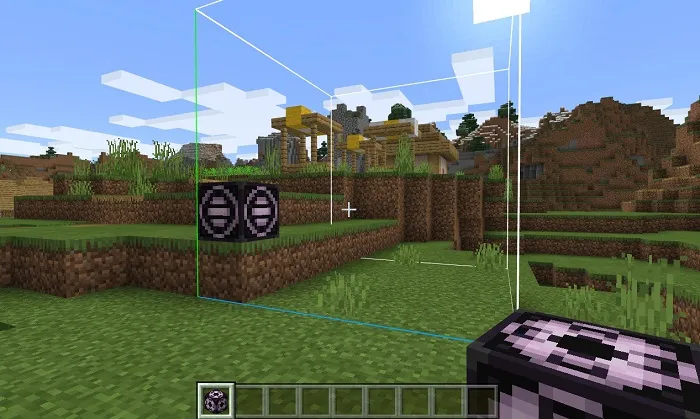
Place the block anywhere (preferably close to the area you want to copy).
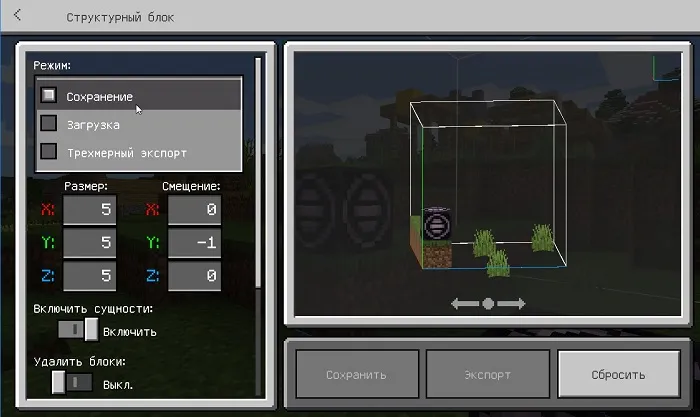
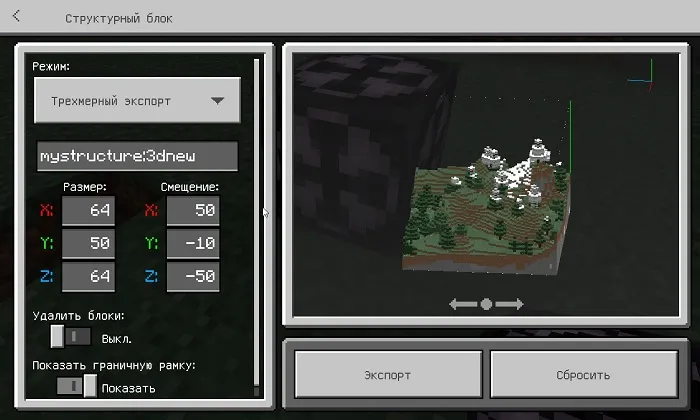
Open the structure block interface. Starting from version Minecraft Bedrock 1.13, three modes are available:

  • Save
  • Load
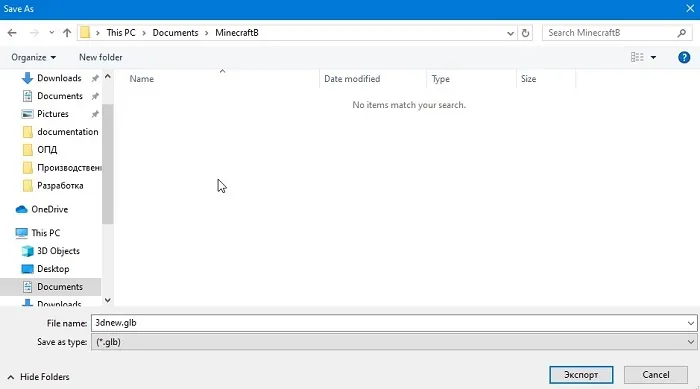
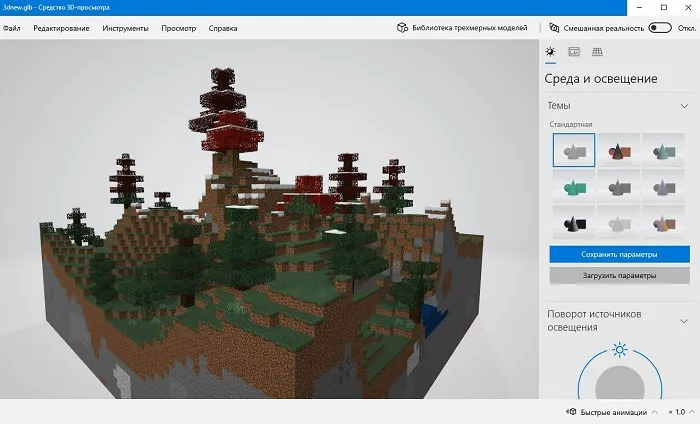
  • 3D Export (works only on Windows 10!)

Structure block interface in Minecraft Bedrock

In Save mode, you need to enter a structure name, but most importantly, fill in the coordinates. You must enter the dimensions of the structure to copy and, if necessary, specify the offset.
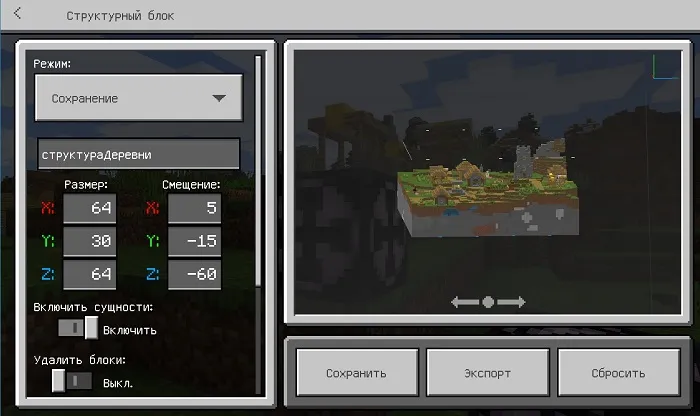
When you're done, click the Save button. Now you can place the structure block elsewhere and import the copied structure!

To do this, switch to Load mode, enter the saved structure name, and set the offset coordinates if needed. Then click the Load button.
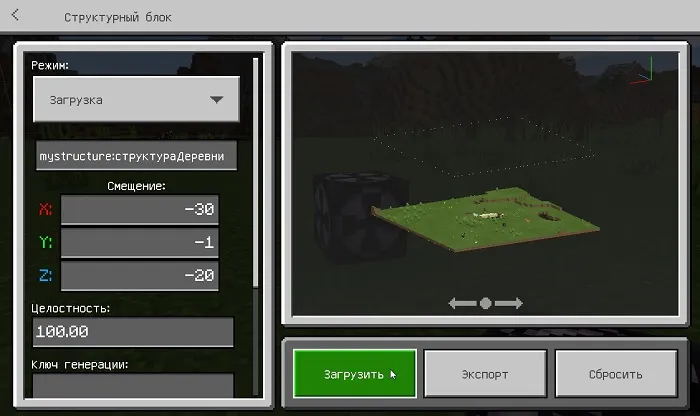
Importing a structure with a structure block in Minecraft

After clicking the button, the structure will be imported at the specified coordinates.
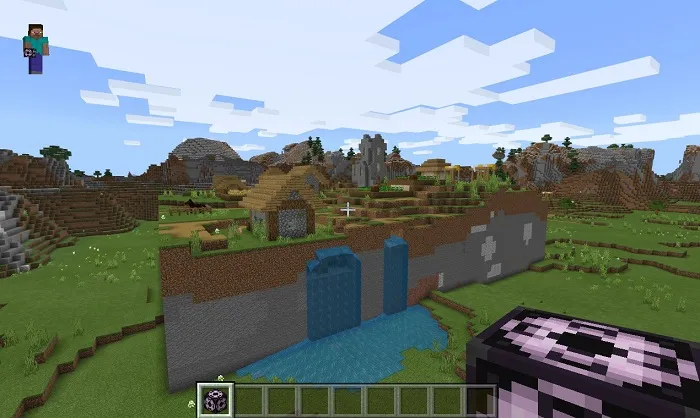
That was a brief guide to the structure block in Minecraft Bedrock! There are also rotation and mirroring options, but those didn't work for me (if you know how to use them, leave a comment).
55 comments
  1. Guest avatar
    Р2д2
    14:49 1 Mar 26
    А как посли подачи редстоуна блок не минался с загрузки на сохранения 🤔🤔🤔 ??? )))
  2. Guest avatar
    Дима
    16:08 29 Jan 26
    Спасибо, теперь я могу строить город.
  3. Guest avatar
    Евгений
    0:11 1 Oct 25
    Я хотел узнать как работает режим структурного блока "Угол", но к сожалению здесь этот режим не описан. Но зато я узнал про ещё один, достаточно необычный режим структурного блока. :)
  4. Guest avatar
    Сед
    19:32 15 Dec 23
    Угол нужен чтобы поварачивать обьект
    Сохранить> сохраняйте структуру назвав его по своему
    Загрузить> когда пишите имя струкруты то она сама загружается вам надо лиш нажать сохранить или загрузить
    Файлы с версии 1.18'1.19 сохраняются в Android/data/mcpe/files/structure и там можно найти а если у вас ниде этих версий то тогда папка games/com.mojang и т.д
  5. Guest avatar
    AntiX
    1:44 18 Apr 22
    Подскажите путь файла куда сохраняются структуры?
    1. Guest avatar
      Владимир
      19:09 20 Apr 22
      Нажми сохранить что тебе нужно и иди или лити куда хочешь и нажми загрузить
  6. Guest avatar
    AXIlotl
    21:43 28 Feb 22
    Когда с помощью этого блока ты загружаешь что-то,он меняет свойство с "загрузить" на "сохранить", как сделать так, что бы он не менял свойство после использования?
  7. Guest avatar
    никакое
    19:34 29 Jan 22
    R.I.P моё понимание...как будто с модами
  8. Guest avatar
    MrKvez
    20:05 23 Dec 21
    R.I.P кнопка экспорта
    1. Guest avatar
      MrKvez
      20:06 23 Dec 21
      Она когда-то и на андройд была если что
      1. Guest avatar
        Давид
        19:27 12 Jul 22
        Жалко что её удалили.
  9. Guest avatar
    Крутой ютубер огонь ?о
    9:29 23 Dec 21
    А как вставлять деревни,аванпосты,корабли, из файлов Майнкрафта?
  10. Guest avatar
    CototonYT
    15:25 5 Dec 21
    Люди, а куда на бедроке сохраняются (как файл) структуры???

Immerse yourself in a unique adventure with classic survival, anarchy, a clan system, and constant events!…

PvP, Survival
IP:Port craft.pe:19132
Online 302 / 1501
Version 1.1 - 1.26
Play