Arrow Trap in Minecraft
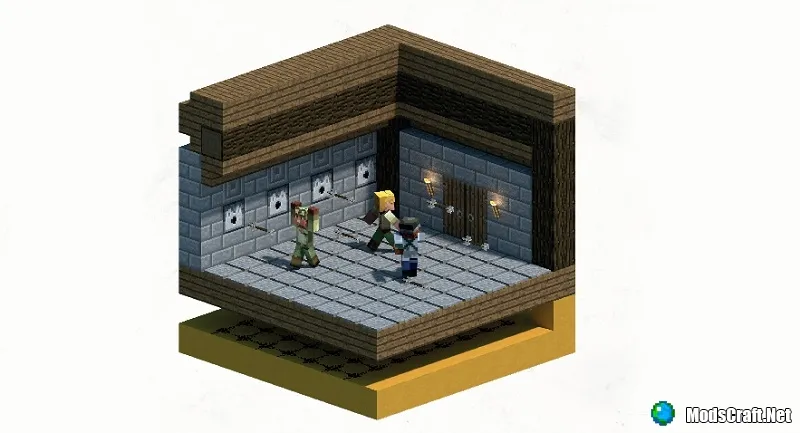
Building a medieval map, a fortress, or something similar in Minecraft? Then we recommend checking out this guide, which will help you create an "arrow room" that works great as a trap on your map!
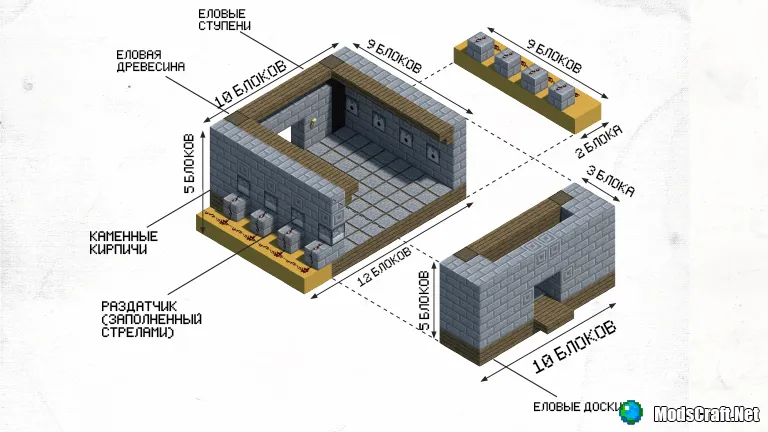
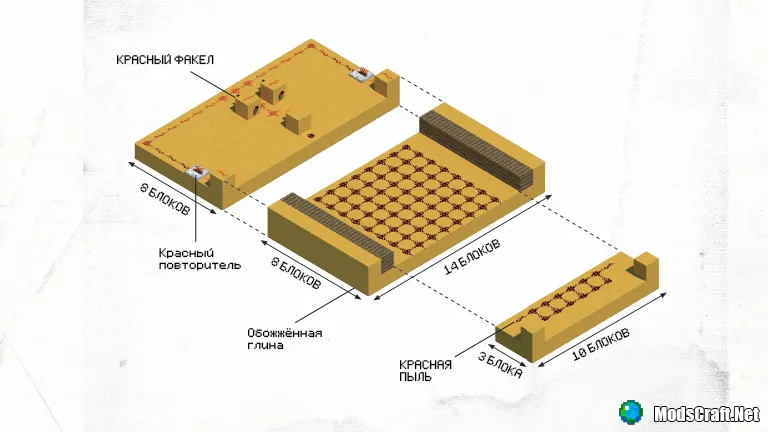
The arrow room is one of the simplest traps you can add to your castle or anything else.
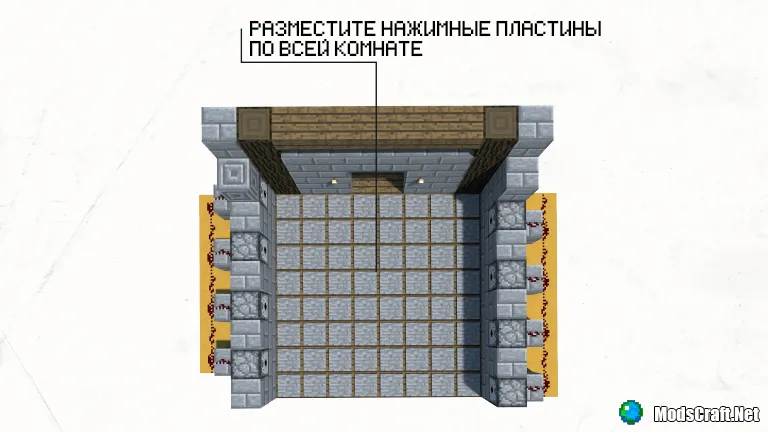
Redstone Placement
The room is divided into two sections: lower and upper. In the upper section, you should place dispensers, and in the lower section, redstone dust, torches, and repeaters. Every time a player steps on a pressure plate, a redstone signal will trigger, causing the dispensers to shoot arrows.
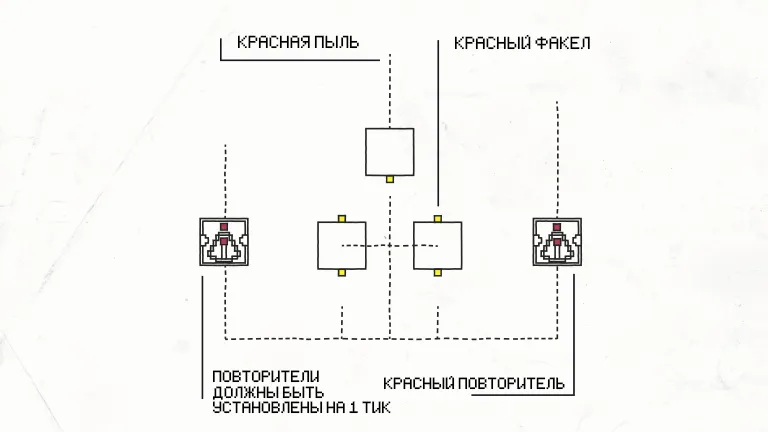
When the signal is received, all dispensers on both sides will be activated immediately. This means the victim (if the player is in Survival mode) will have no chance to escape the trap.
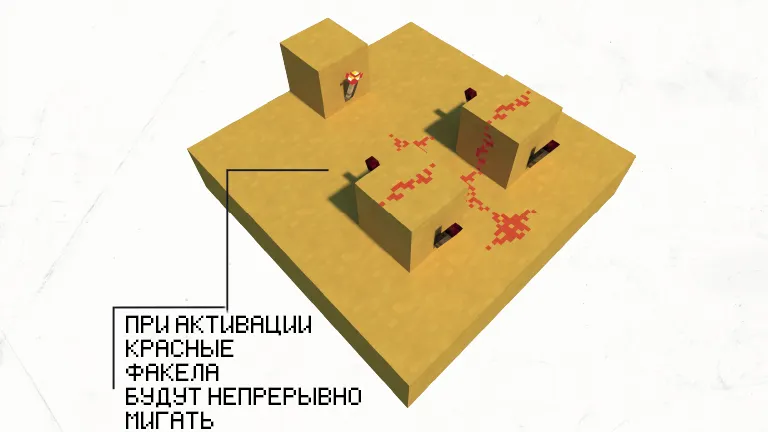
Rapid Pulse Mechanism
The mechanism consists of three blocks with redstone dust and redstone torches placed on them. When the pressure plate is pressed, the redstone signal travels through the entire redstone dust grid and turns the mechanism on and off several times, allowing the dispensers to fire arrows multiple times.
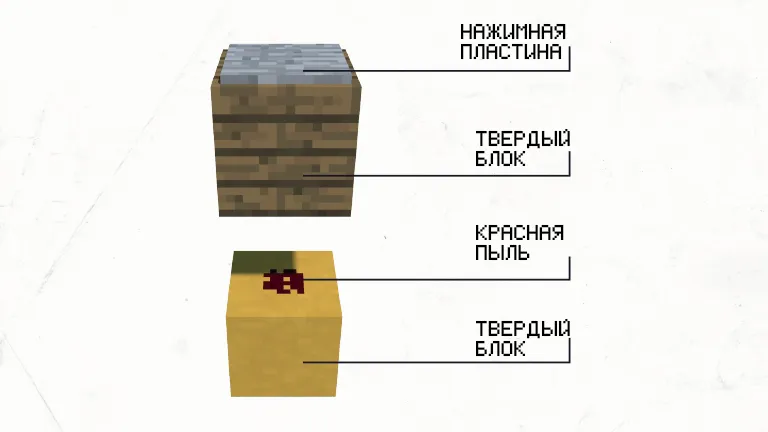
Pressure Plates
On a solid block, you should place a pressure plate, and underneath it, you need to place redstone dust. Since the entire room will have a grid of redstone dust that activates all dispensers, it will be very difficult for the victim to escape the trap.
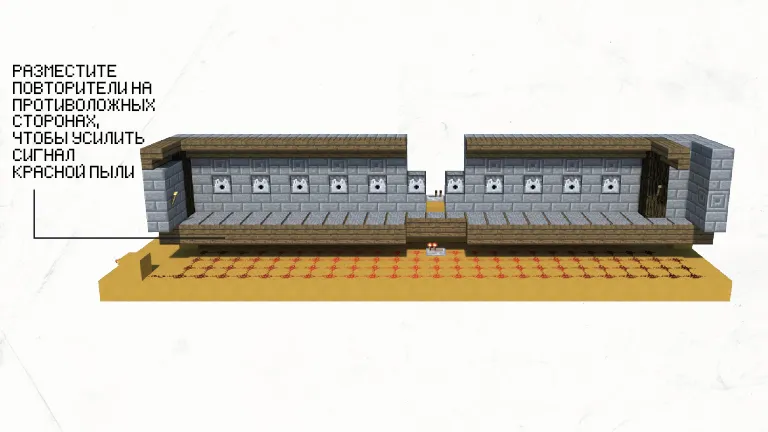
You can also expand the room, making life harder for intruders, but don't forget to place redstone dust, pressure plates, and dispensers.
The most important thing to remember is that the redstone signal can travel up to 15 blocks, so to fix this issue, you'll need to place repeaters. In the screenshot below, you can see an example of placing two repeaters; you'll need to place two more on the opposite sides of the room.
This concludes this guide. I hope this mechanism will be useful to you and help in creating maps for both Minecraft Pocket Edition and the PC version.
