BlockLauncher Pro on Android
The BlockLauncher program allows its users to install various add-ons for Minecraft Pocket Editon - mods, addons, patches and textures.
In addition, the launcher is constantly updated, new features in modding appear, and therefore many mods are getting better.
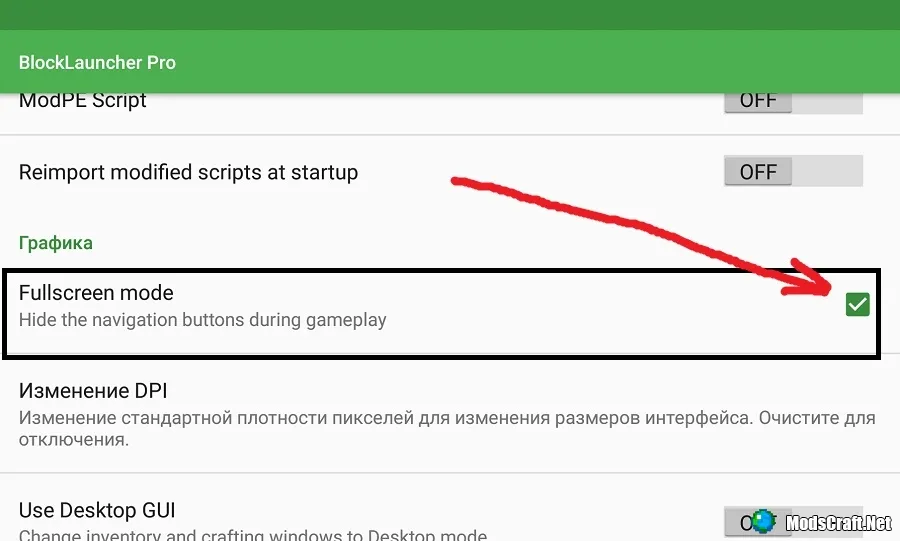
If the on-screen buttons of your Android device interfere with you in the game through the launcher, then go to the settings BL. Find the Graph item there and tick the Fullscreen mode. Now it will become much more convenient to play!

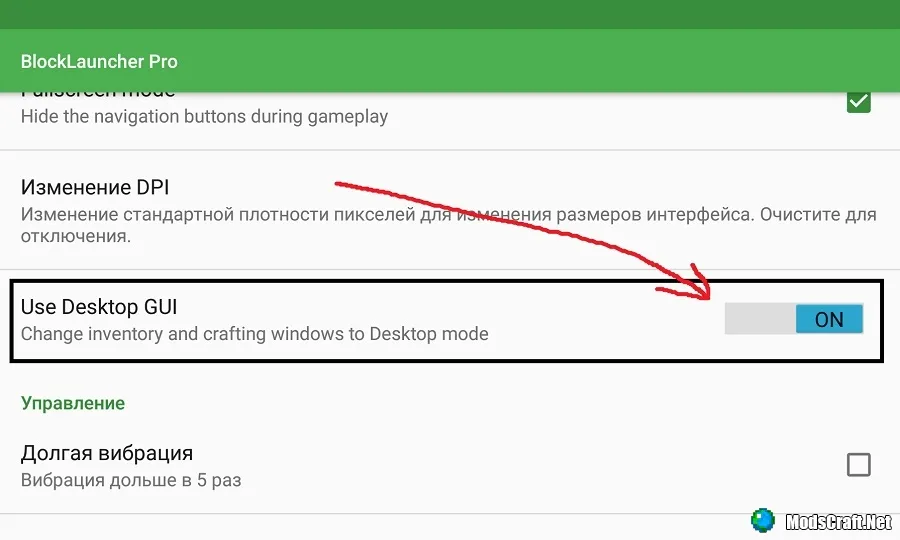
Also go to the launcher settings. Then, in Graph, enable the Use Desktop GUI option.
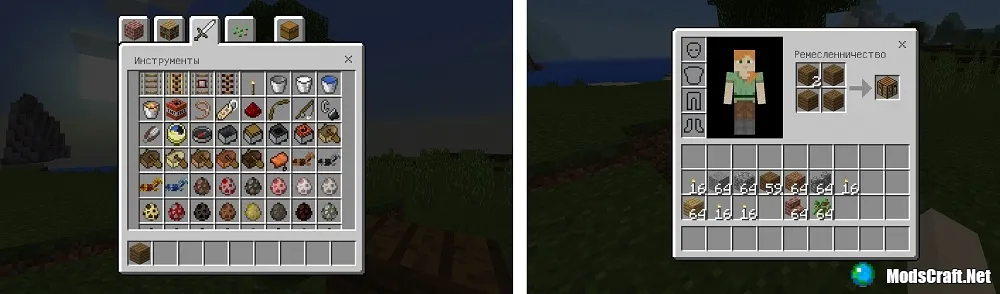
Now the interface in the game will become similar to the PC version, or rather, it will become like in Windows 10 Edition.
In addition, the launcher is constantly updated, new features in modding appear, and therefore many mods are getting better.
Features:
- The ability to install addons and mods
- The ability to put textures
- The ability to make screenshots using the launcher
- Ability to change DPI
How do I enable fullscreen mode?
If the on-screen buttons of your Android device interfere with you in the game through the launcher, then go to the settings BL. Find the Graph item there and tick the Fullscreen mode. Now it will become much more convenient to play!
How do I enable the PC interface?
Also go to the launcher settings. Then, in Graph, enable the Use Desktop GUI option.
Now the interface in the game will become similar to the PC version, or rather, it will become like in Windows 10 Edition.
Changes in v1.17.5 PRO:
- Added support for Minecraft 1.14.1.5
Files
Files in a new tab
Download BlockLauncher PRO 1.27
80
comments
Comments in a new tab
