Map: New Slime Block Robots [Redstone]
![Map: New Slime Block Robots [Redstone]](https://img.modscraft.net/uploads/posts/2017-07/medium/1499462943_new-slime-robots-1.webp)
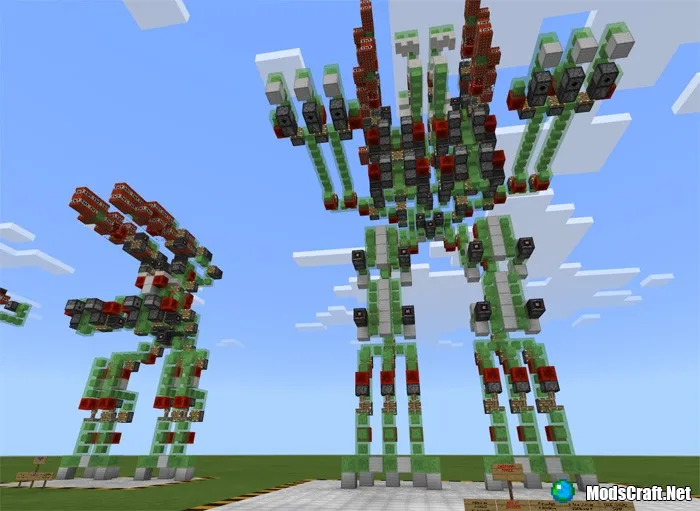
On the map «New Slime Block Robots», six incredibly cool redstone creations are built in Minecraft PE, which look like huge robots with combat capabilities!
How does it work?
To start the engine, you need to find the part that has 3 observers (shaped like an inverted triangle), and there will be one more observer block on top. Click on it with a flint and steel to activate the engine and start the robot.
![Map: New Slime Block Robots [Redstone]](https://img.modscraft.net/uploads/posts/2017-07/1499462160_new-slime-robots-2.webp)
If you want to stop the robot, you will need to break the slime blocks, the sticky piston, and the observer that you activated. You can also place an obsidian block in front of the slime blocks to stop the robot.
To activate the rocket launcher mechanism, make sure you have stopped the engine. If you don't, the robot's mechanism will be broken. Place a redstone torch / redstone block, otherwise it will be damaged. In the engine, place a redstone block / redstone torch Minecraft PE below or on the upward-facing piston (toward the rocket) with an observer block facing that block, and it's important that you remove the redstone block or redstone torch you placed after launching the rocket before starting the engine again.
Installing the New Slime Block Robots map (.mcworld):
- Download the map file .mcworld from the link below.
- Just open the file (via ES File Explorer on Android) and the game will install all necessary files automatically.
- Launch Minecraft PE and find the map in the world list.
- Start the map and enjoy playing it!
