Map: Entity_303 Boss Battle [Minigame]
![Map: Entity_303 Boss Battle [Minigame]](https://img.modscraft.net/uploads/posts/2017-08/thumbs/1503871423_entity-303-boss-1.webp)
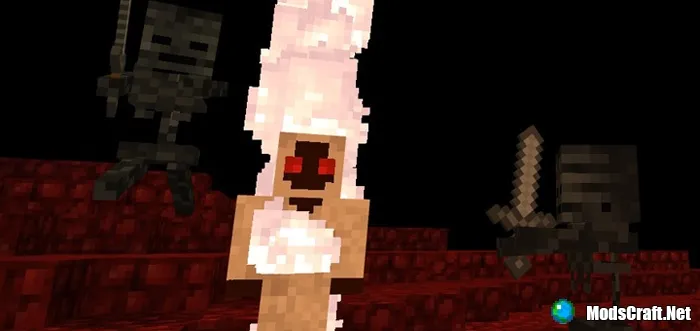
Do you know about the mysterious creature Entity 303? According to legend, Entity 303 is a Mojang developer fired by Notch. And now he is taking revenge for it. On the Entity_303 Boss Battle map, you will face him directly in Minecraft PE! Will you be scared and run away, or will you accept the fight?
I recommend setting the game difficulty to maximum, since killing the boss is quite easy. The author of this map spent three whole months so you could appreciate his work!
Map Story
You guard the Overworld (Entity_505) and your worst enemy is Entity_303 (replaces the Blaze). It is a very evil creature that wants to destroy the entire world, but so far its attempts have been unsuccessful. The hour has come to permanently destroy Entity_303 and put an end to its plans.
How to Play?
In the lobby, there are three different buttons: the first shows map info, the second gives equipment, and the third starts the game. Press the equipment button to get a sword, a special gun, ammo, and potions.
After that, press the start button and wait about 10 seconds until you are teleported to the arena.
![Map: Entity_303 Boss Battle [Minigame]](https://img.modscraft.net/uploads/posts/2017-04/1492432031_entity-303-boss-4.webp)
The boss Entity 303 has various abilities, and also summons minions (wither skeletons) that will try to hinder you.
Entity_303 abilities:
- Has 250 health points
- Shoots fireballs
- Summons minions (wither skeletons)
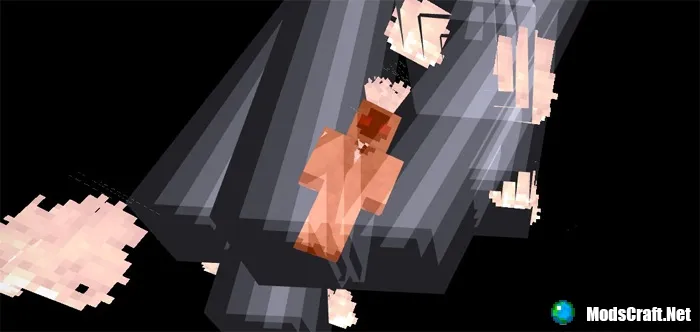
- Calls lightning
- Throws anvils at the player
- Poison attack
The player will also receive certain effects: speed and jump boost, health regeneration.
Here is the list of changed items:
- Corrupted Sword (iron sword)
- Photon Gun (bow)
- Photon (arrows)
- Elixir Flask (golden apple)
- Entity_505 Suit (diamond armor)
Last update: August 23, 2017.
What's new?
- Added voice for the boss.
- Two new lobby variants.
- The battle will now be much harder!
- Increased boss health to 250.
- Improved multiplayer compatibility.
- Anvils now disappear when the round ends.
Installing the Entity_303 Boss Battle map (.mcworld):
- Download the .mcworld map file from the link below.
- Simply open the file (via ES File Explorer on Android) and the game will automatically install all necessary files.
- Launch Minecraft PE and find the map in the worlds list.
- Start the map and enjoy playing through it!
