Map: Custom Crafting Recipes [Redstone]
![Map: Custom Crafting Recipes [Redstone]](https://img.modscraft.net/uploads/posts/2017-03/1490985334_custom-command-block-recipe.webp)
On the Custom Crafting Recipes map there is a rather interesting mechanism that allows you to craft 9 different blocks or items that cannot be obtained in a crafting table. The crafting process works a bit differently, as you will use a dropper instead of a crafting table.
Don't forget that the map uses command blocks, so in other MCPE worlds without these mechanisms it won't work!
How does it work?
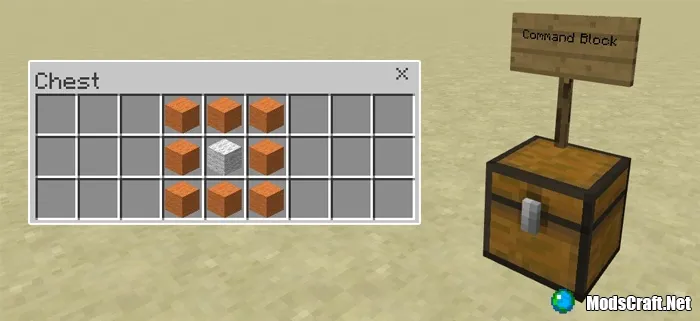
There are 9 different recipes for items and blocks. Open any of the chests, remember the recipe and get the items.
![Map: Custom Crafting Recipes [Redstone]](https://img.modscraft.net/uploads/posts/2017-03/1490984007_custom-command-block-recipe-4.webp)
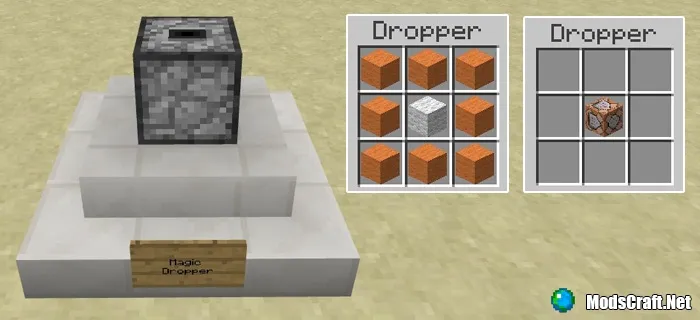
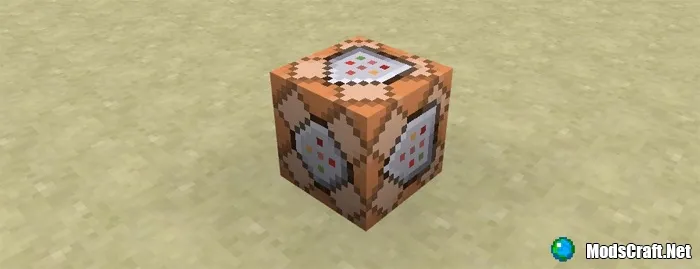
In this case, I'm going to craft a command block. If you are using a mobile device, change the interface to Classic to simplify crafting.
Find the "magic dropper" and place all the items needed for crafting in it (in my case, it's a command block). Then close the dropper interface and open it again to get the crafted block.
Installing the Custom Crafting Recipes map (.mcworld):
- Download the map file .mcworld from the link below.
- Simply open the file (via ES File Explorer on Android) and the game will install all necessary files automatically.
- Launch Minecraft Pocket Edition and find the map in the world list.
- Start the map and enjoy playing it!
