Map: Working iPhone 6 1.0.6+ [Redstone]
![Map: Working iPhone 6 1.0.6+ [Redstone]](https://img.modscraft.net/uploads/posts/2017-03/1490718590_working-iphone.webp)
On the map Working iPhone 6 you will find a huge iPhone 6, which is currently a semi-functional mechanism for Minecraft PE. Although the functions are very limited, I still see something like this for the first time in MCPE.
The iPhone is in sleep mode by default. Walk up close to the "Home" button to turn it on.
![Map: Working iPhone 6 1.0.6+ [Redstone]](https://img.modscraft.net/uploads/posts/2017-03/1490717972_working-iphone-3.webp)
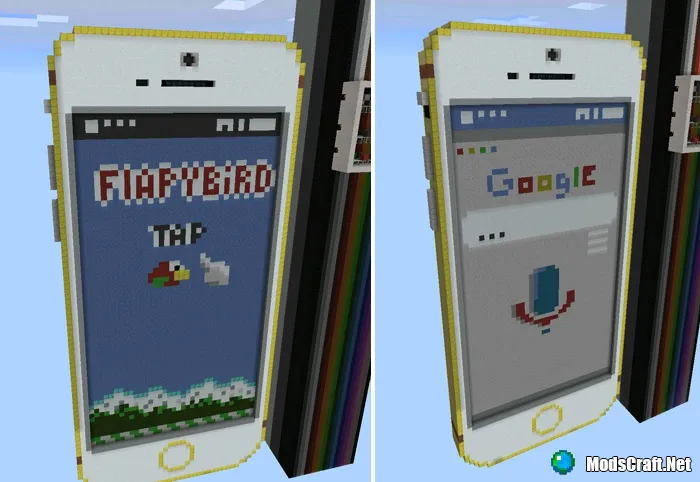
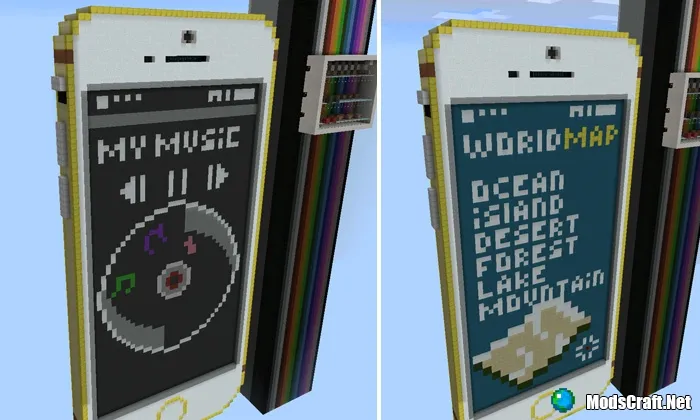
After that, the home screen will be displayed. Here you can switch between different apps installed on the iPhone.
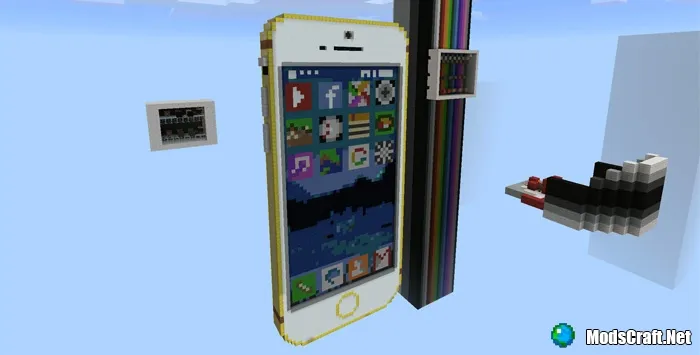
Walk up close to the buttons to enter an app. I should note that currently all apps are non-functional, but nonetheless, this is really cool.
Installing the Working iPhone 6 map (.mcworld):
- Download the .mcworld map file from the link below.
- Simply open the file (via ES File Explorer on Android) and the game will install all necessary files automatically.
- Launch Minecraft PE and find the map in the worlds list.
- Start the map and enjoy playing it!
Installing the Working iPhone 6 map (.zip)
- Download the map archive from the link below.
- Extract the map from the archive into /games/com.mojang/MinecraftWorlds/.
- Launch Minecraft PE and find the map in the worlds list.
- Start the map and enjoy playing it!
Download Working iPhone 6 map (.mcworld)
Download Working iPhone 6 map (.zip)
15
comments
Loading…
