Map: The Temple of Notch [Creative]
![Map: The Temple of Notch [Creative]](https://img.modscraft.net/uploads/posts/2017-03/1488482070_temple-of-notch.webp)
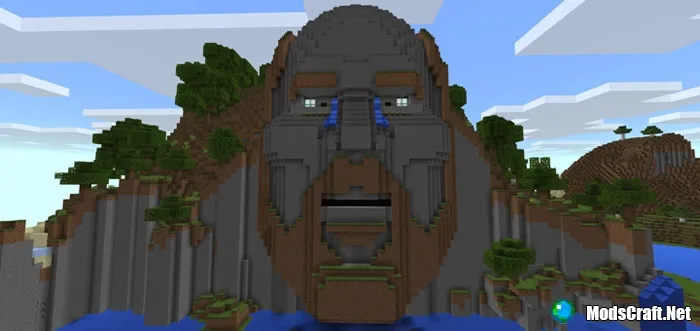
The map The Temple of Notch was created for the PC version of Minecraft back in 2011, just after the official release of the game, but after some time it was ported to Minecraft Pocket Edition.
The map itself is dedicated to Markus Persson "Notch", the creator of the game. On it you will see a huge head of the game's creator with a redstone mechanism!
How does it work?
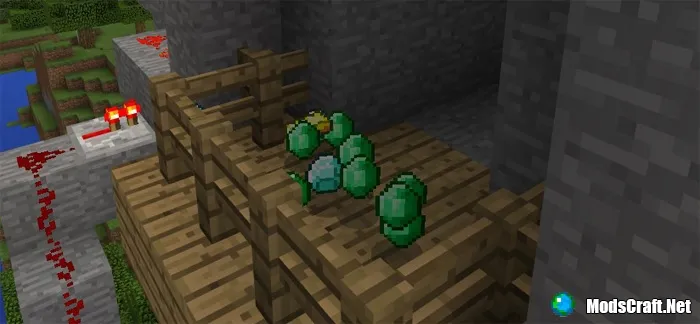
Take a few gold ingots from the chest at spawn, then find the well. Throw one ingot into the water and wait for the gate to open.
![Map: The Temple of Notch [Creative]](https://img.modscraft.net/uploads/posts/2017-03/1488481528_temple-of-notch-5.webp)
Will Notch accept your gift and reward you? Or will he start crying? Fate decides!
Don't worry if he doesn't accept your sacrifice the first time. You can return to spawn and restart the mechanism to try again!
Installing the The Temple of Notch map (.mcworld):
- Download the .mcworld map file from the link below.
- Simply open the file (via ES File Explorer on Android) and the game will install all necessary files automatically.
- Launch Minecraft Pocket Edition and find the map in the world list.
- Start the map and enjoy playing through it!
Download The Temple of Notch map (.mcworld)
38
comments
Loading…
